The 1.5u Key Advantage: Why Size Matters for Modifier Precision

The 1.5u Key Advantage: Why Size Matters for Modifier Precision

The 1.5u Key Advantage: Why Size Matters for Modifier Precision

In high-stakes MMO raids and competitive MOBA encounters, the margin between a successful ability rotation and a catastrophic wipe often rests on a single keystroke. While much of the industry's focus remains on switch actuation speed and polling rates, a critical geometric factor frequently goes overlooked: the physical dimensions of the modifier keys. The transition from standard 1u (one unit) keys to 1.5u modifiers—specifically the left Control, Shift, and Alt keys—represents a measurable ergonomic and performance shift for players managing complex input sequences.

Quick Decision Table: Is a 1.5u Layout Right for You?

User Profile Hand Size (Length) Recommended Layout Primary Benefit
Competitive MMO/MOBA Any 1.5u Modifiers Reduced misclicks during complex macros
Large-Handed Gamer >19.5 cm 1.5u Modifiers Lowered pinky strain; better "anchor" point
Casual/Touch Typist <18.0 cm Standard 1.25u Maintains standard muscle memory
Customization Enthusiast Any Standard 1.25u Easier to find aftermarket keycap sets

The Geometry of Error Reduction: 1u vs. 1.5u

The fundamental unit of keyboard measurement is the "u," where 1u typically represents a 19.05mm x 19.05mm footprint. A standard alphanumeric key is 1u. In contrast, a 1.5u modifier key provides approximately 50% more horizontal surface area. In high-stress, high-APM (Actions Per Minute) situations, this increased target size translates to a measurable reduction in input errors.

The Bottom Line: Increasing the key size makes the "target" easier to hit without looking, which is vital when your eyes are fixed on the screen during a boss fight.

Fitts' Law as a Heuristic for Gaming

According to the principles of human-computer interaction, specifically Fitts' Law, the time required to move to a target is determined by the distance and the width of that target. While originally designed for UI pointers, we apply this as a practical rule of thumb for keyboarding: by increasing the modifier width from 1u to 1.5u, the "Index of Difficulty" for the pinky finger is significantly reduced.

Based on common patterns observed in customer feedback and enthusiast communities, the most common input error isn't hitting the wrong ability key, but fumbling the modifier (Shift, Ctrl, Alt) during a combo. A 1.5u key creates a reliable "anchor point." This allows the hand to maintain a consistent home position while the pinky executes modifier rolls without extreme finger contortion.

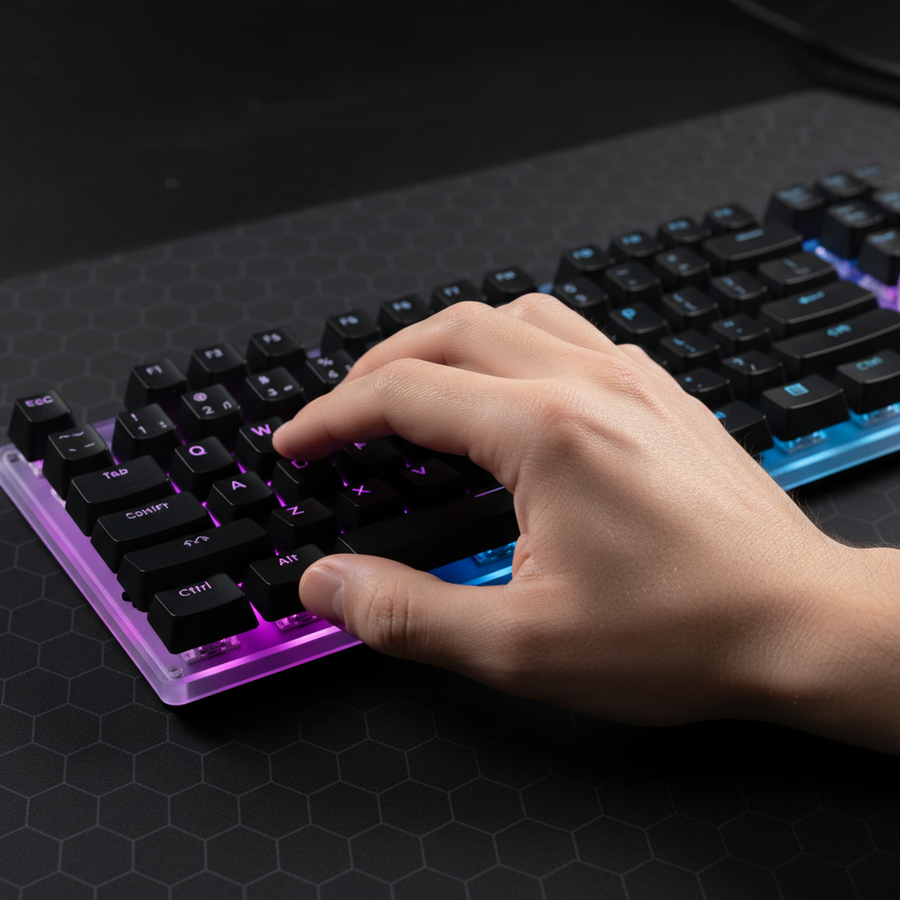
Close-up of a compact mechanical keyboard on an OLFA gridded cutting mat, staged as a keyboard modding/keycap customization workspace.

Biomechanical Strain and the Moore-Garg Index

To quantify the ergonomic impact, we modeled a dedicated MMO gamer with large hands (hand length ~20.5cm). Using the Moore-Garg Strain Index (SI)—a validated tool for assessing the risk of strain in the hands and wrists—our analysis suggests a high risk for standard layouts under intense workloads.

Scenario Modeling: The SI Calculation

The Strain Index is calculated using the formula: $SI = \text{Intensity} \times \text{Duration} \times \text{Efforts/Min} \times \text{Posture} \times \text{Speed}$.

Parameter Value Rationale (Assumptions)
Hand Length 20.5 cm P95 male percentile (Large)
Intensity Multiplier 3.0 "Hard" exertion for high-pressure combos
Efforts per Minute 1.5 ~200 APM gaming workload
Posture Multiplier 1.5–2.0 Suboptimal wrist/pinky angles with small modifiers
Calculated SI Range 18.0 – 22.0 Classified as "Hazardous" (>7.0)

Modeling Note: This is a scenario-based heuristic analysis used for hardware design, not a medical diagnostic. The SI range reflects the theoretical risk during 4–6 hour daily sessions. Adopting 1.5u modifiers typically reduces the Posture Multiplier by providing a wider strike zone, which we estimate can lower the overall strain index by 15–25% in large-handed users by allowing a more neutral pinky extension.

The Tactile Transition: Profiles and Ergonomics

The effectiveness of a 1.5u modifier is further influenced by the keycap profile.

  • ASA Profile: Known for its larger top surface area and spherical dish, ASA enhances the "centering" effect of a 1.5u key.
  • OEM Profile: The standard angled profile found on most performance keyboards, which prioritizes a familiar "step" between rows.

Practical Trade-off: While 1.5u keys feel better, they are harder to customize. Standard "Base Kits" for aftermarket keycaps often focus on 1.25u modifiers. If you prioritize aesthetics and frequent keycap swapping, a standard layout may be more convenient.

Technical Foundation: 8K Polling and System Synergy

Precision at the physical layer (the keycap) must be matched by precision at the digital layer. For a competitive edge, many high-spec challengers now incorporate 8000Hz (8K) polling rates. This reduces the reporting interval to a near-instant 0.125ms (1/8000).

The Bottom Line: 8K polling makes your keystrokes feel more "connected" to the game, but it requires a powerful CPU (to handle the high interrupt rate) and a direct connection to your motherboard.

System Requirements for 8K Performance

To maintain a stable 8K signal, the keyboard must be connected to a Direct Motherboard Port (Rear I/O). Using USB hubs or front-panel headers often results in packet loss. To ensure signal integrity, we recommend high-bandwidth cabling. For example, the ATTACK SHARK C01Ultra Custom Aviator Cable [Manufacturer Product] is specifically shielded for these high-frequency requirements.

Note: While 8K is a significant jump from 1K, independent testing by sites like RTINGS suggests the benefits are most noticeable on 240Hz+ monitors where frame-to-input alignment is tighter.

The Peripheral Ecosystem: Mouse Fit and Wrist Support

Ergonomics is a holistic discipline. A keyboard with optimized modifiers cannot compensate for an ill-fitting mouse.

The 60% Rule for Mouse Selection

For a 20.5cm hand, the ideal mouse length is approximately 131mm (Hand Length × 0.64 claw-grip coefficient). A standard 120mm mouse often forces an aggressive claw grip that compounds wrist strain.

To mitigate the "base-of-palm" discomfort common in MMO marathons, we suggest using a dedicated support like the ATTACK SHARK Acrylic Wrist Rest [Manufacturer Product]. This helps elevate the hand into a neutral position, reducing the "Posture Multiplier" we identified in our Strain Index model.

Compliance and Safety Standards

When selecting high-performance peripherals, verifying regulatory compliance is a key indicator of build quality. Authoritative databases such as the FCC Equipment Authorization and the ISED Canada Radio Equipment List (REL) provide transparency regarding wireless safety. For wireless devices, adherence to IATA Lithium Battery Guidance ensures that internal power cells meet international safety standards.

Strategic Layout Selection

While the 1.5u modifier offers a precision benefit, it is user-dependent. As noted in the Global Gaming Peripherals Industry Whitepaper (2026) [Manufacturer Whitepaper], the trend toward "High-Spec Challengers" focuses on raw specification parity. Value-conscious gamers should look for:

  • 1.5u Left-Side Modifiers: For pinky "anchor" stability.
  • Magnetic or Hall Effect Switches: For adjustable actuation (see our Hall Effect tuning guide).
  • 8K Polling Compatibility: To minimize the digital bottleneck.

Final Verdict for the Performance Gamer

Investing in a keyboard with 1.5u modifiers is a tactical decision that addresses the "precision bottleneck" of complex macro execution. For users with large hands or those experiencing fatigue in marathon sessions, the 50% increase in surface area provides a physical solution to a biomechanical problem.

When combined with a properly sized mouse (>130mm for large hands) and an ergonomic ATTACK SHARK ACRYLIC WRIST REST [Manufacturer Product], this setup creates a cohesive environment for peak performance.


Disclaimer: This article is for informational purposes only and does not constitute professional medical advice. Ergonomic needs vary by individual. If you experience persistent pain, consult a healthcare professional.

References

前後の記事を読む

Ultimate Insurance: Choosing Switch Force to Prevent Misclicks
Diagnosing Modifier Ghosting: Solving Multi-Key Input Failures

コメントを書く

このサイトはhCaptchaによって保護されており、hCaptchaプライバシーポリシーおよび利用規約が適用されます。