






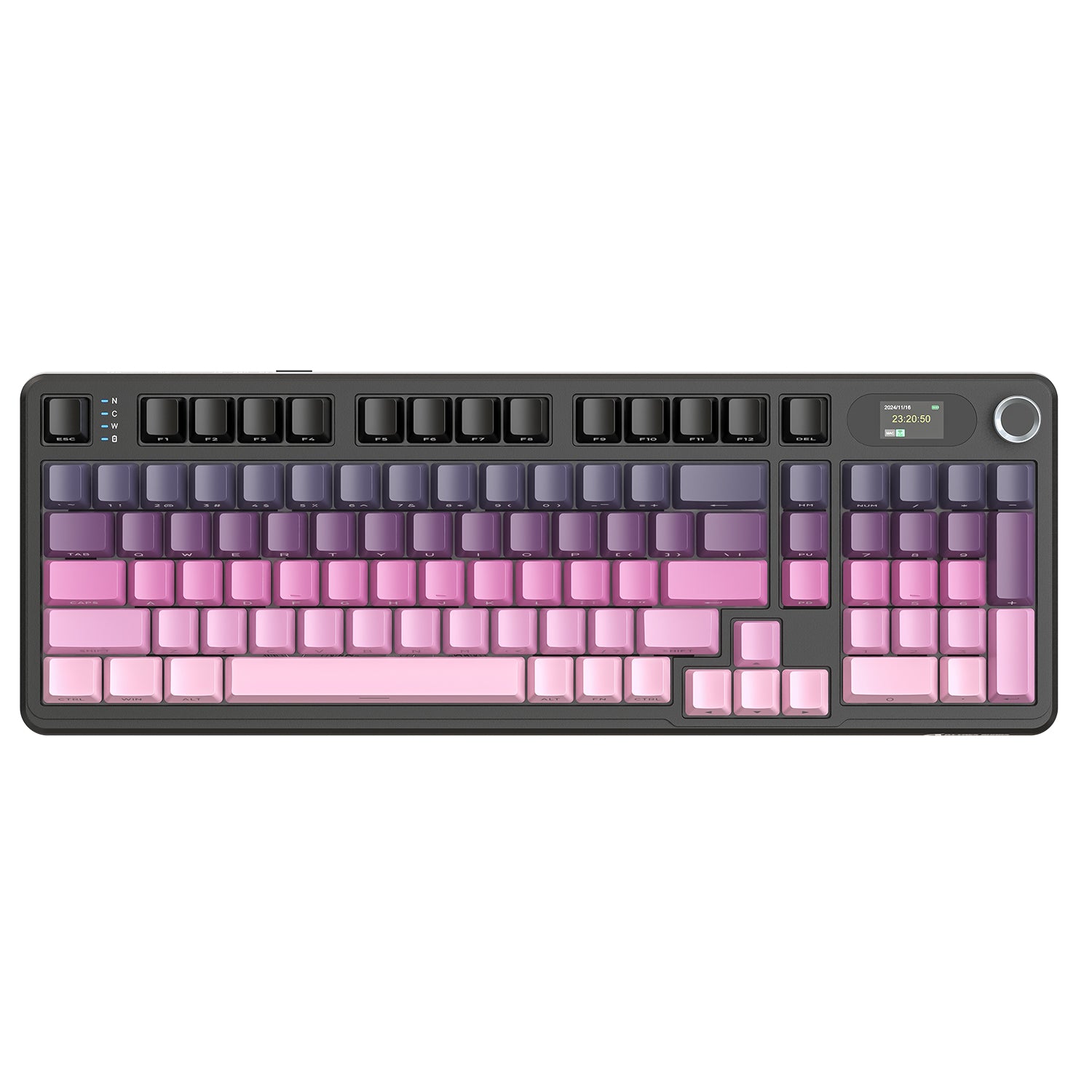
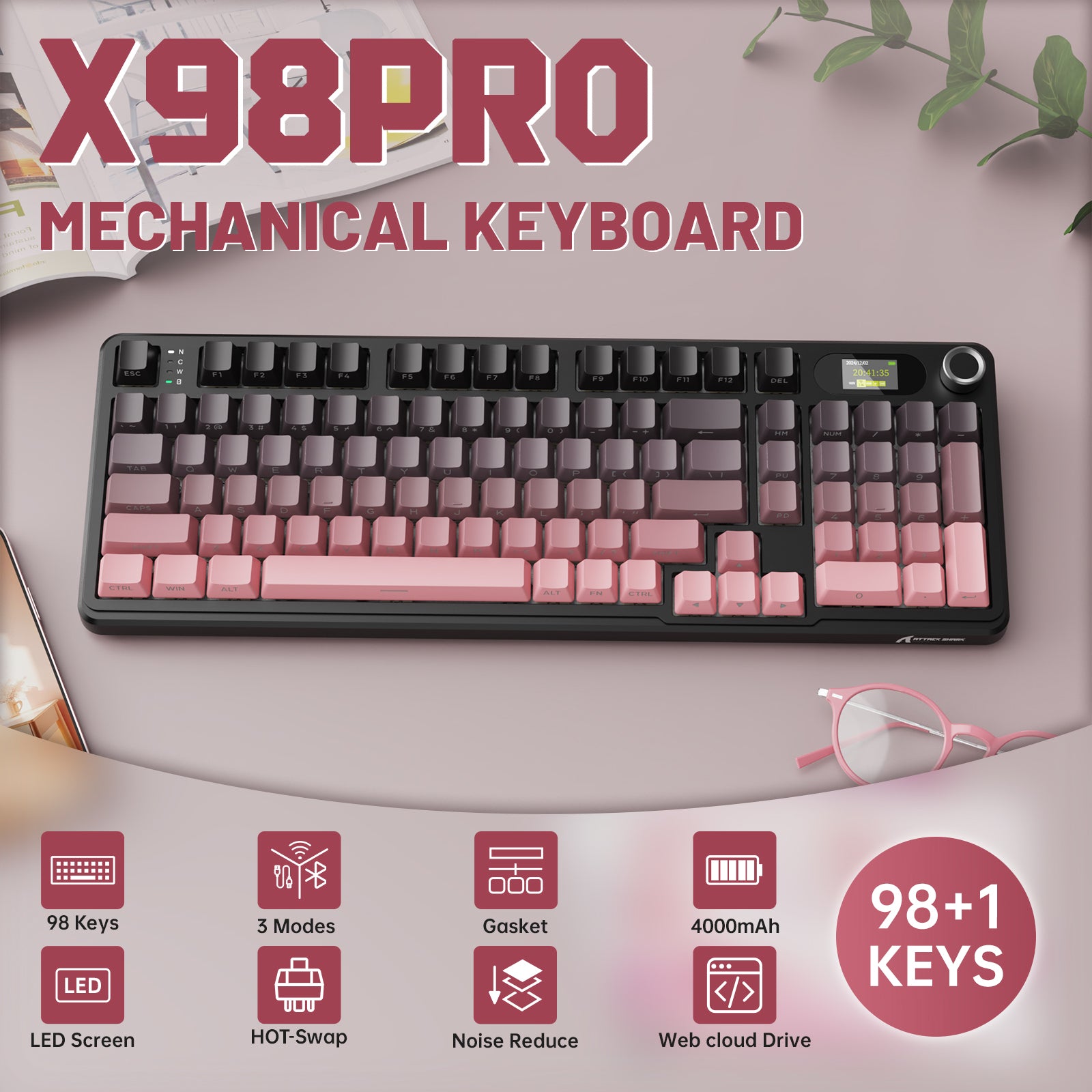
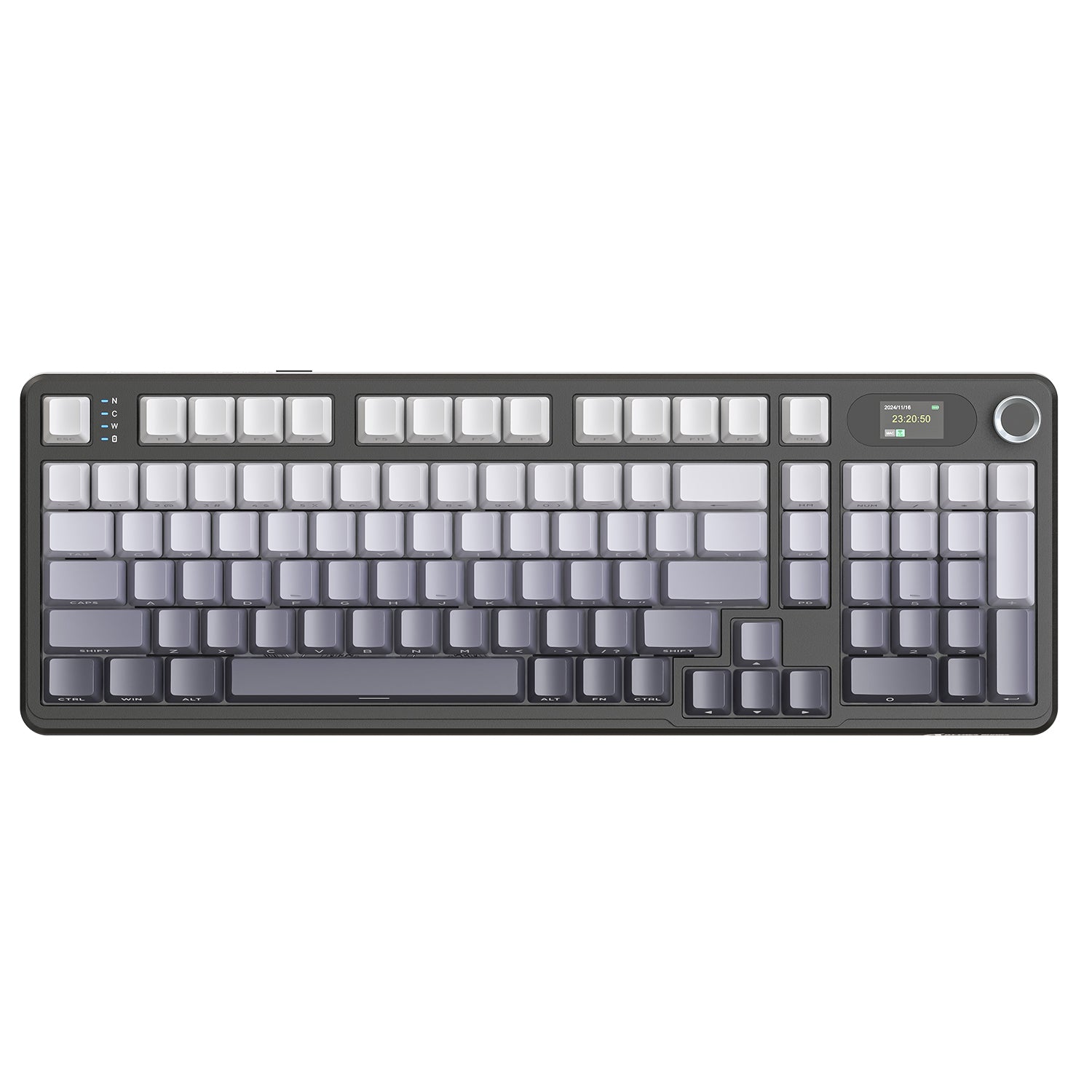
ATTACK SHARK X98 PRO ワイヤレスゲーミングキーボード
- Share:
-

-

-

-


- In Stock
Technical Specifications
WEB DRIVER
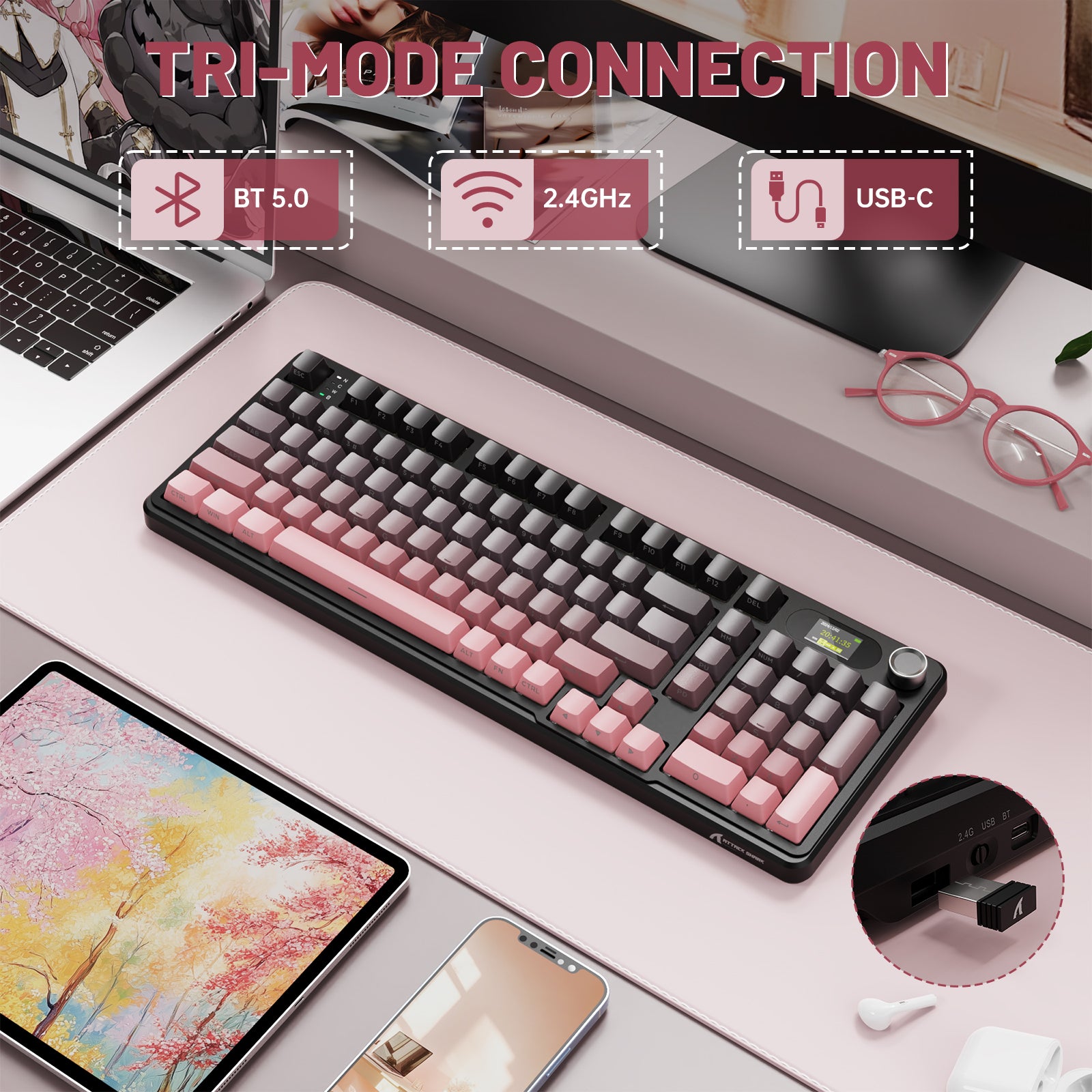
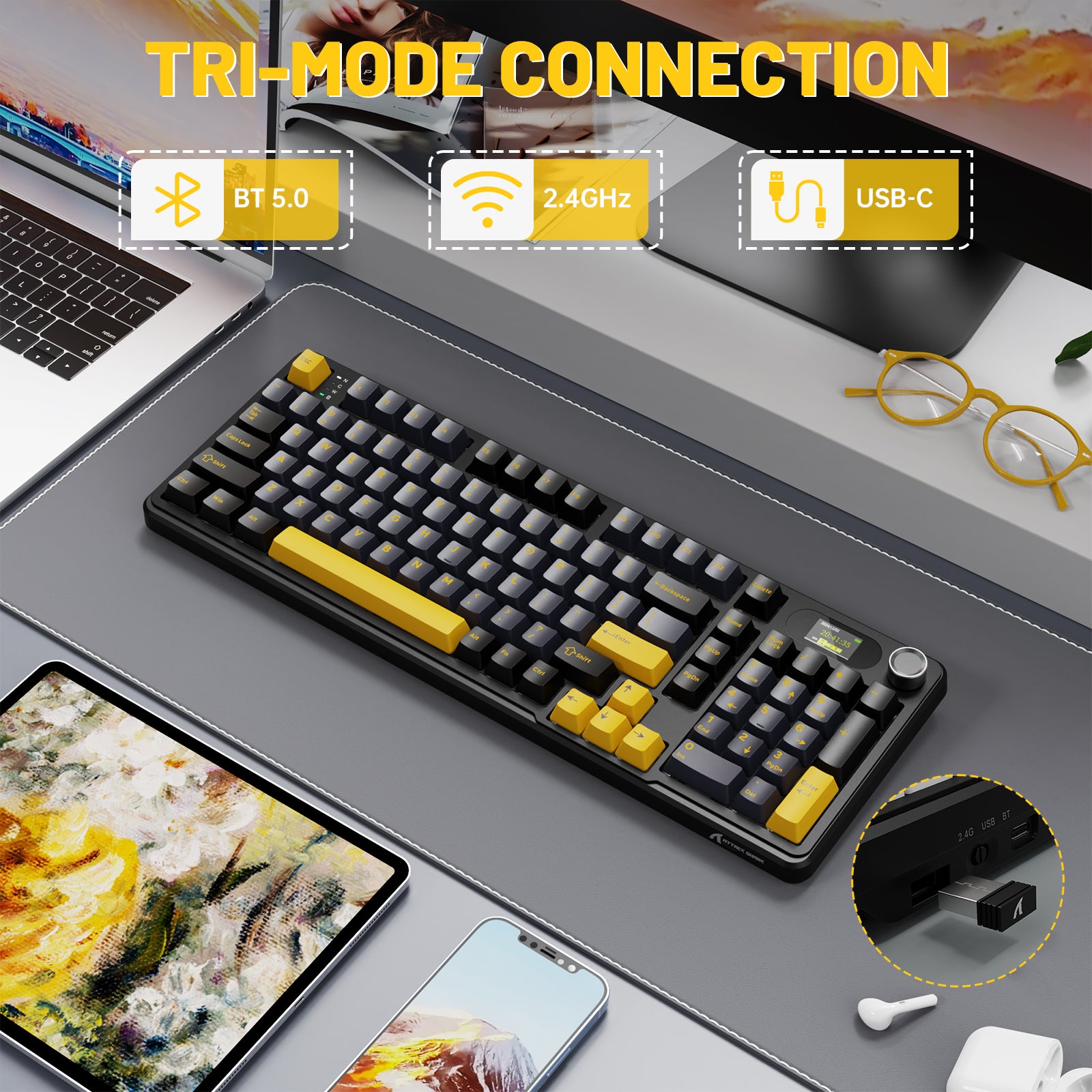
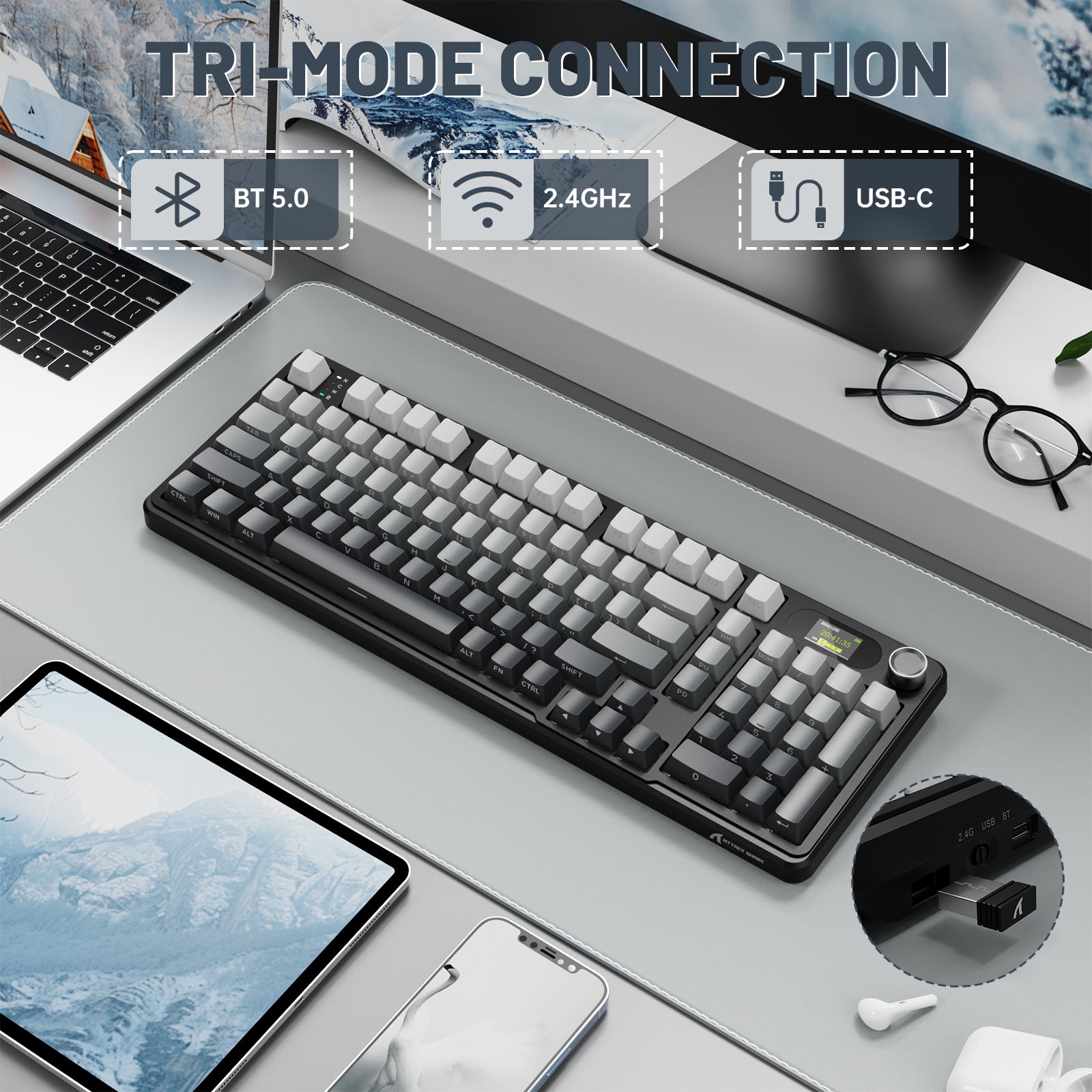
トリモード接続
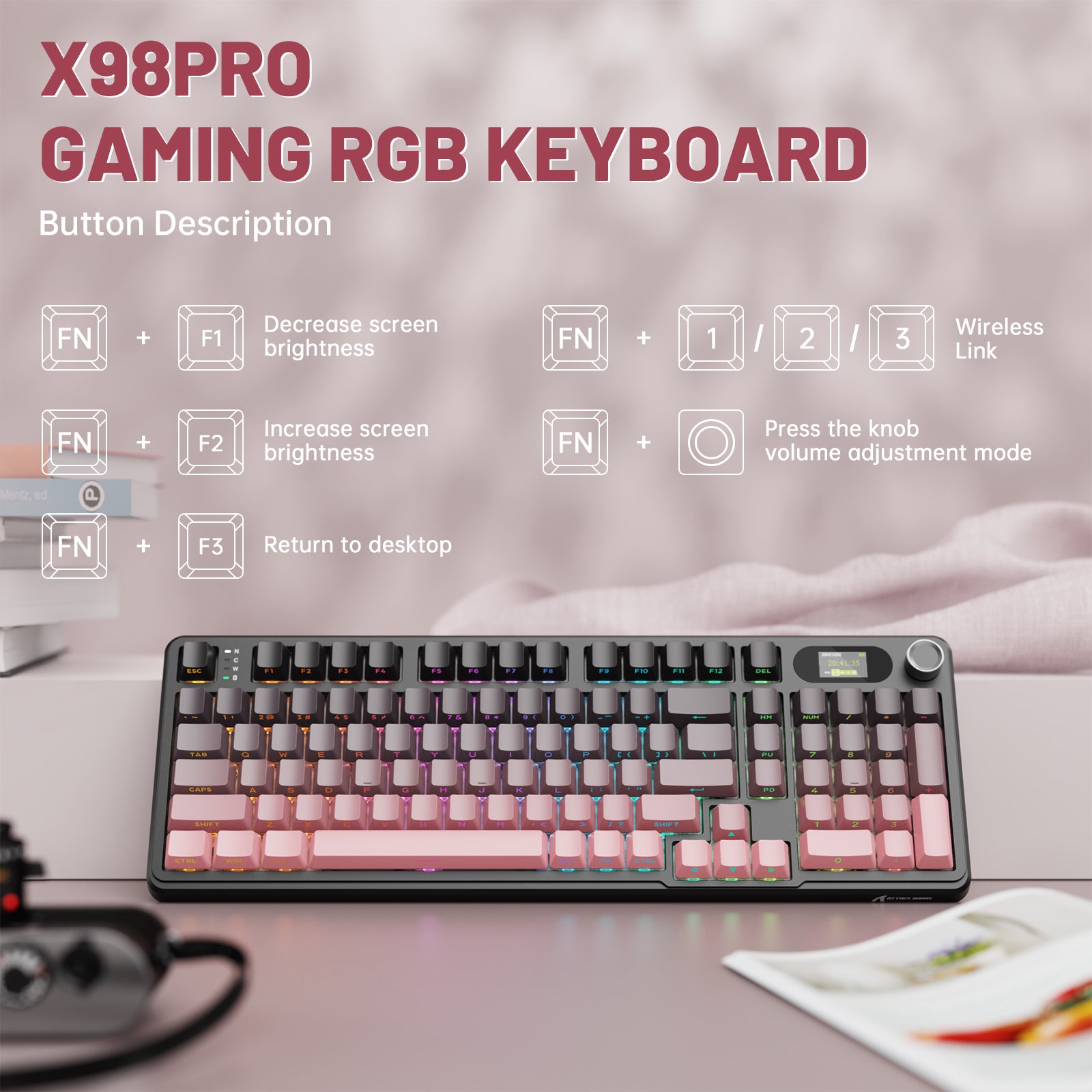
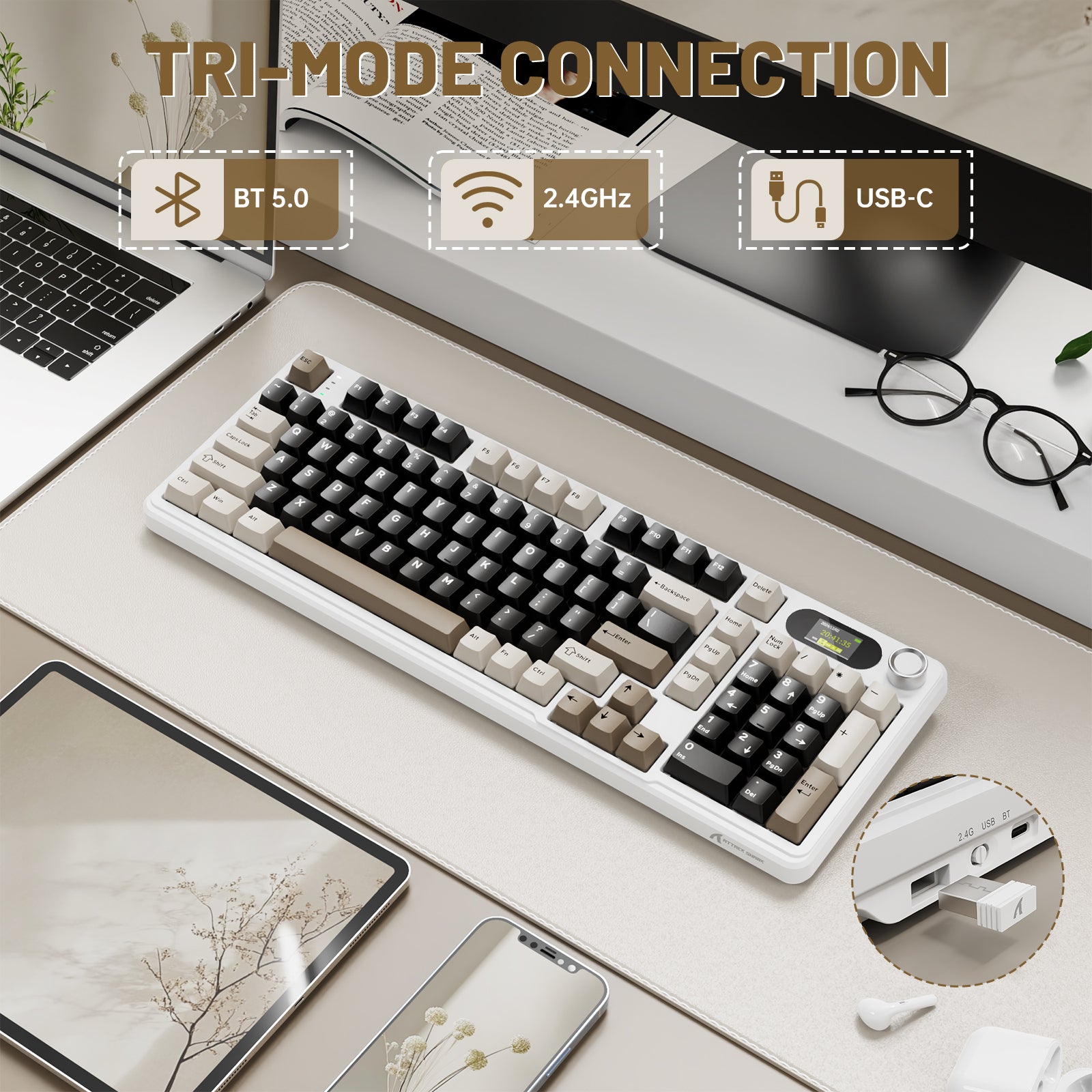
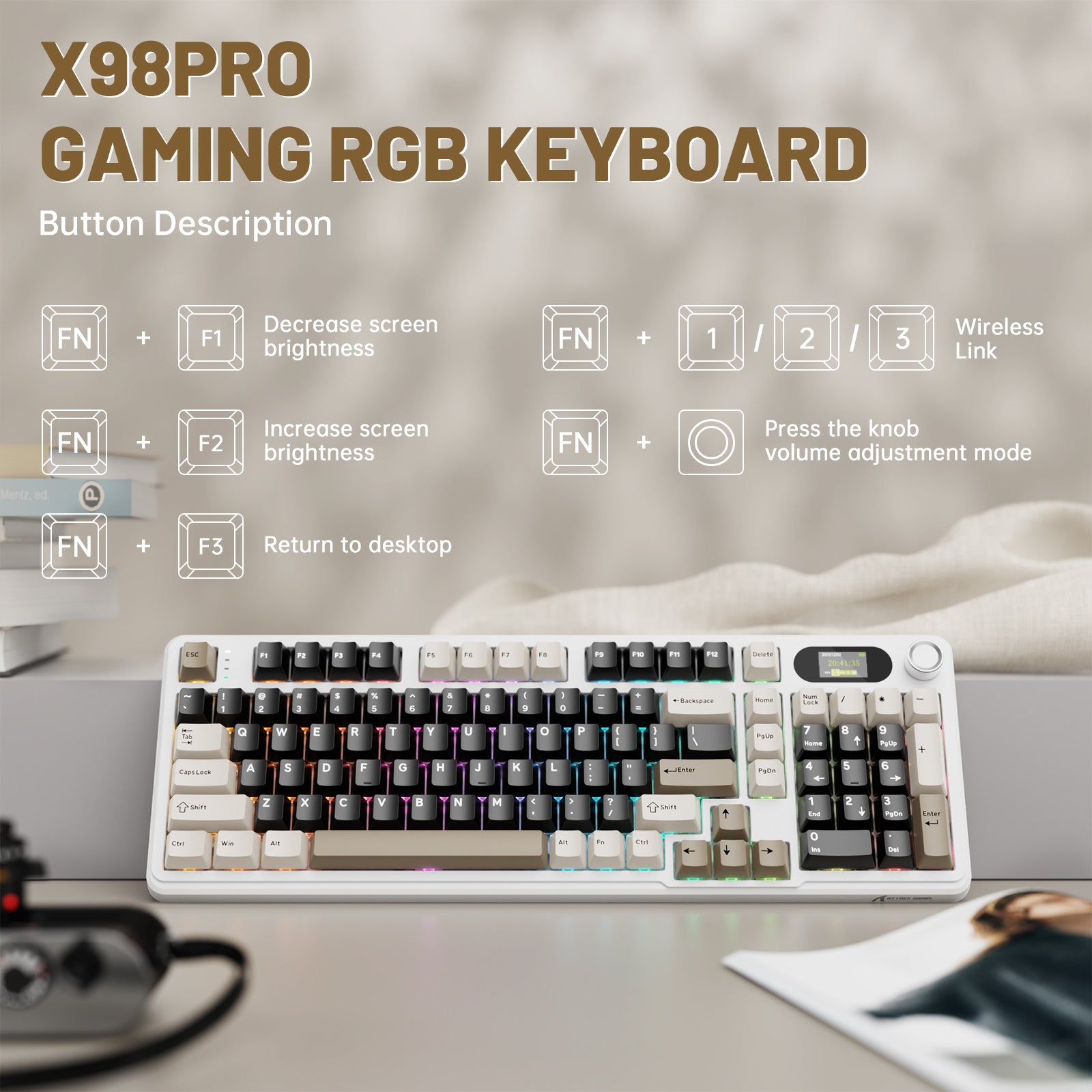
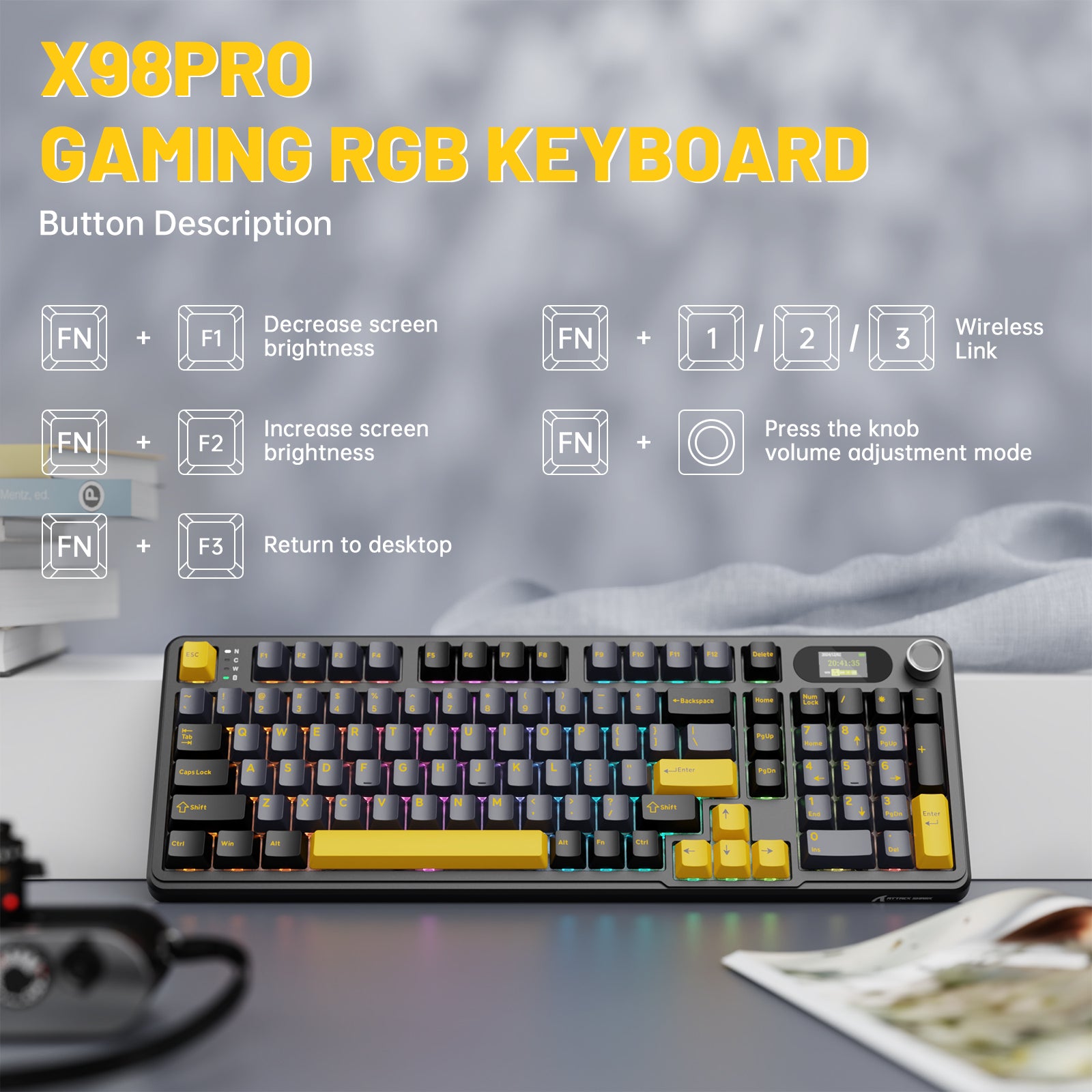
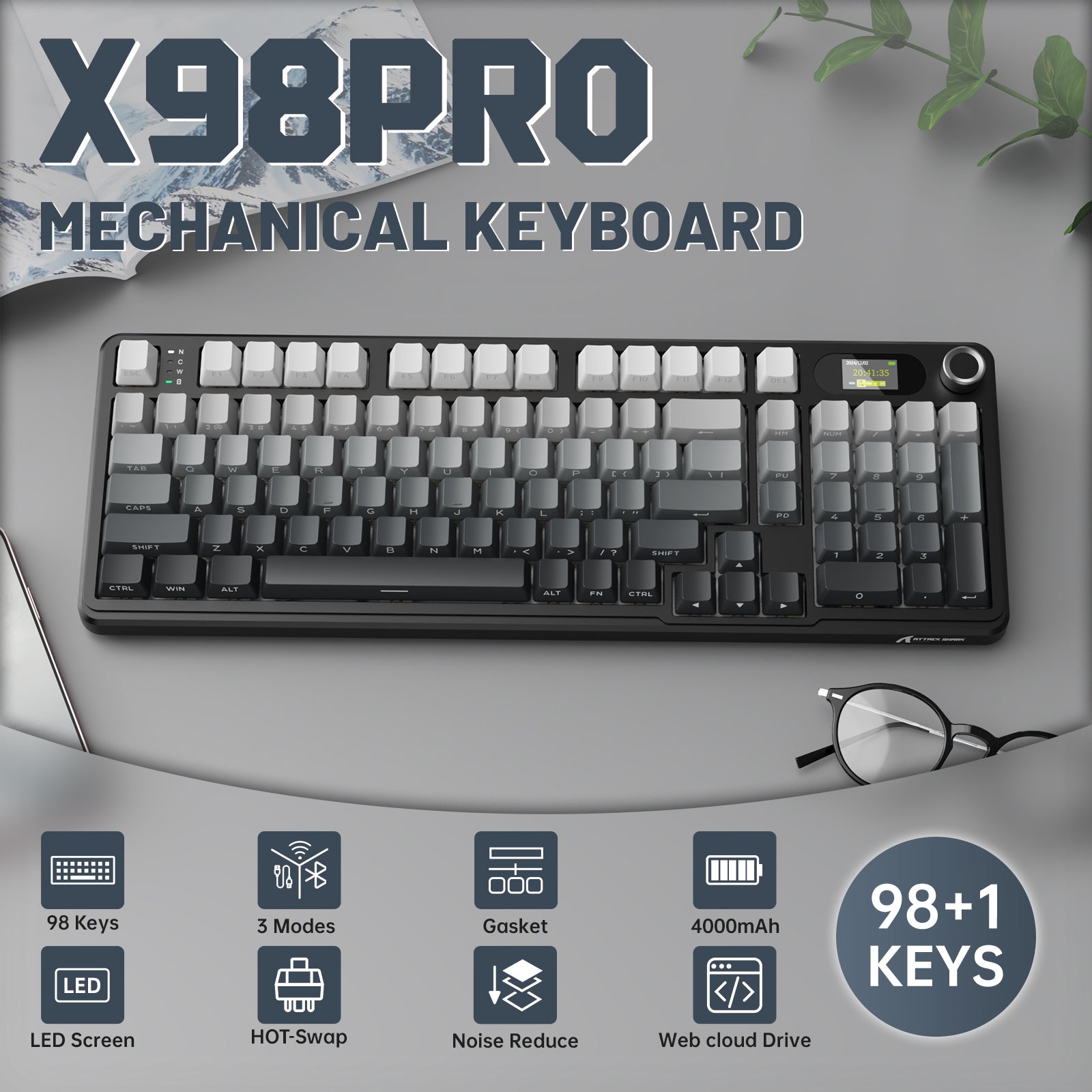
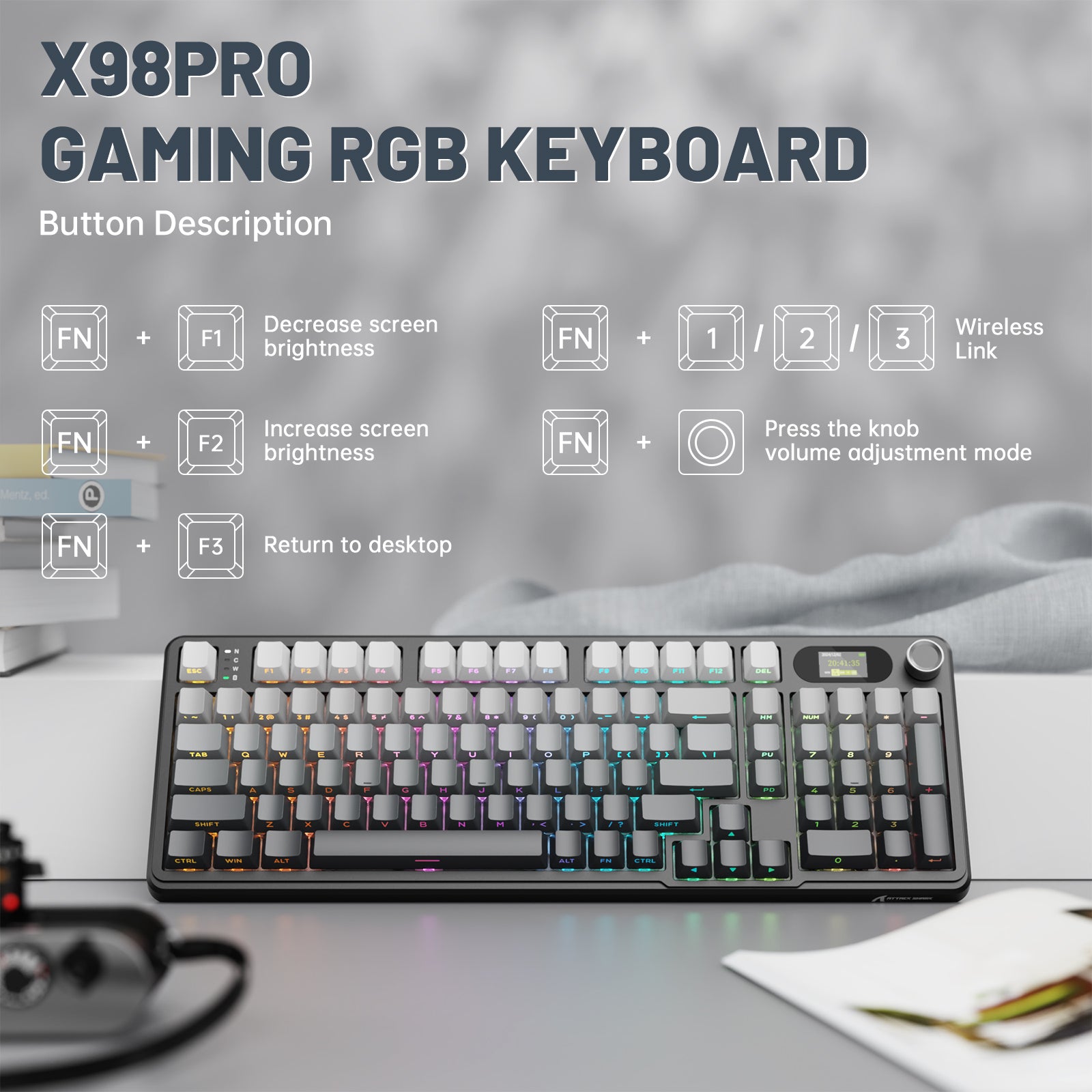
X98ワイヤレスキーボードは、2.4G/BT5.0/有線の3つの接続モードを一体化し、これまでにない利便性と柔軟性、簡単操作、迅速な接続を体験できます。キーボード上部のスイッチを調整後、FN + 1/2/3でBluetooth経由でコンピューターに接続可能です。キーボードはWindows 7/8/10/2000/XP、Vista、Mac OSなどのほとんどのシステムに対応し、PS4/5などのデバイスにも適しています。

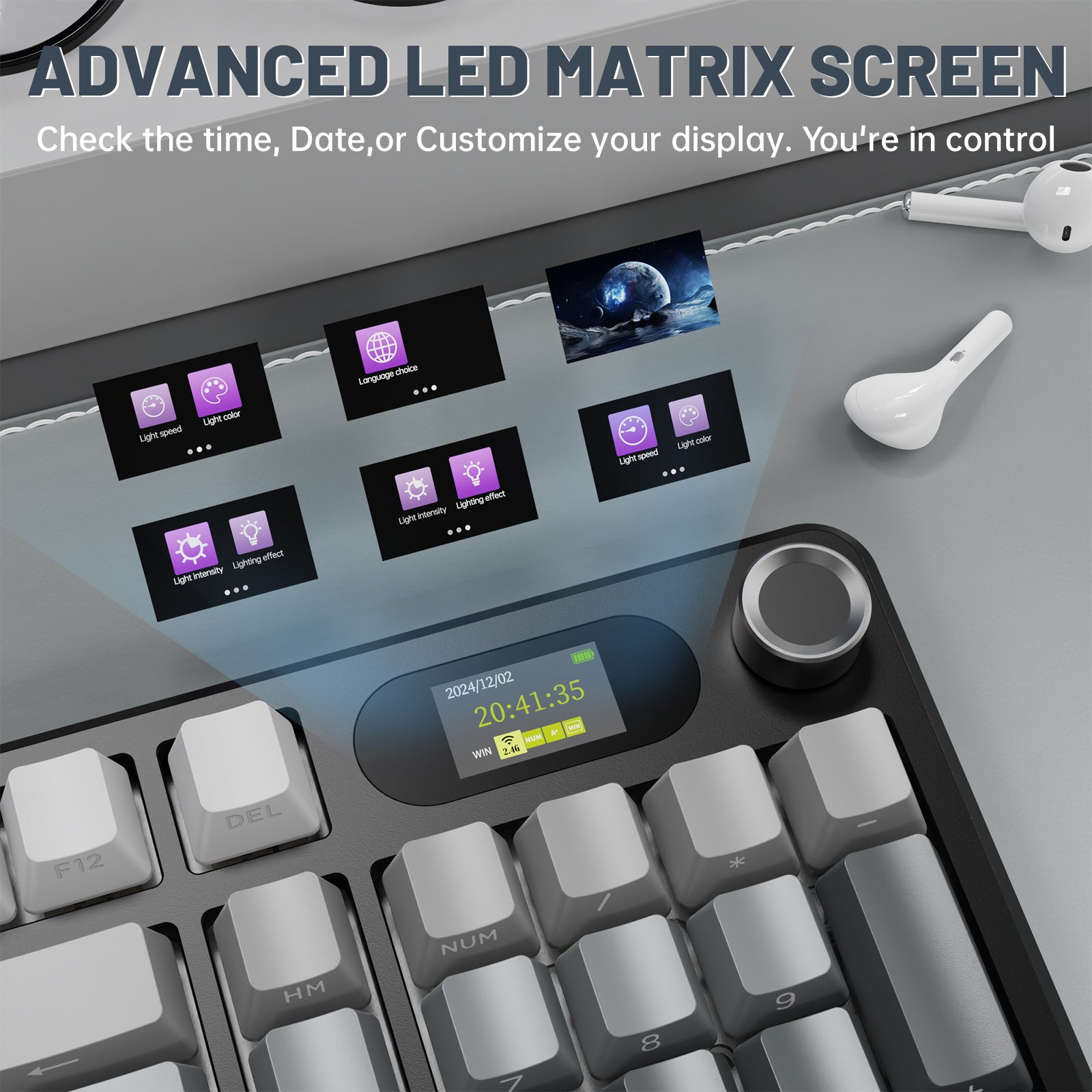
LEDスクリーン&ノブ
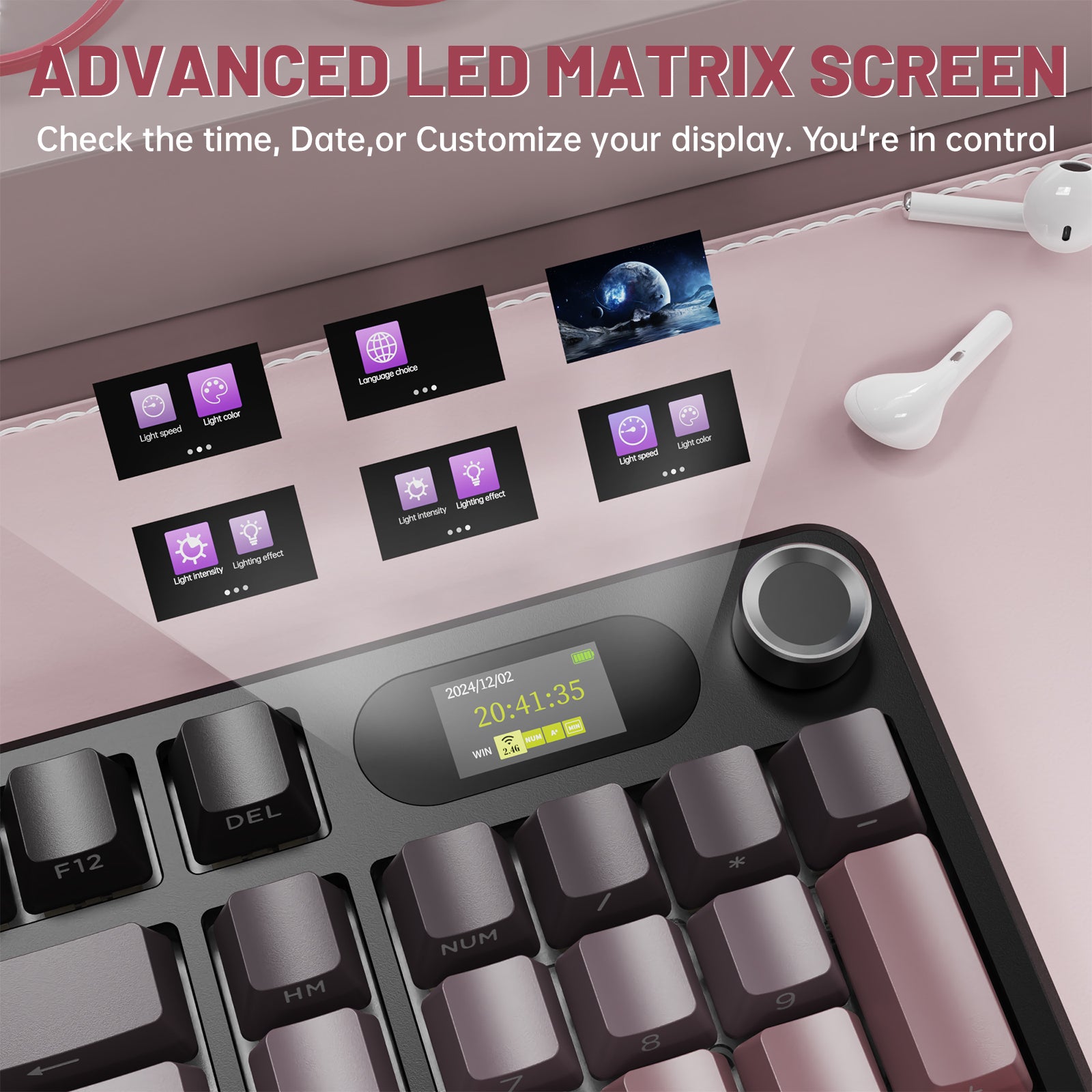
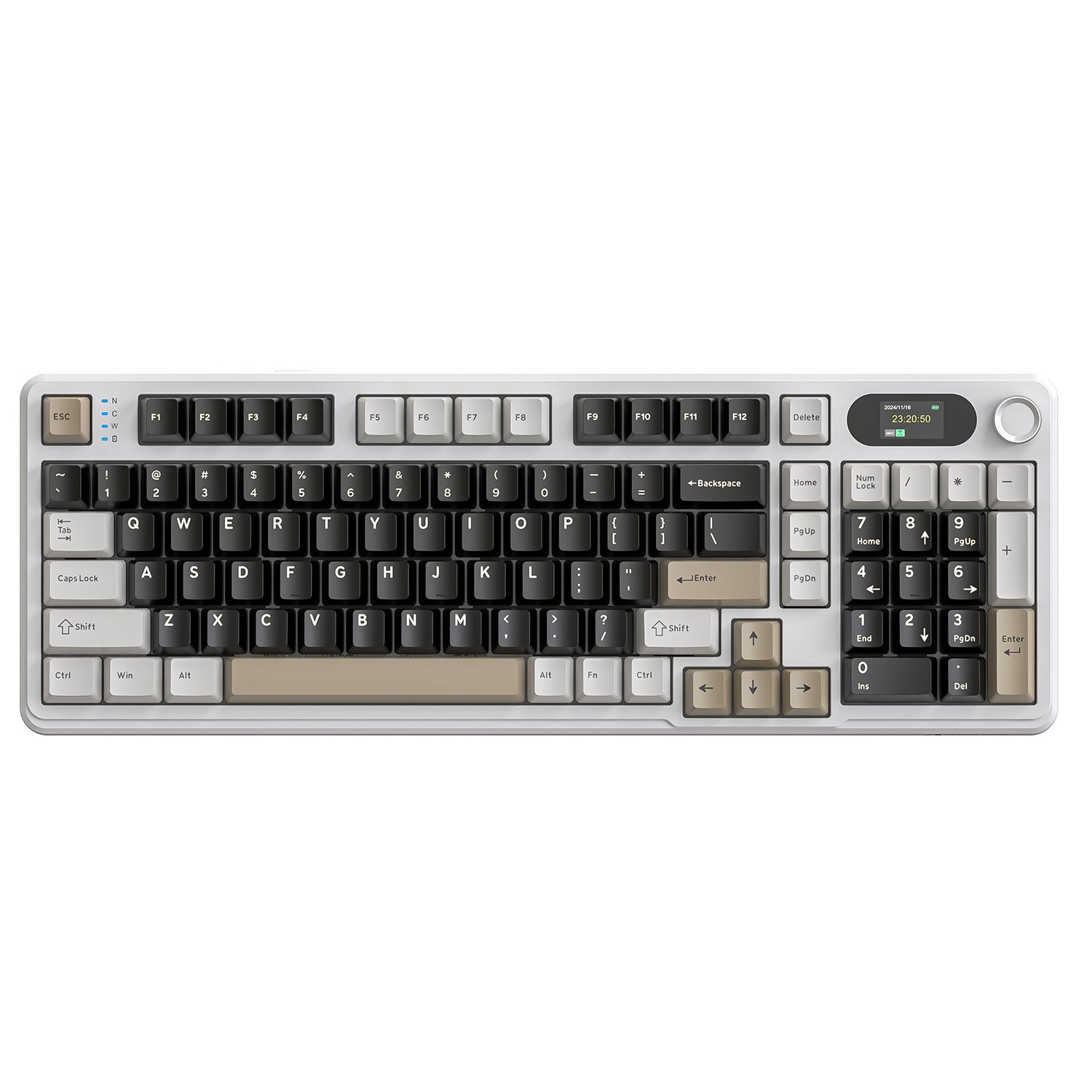
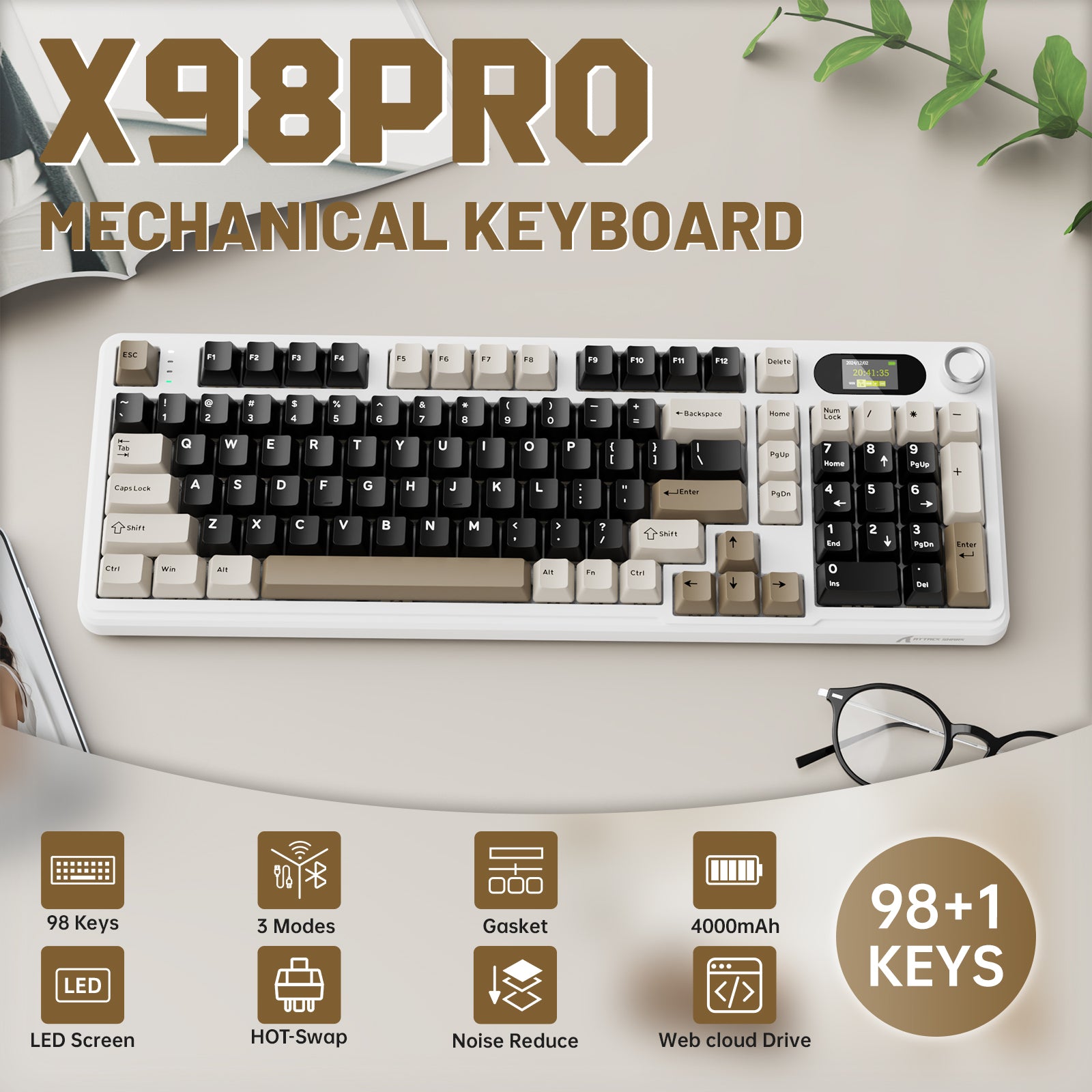
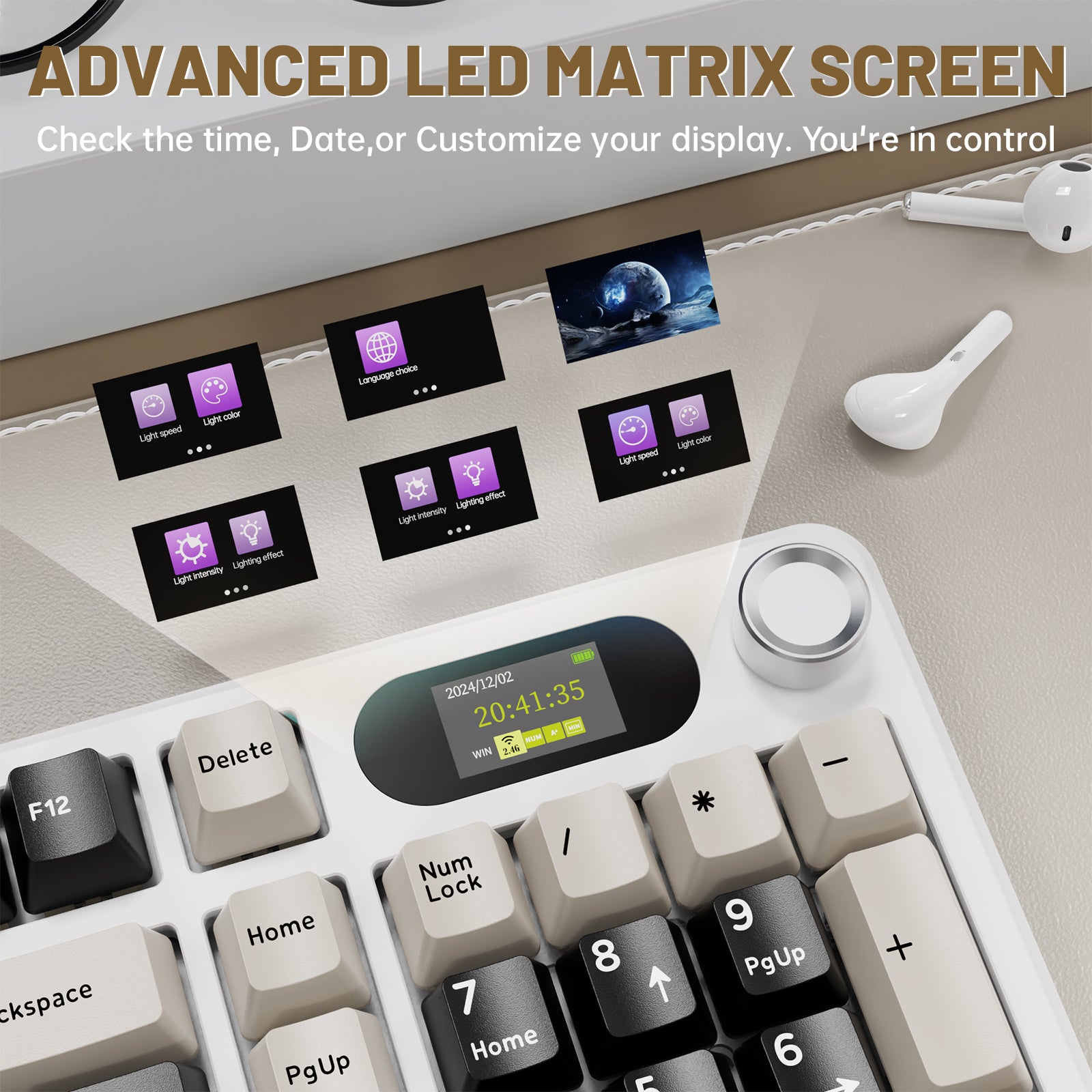
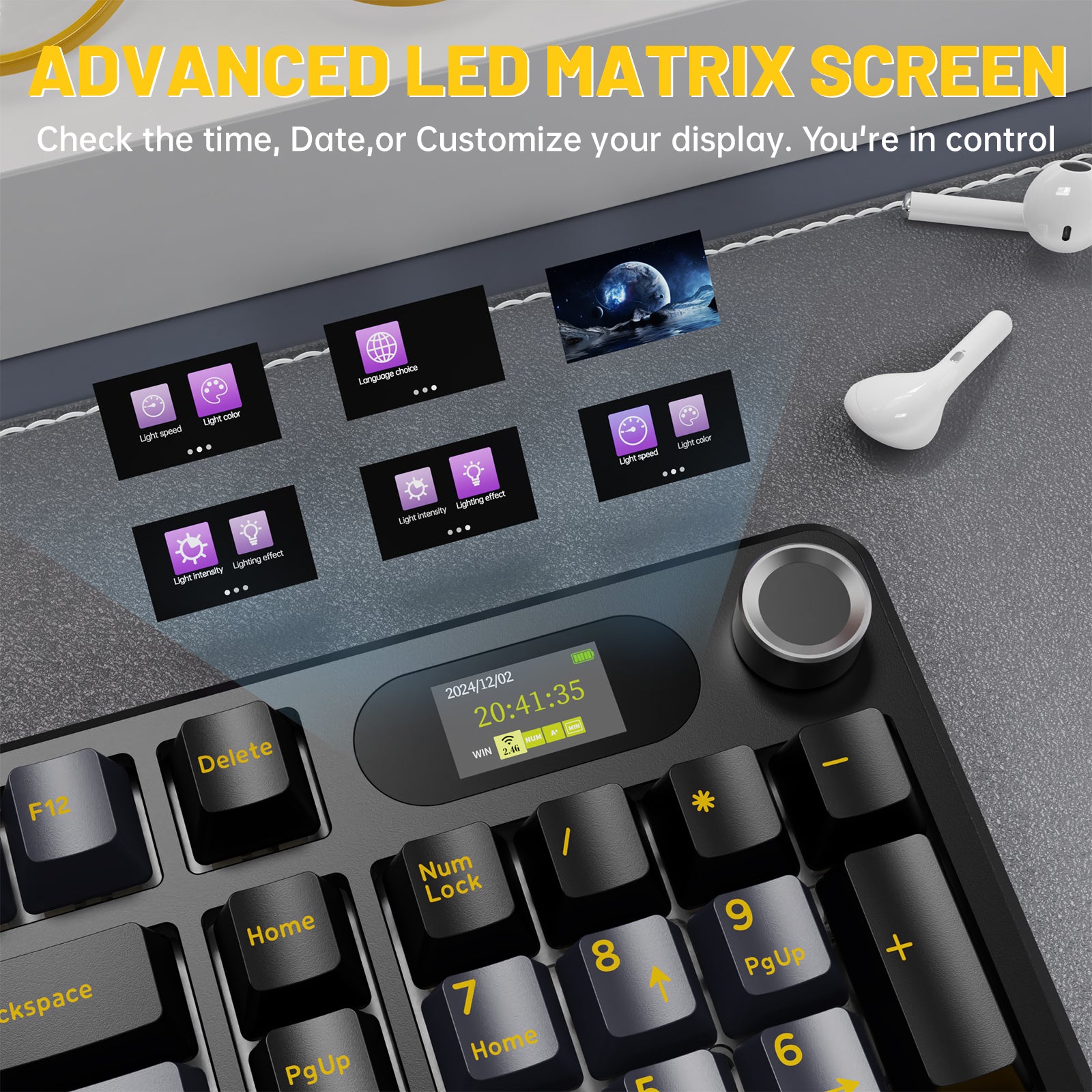
X98マジックキーボードは、明瞭で鮮やかな1.5インチLEDマトリックススクリーンと携帯に便利なノブを備えています。小さなLEDスクリーンは、時間、日付、電源などの重要な情報を表示します。同時に、FNキーとノブを同時に押すと、ノブで音量調整が可能になります。ノブのデザインは、利便性を生活に完璧に融合させています。

長時間バッテリー&カスタマイズ可能なRGB
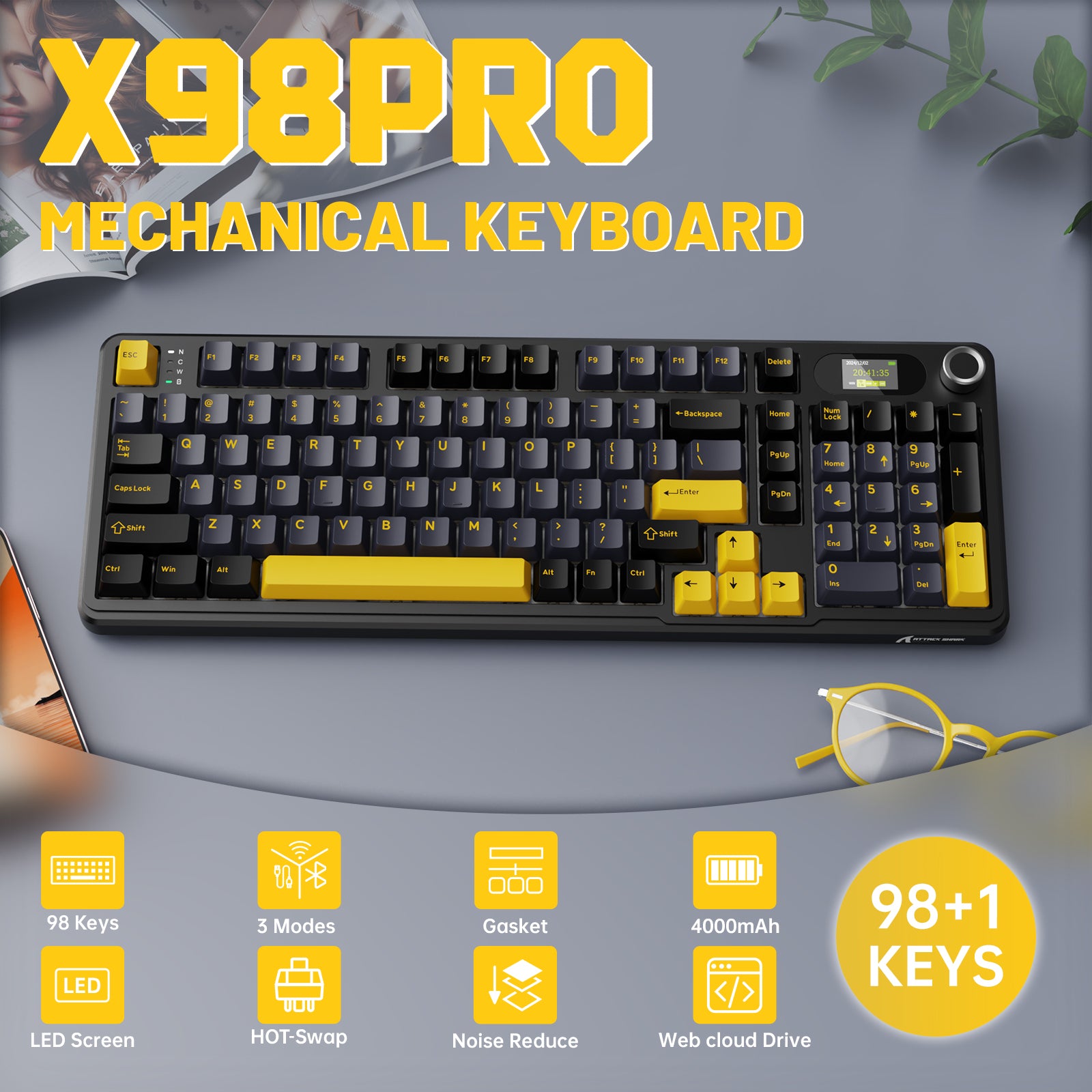
4000mAhバッテリーを搭載したX98メカニカルゲーミングキーボードは、比類なきバッテリー寿命を誇ります。高効率で長時間のバッテリー持続により、あなたの創造力はもはや制限されません。同時に、この電子キーボードは1600万色のLEDランプビーズを備え、数千色のカラーマッチングが可能です。自分だけのゲーム雰囲気を作り出しましょう。

ガスケットキーボード
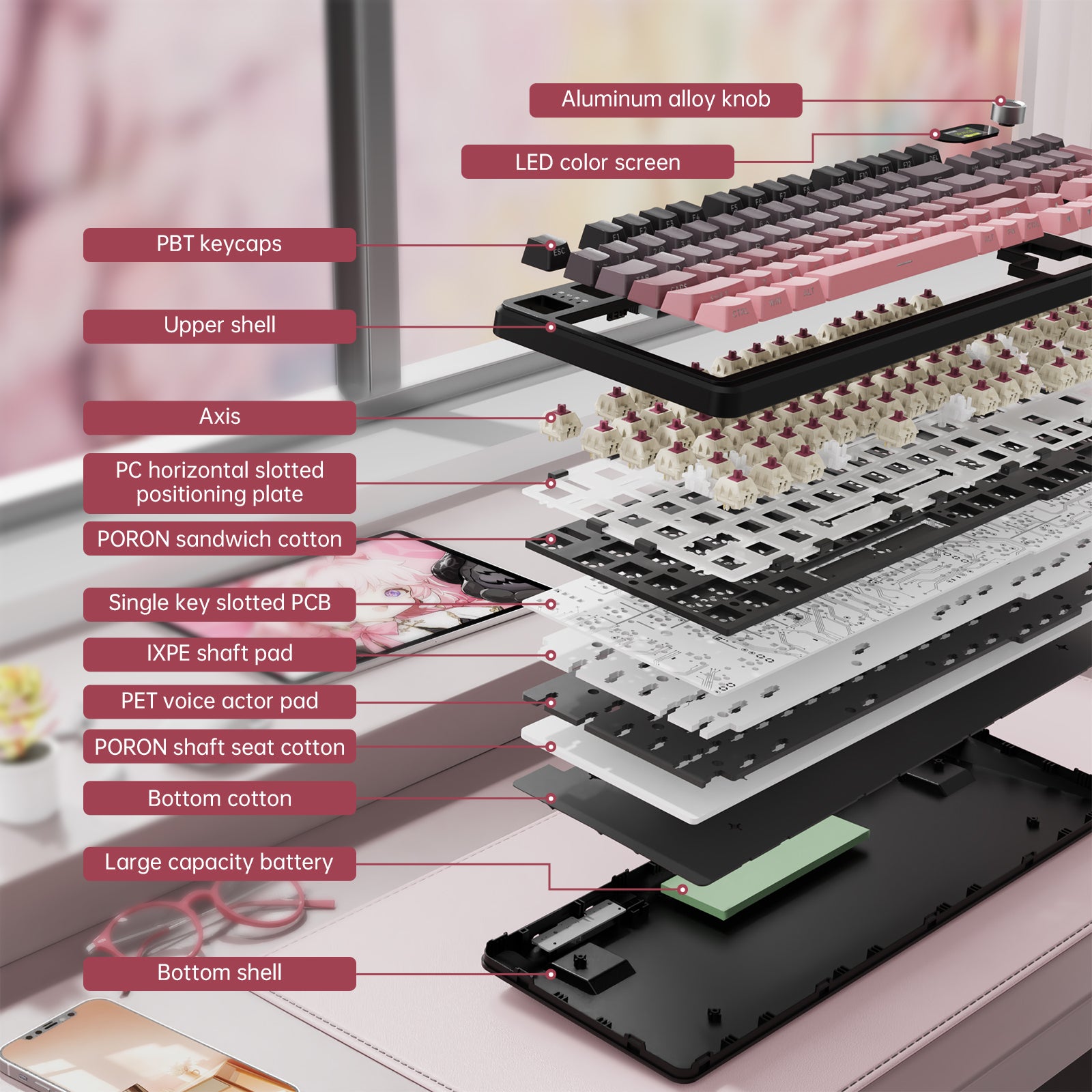
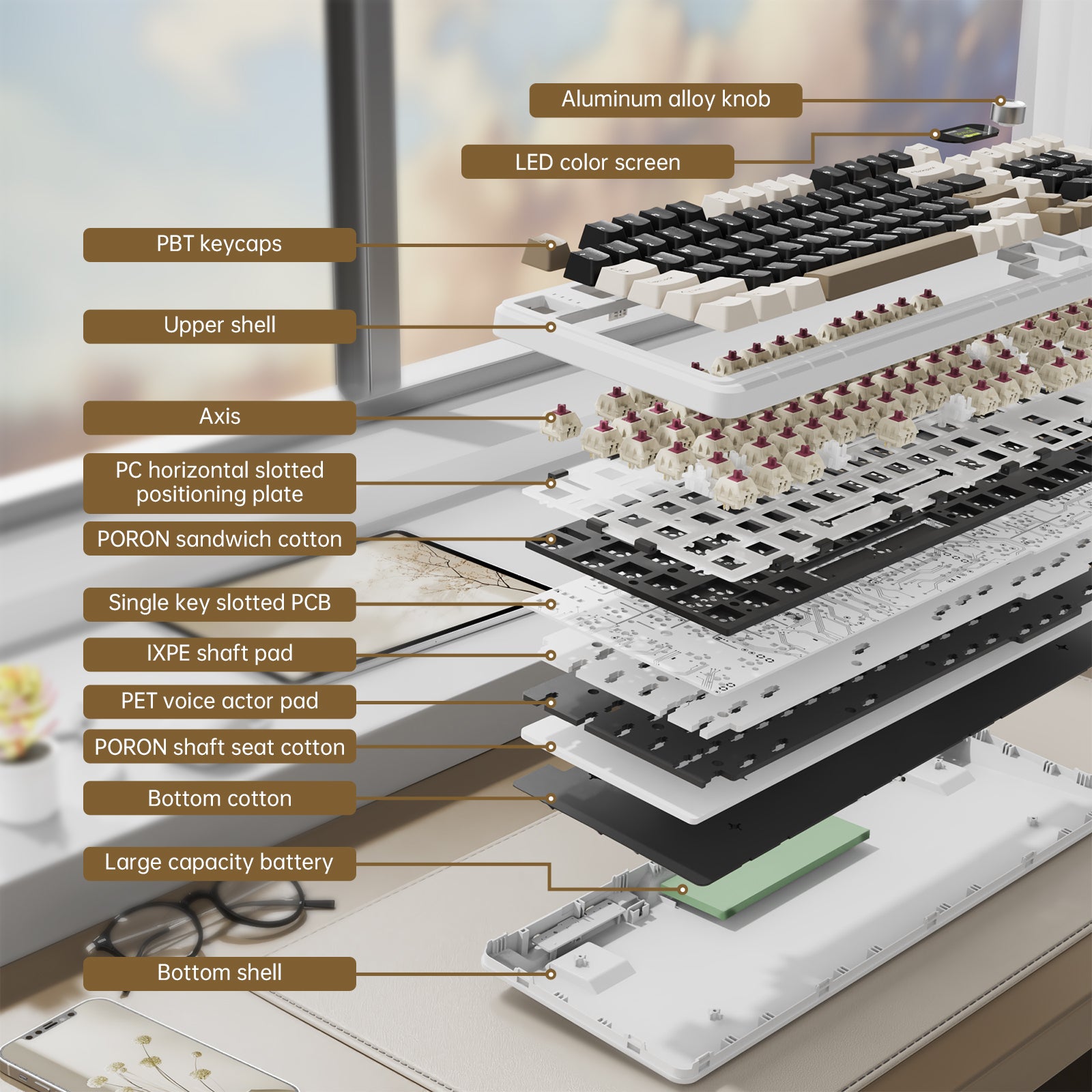
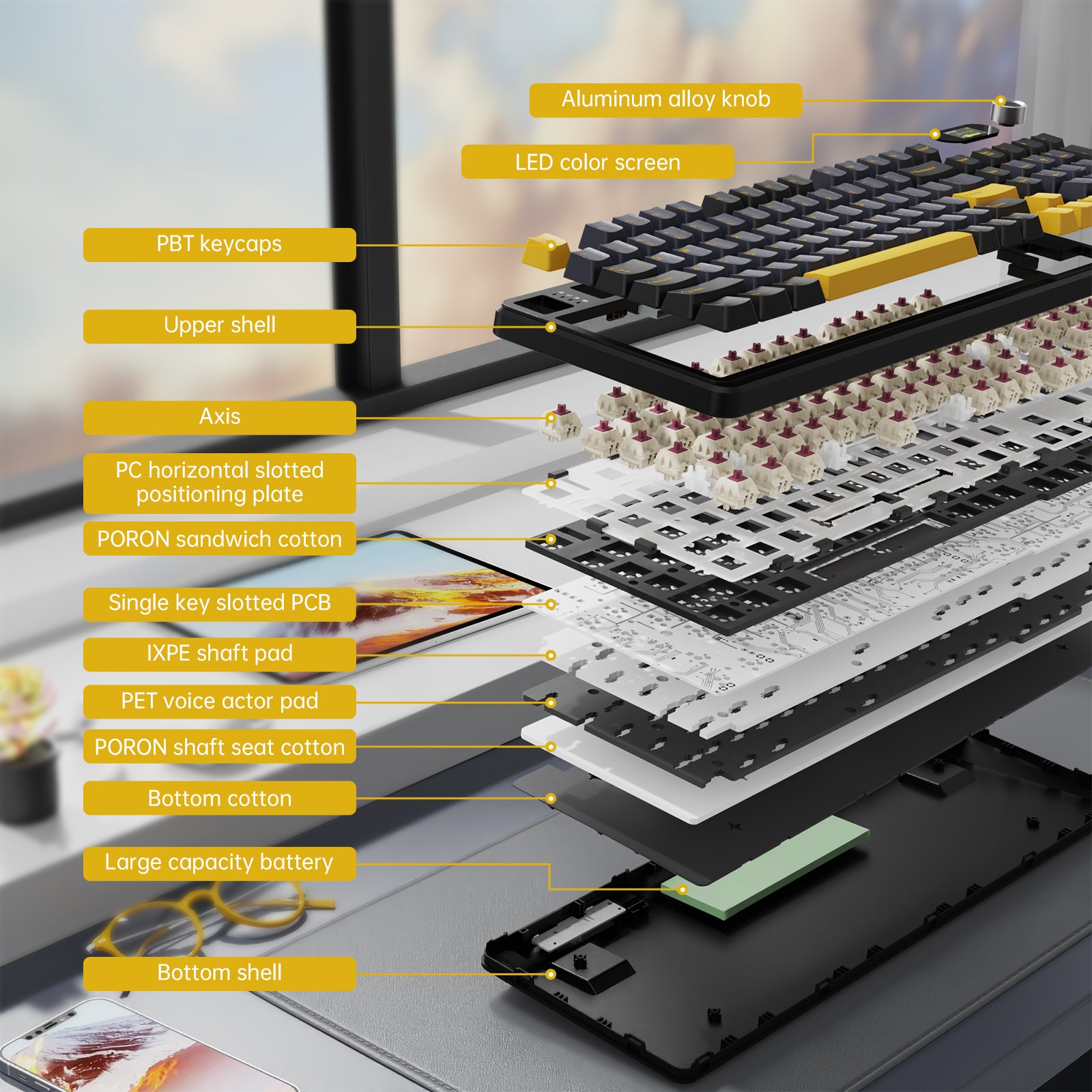
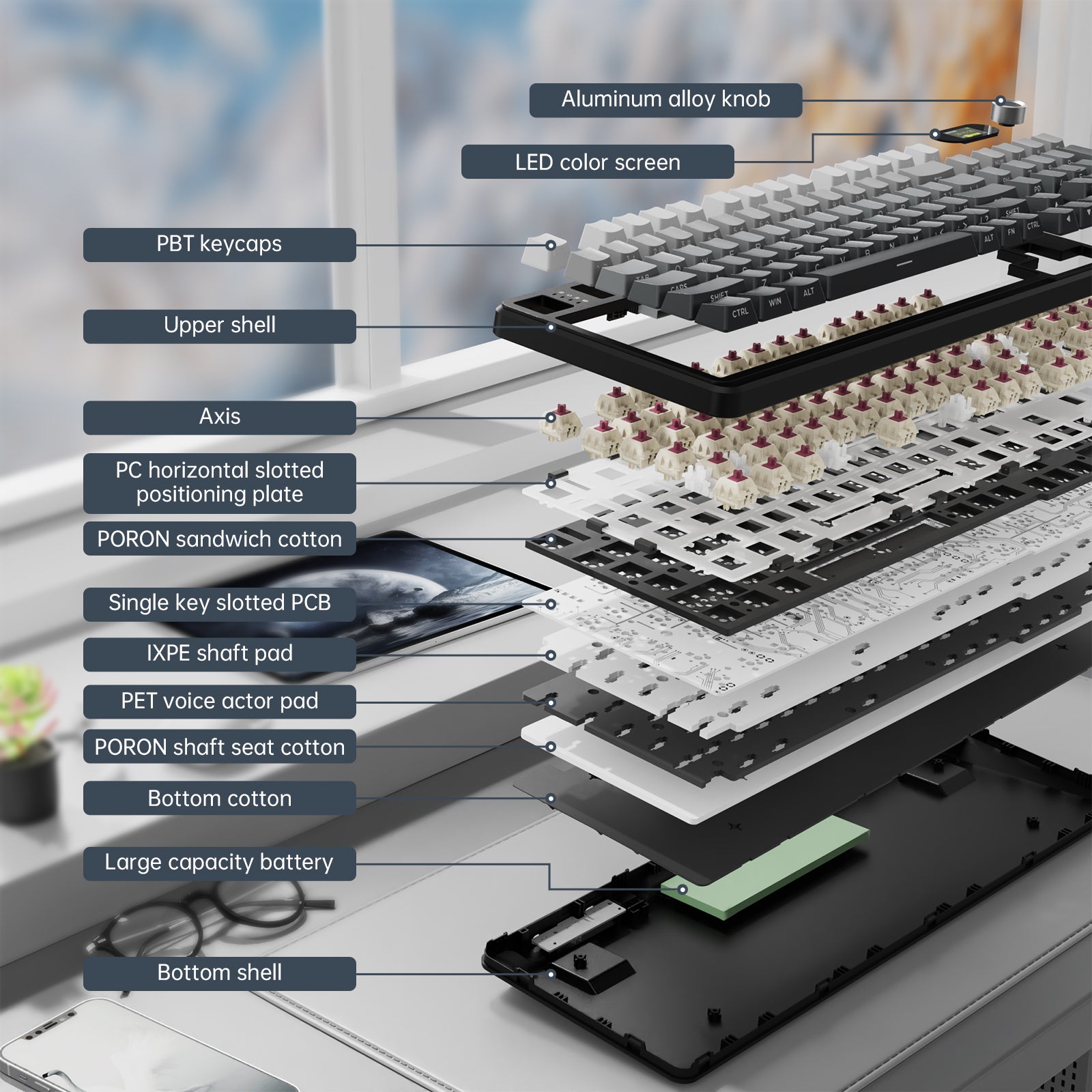
ガスケットキーボードは、特別に調整された5層の防音材を設計しており、空洞音を効果的に低減し、すべてのキー入力をより高音質にします。この革新的な構造により、FR4ガラス繊維1.2mmの二重層ブラックオイル単一キー溝付きPCBボードを実現しています。同時に、102キー設計は87キーのサイズと長さでありながら、104キーの機能を持ち、全キーゴーストフリーも達成可能です。

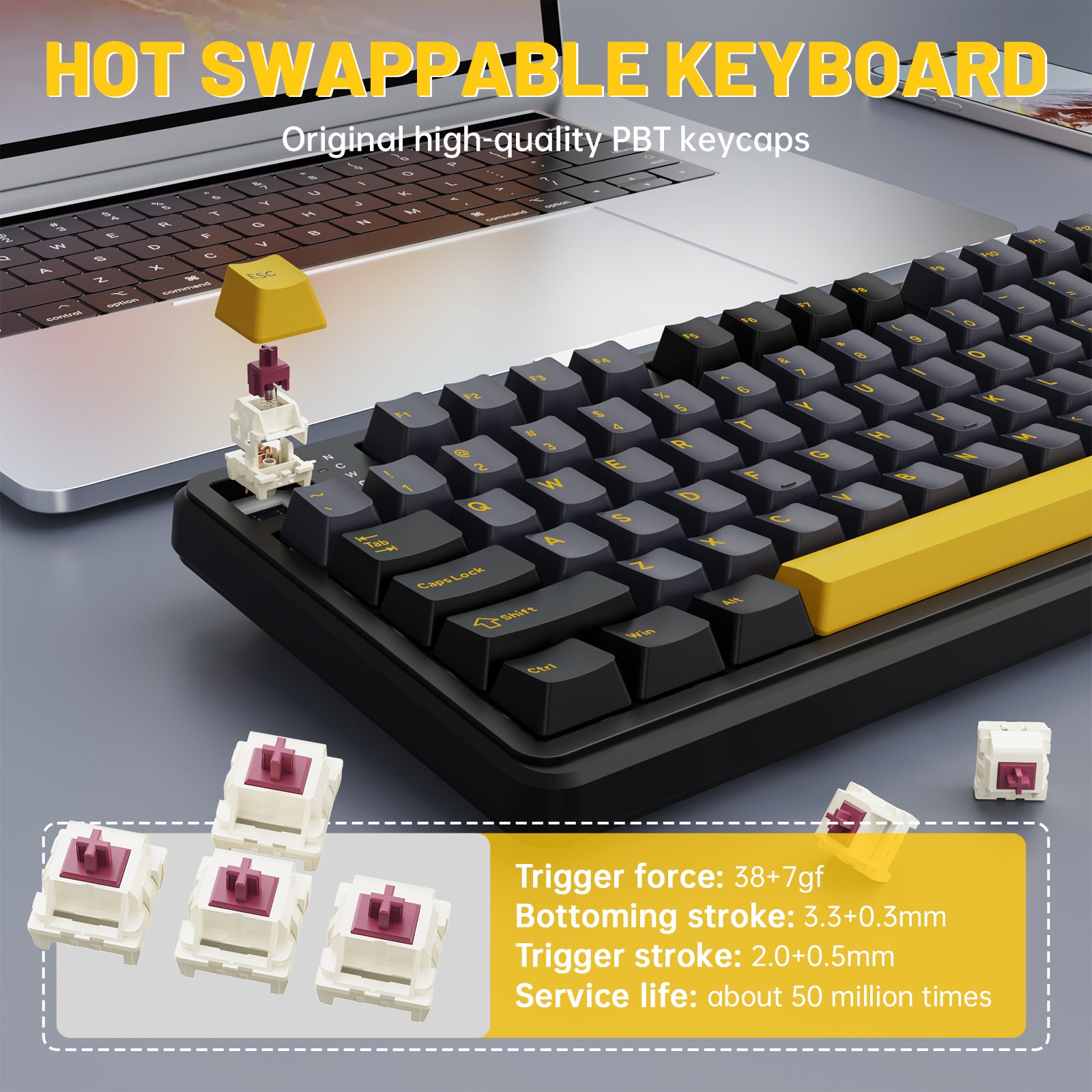
ホットスワップ&ブルーベリースイッチ
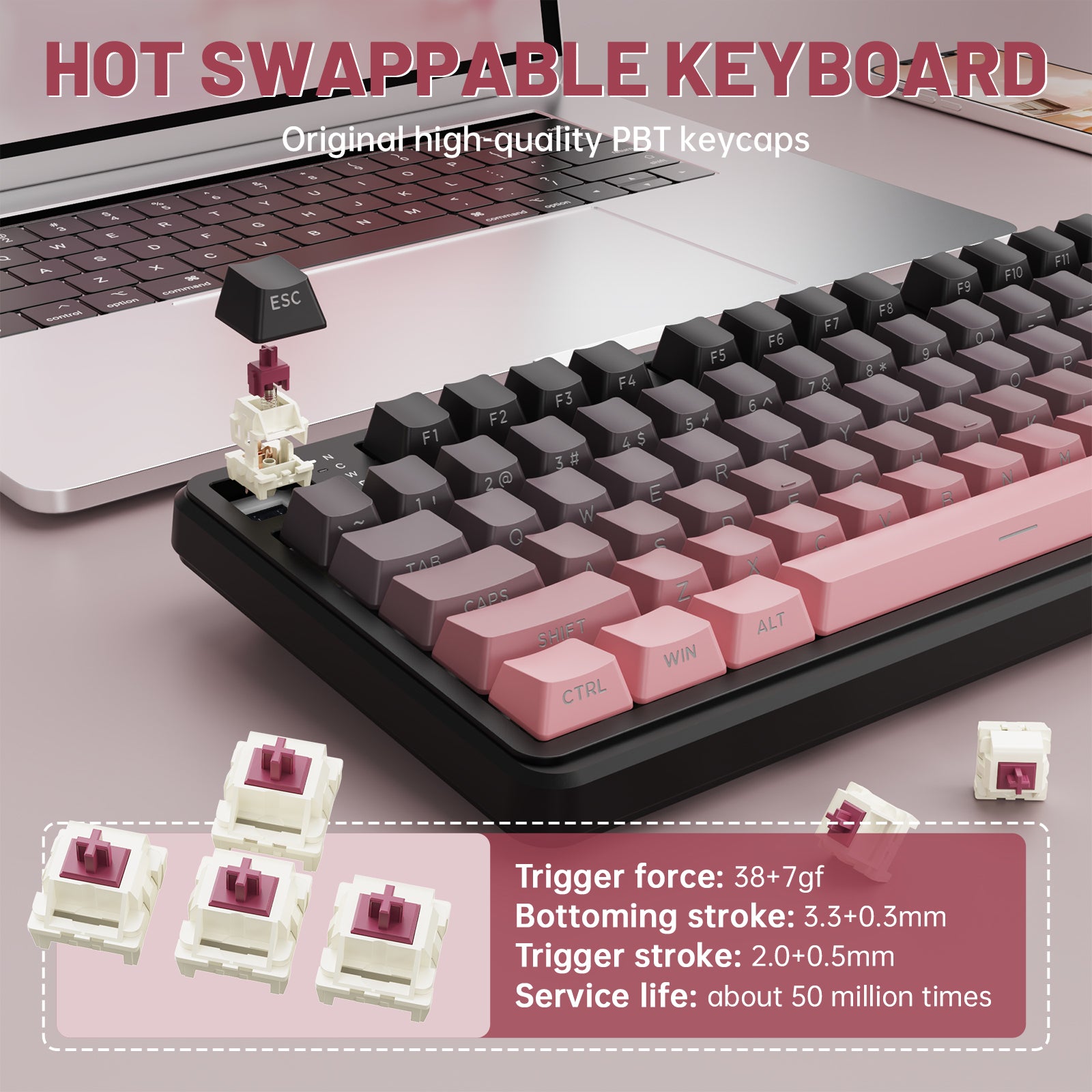
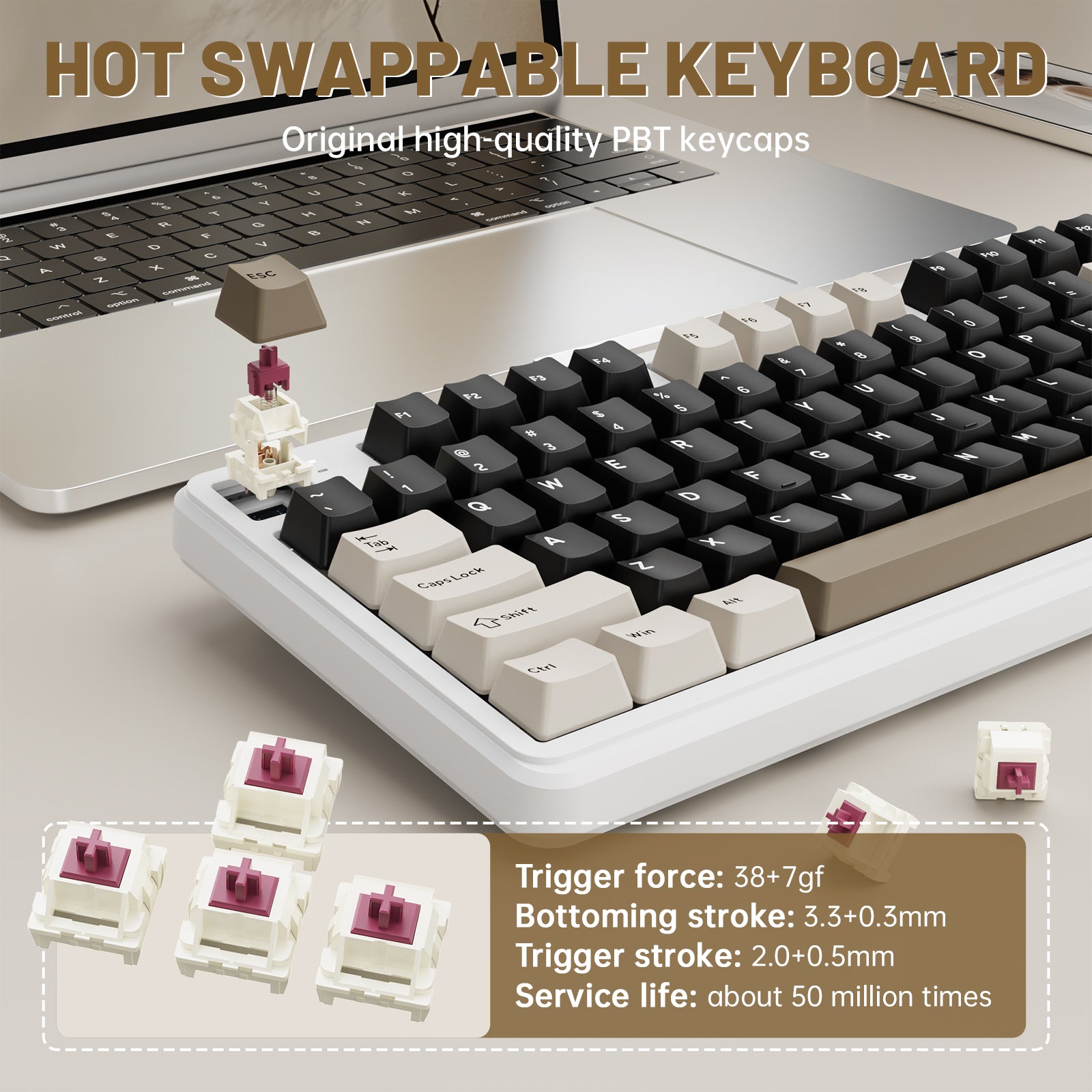
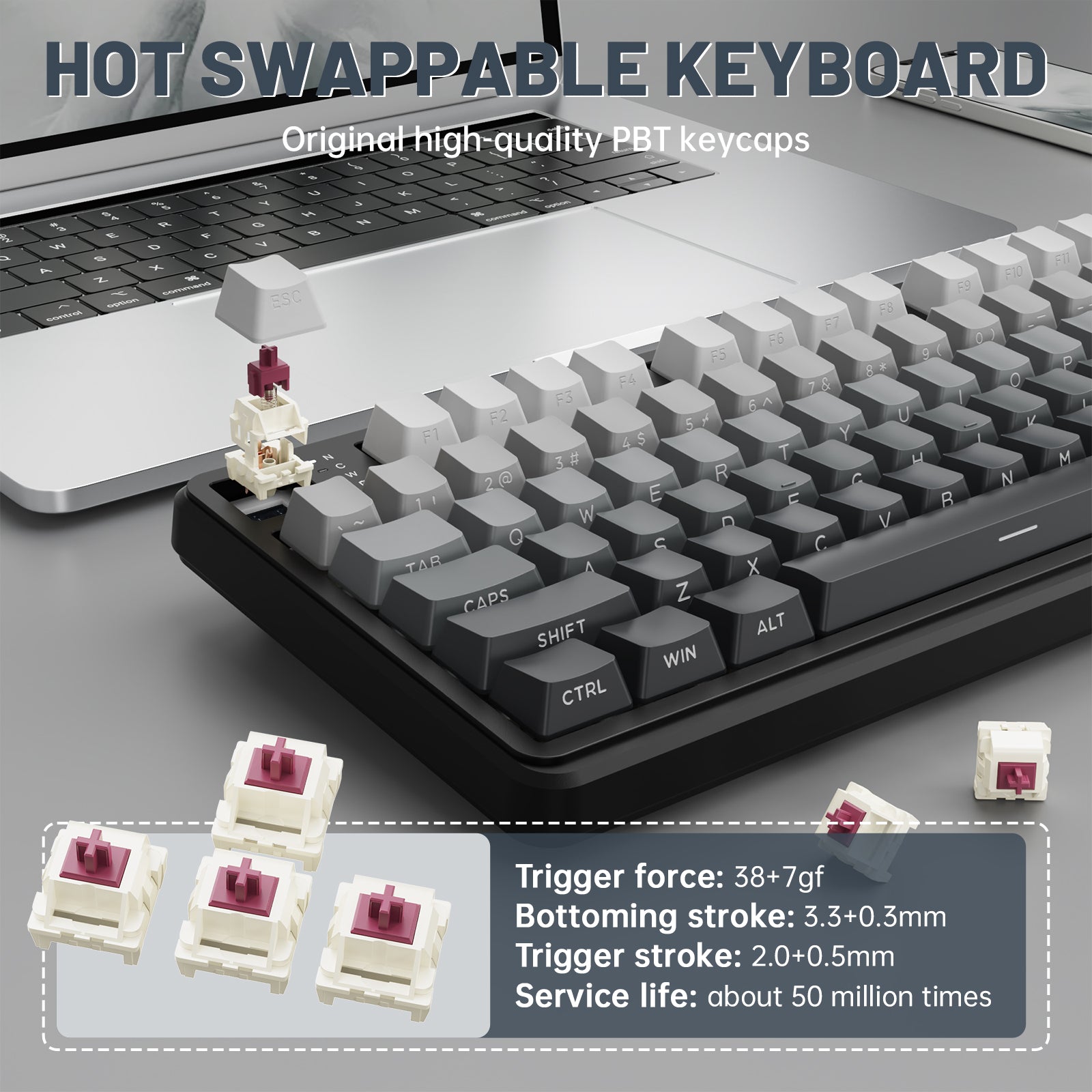
X98 PCキーボードはホットスワップ設計を採用しており、従来のキーボードの使用体験を完全に覆します!内蔵のホットスワップPCBにより、はんだ付けの技術がなくても3ピンまたは5ピンのスイッチを簡単に交換でき、自分だけのパーソナライズキーボードを作成可能です。カスタマイズされたブルーベリースイッチとオリジナルのPBTハイプロファイルキーキャップデザインにより、キーを叩く音が心地よくなっています。

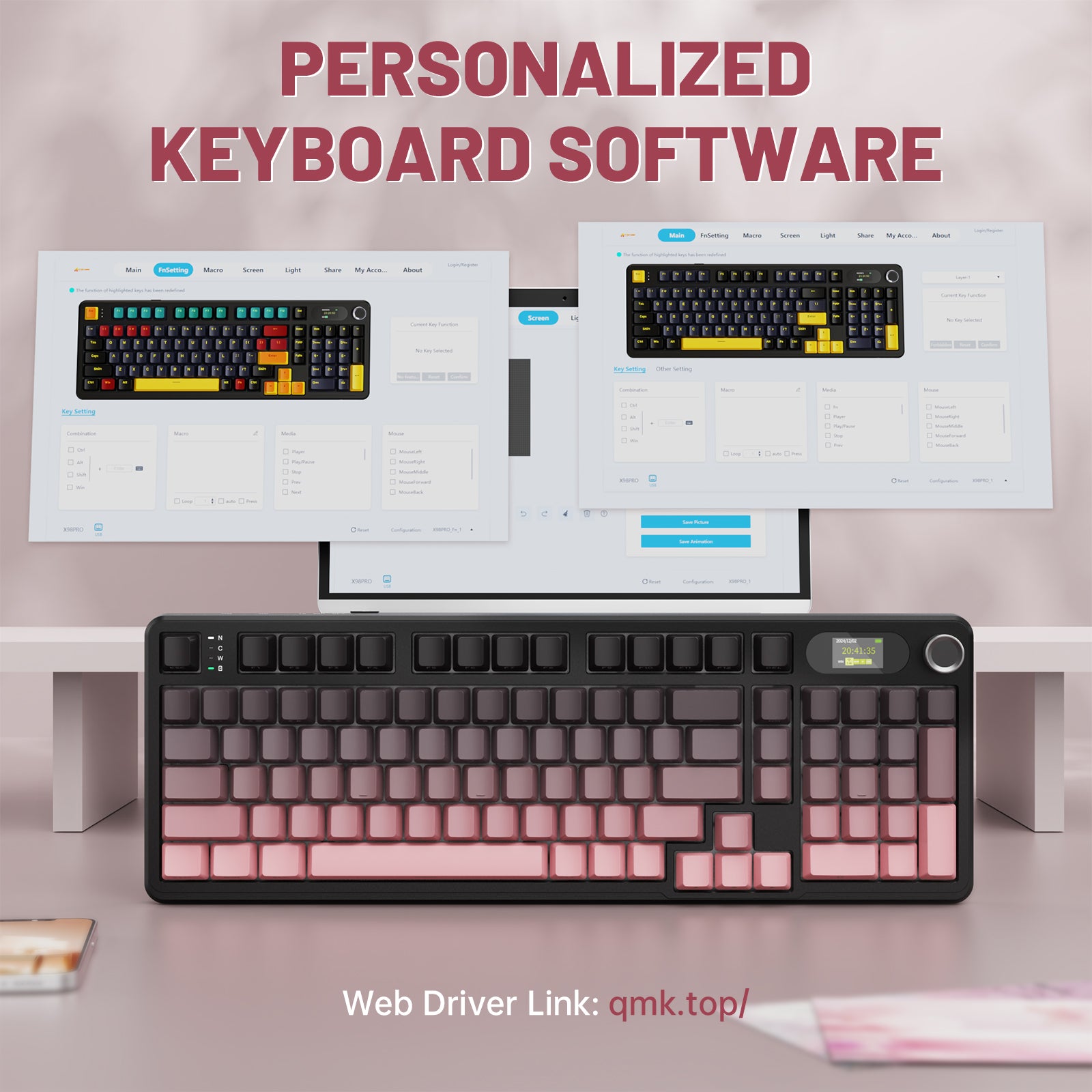
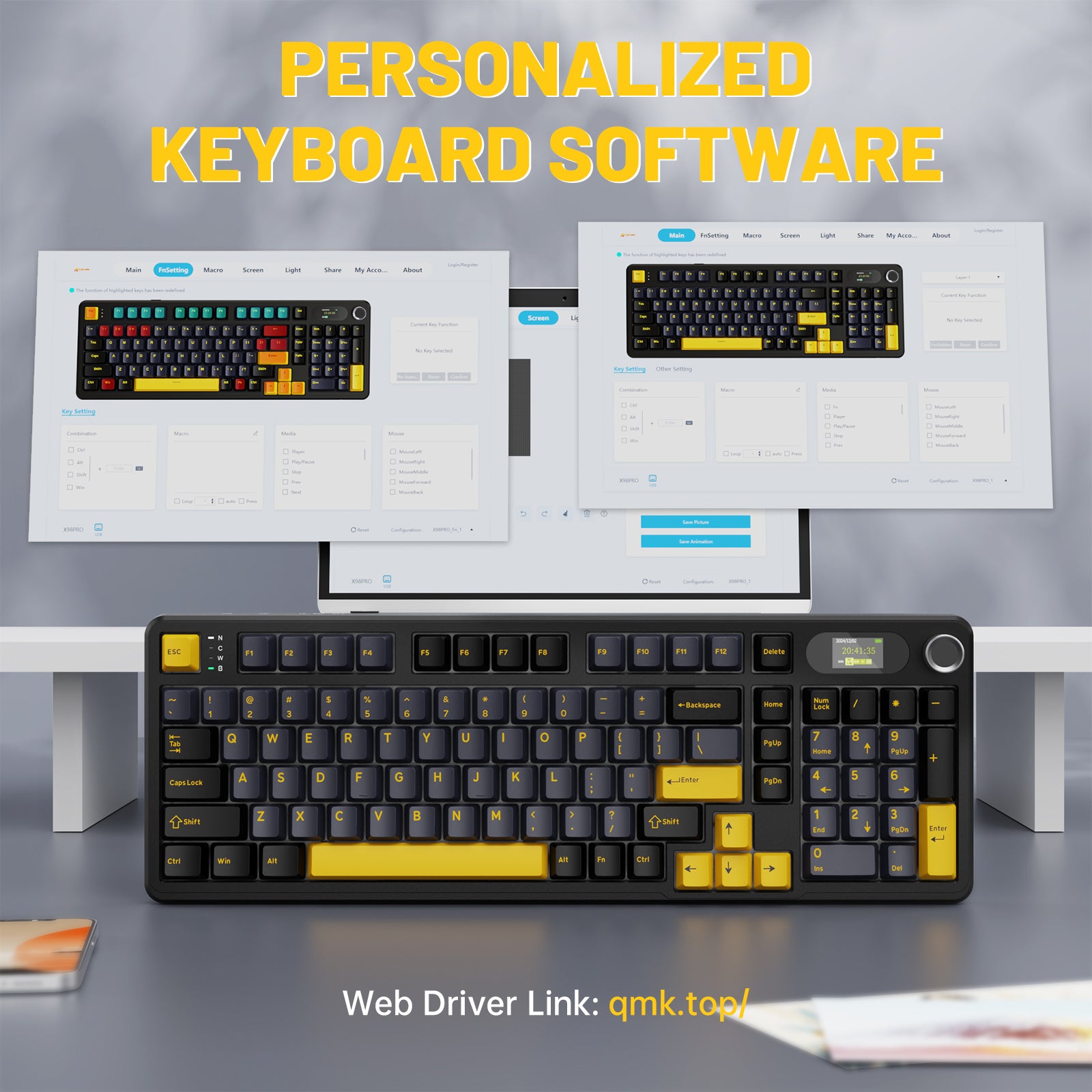
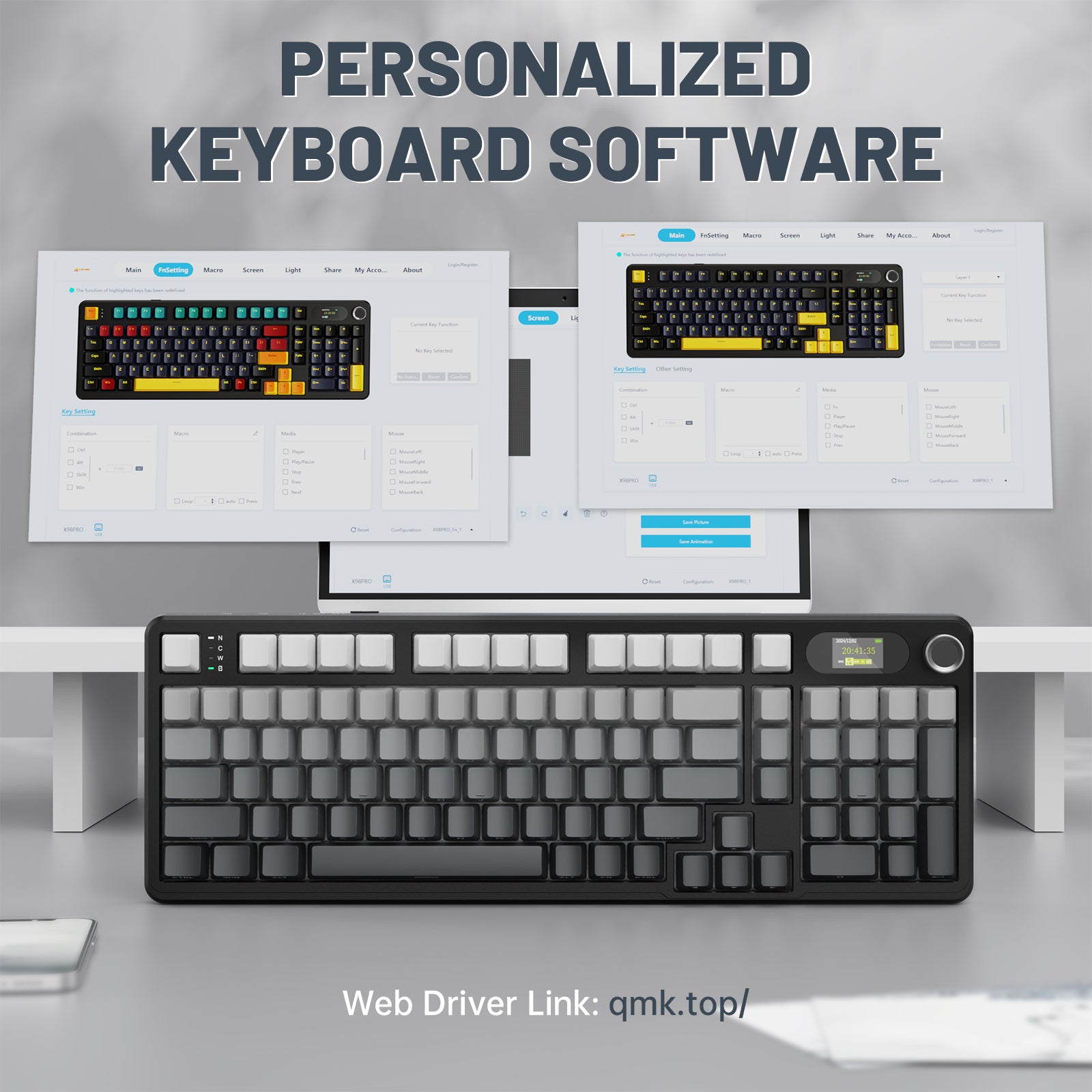
ソフトウェアドライバー
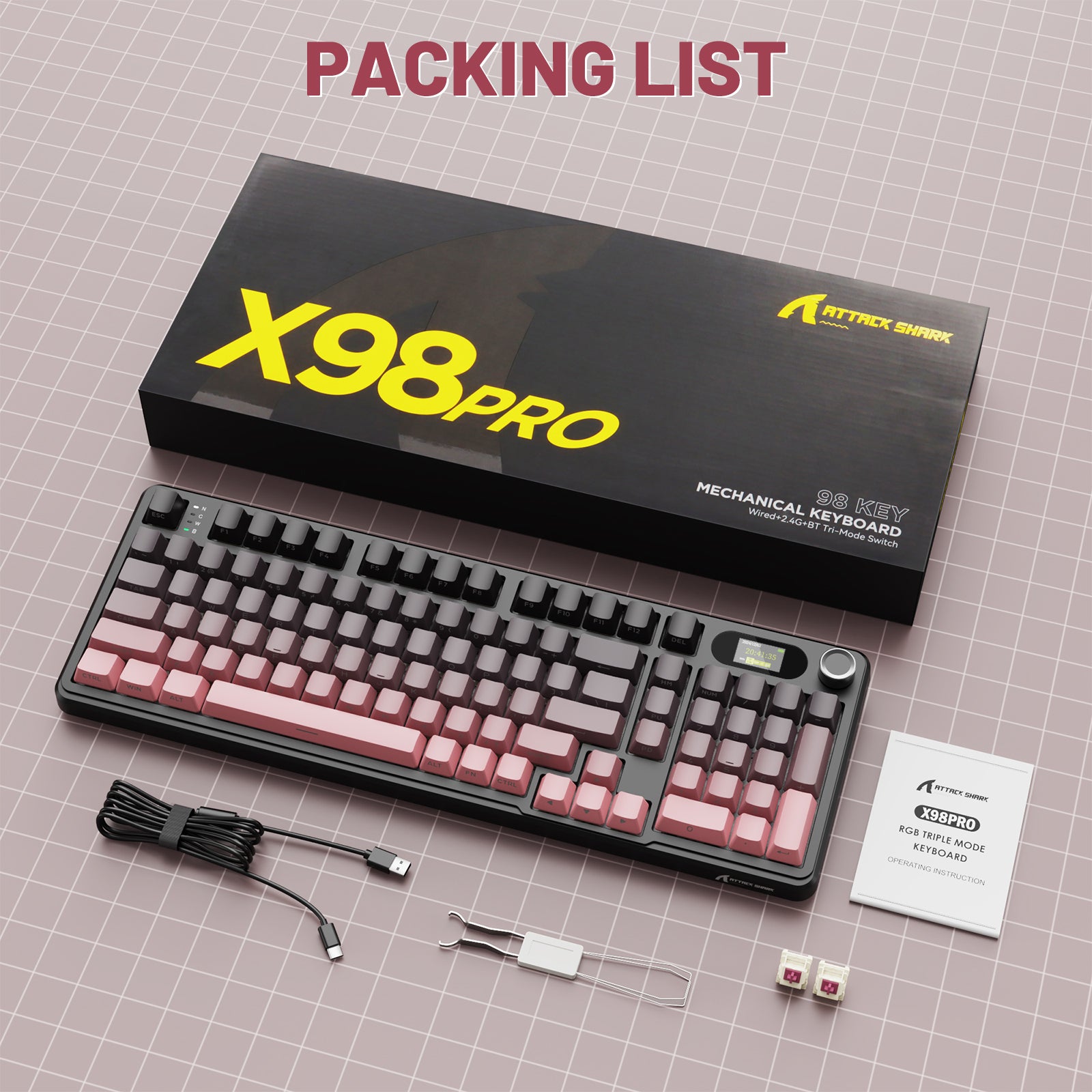
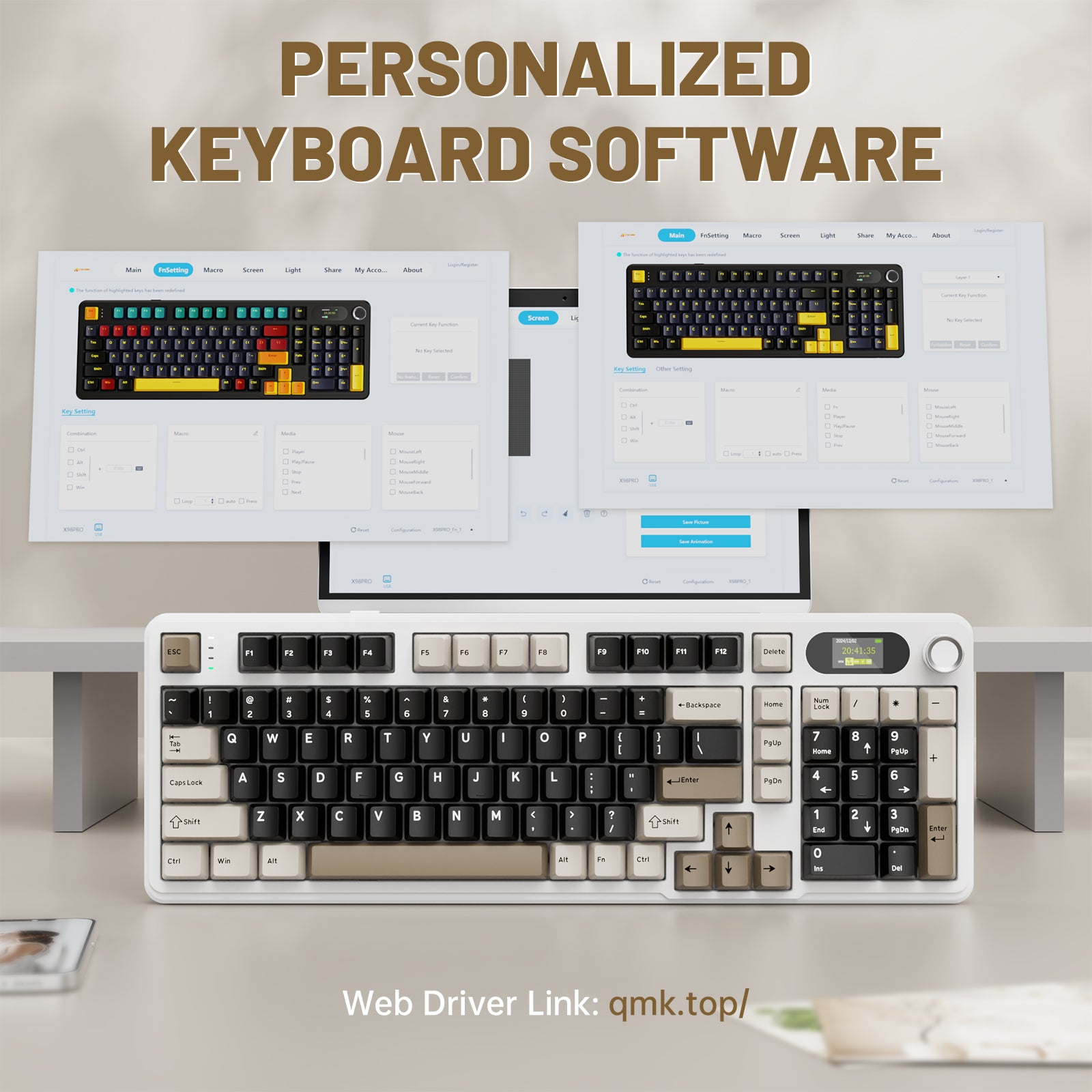
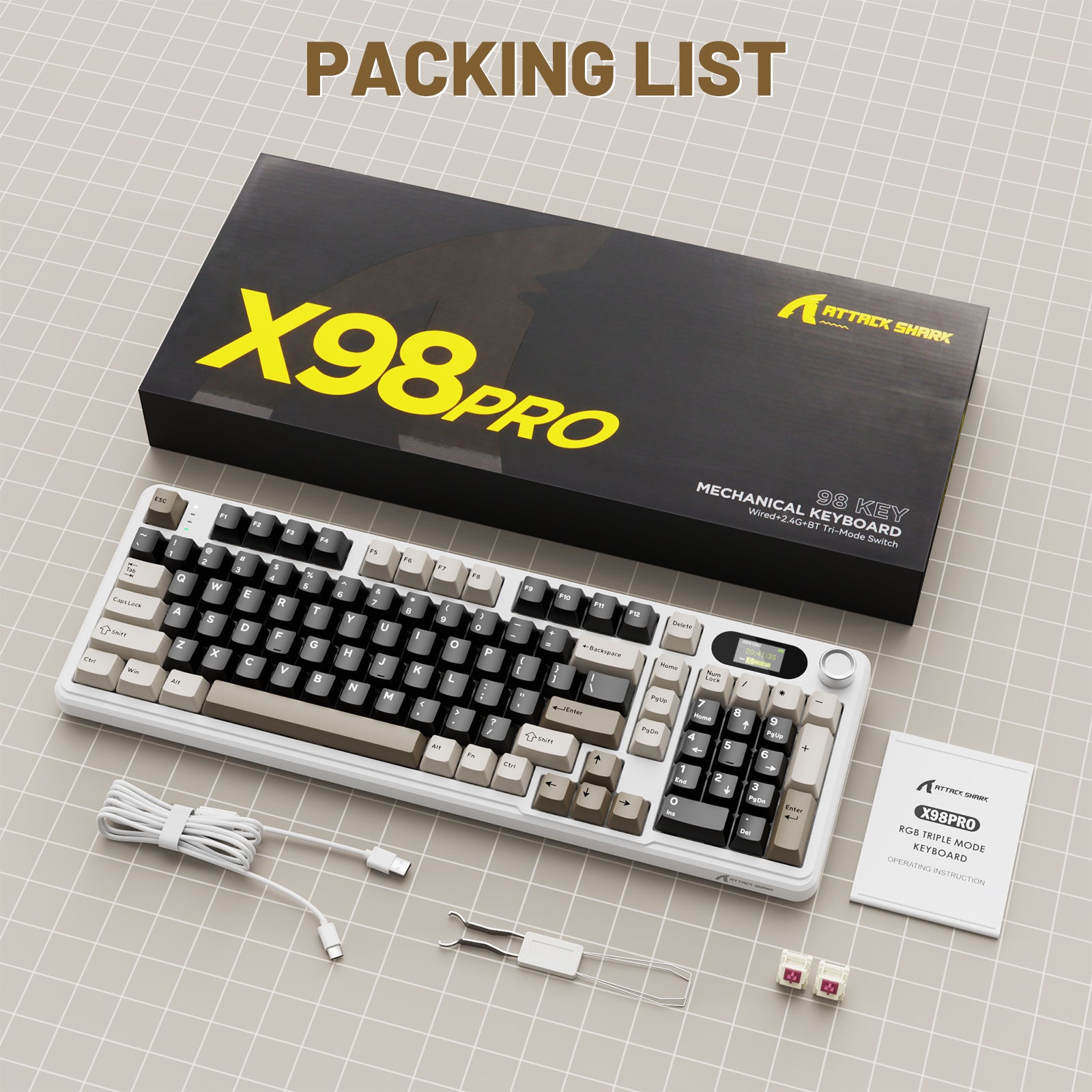
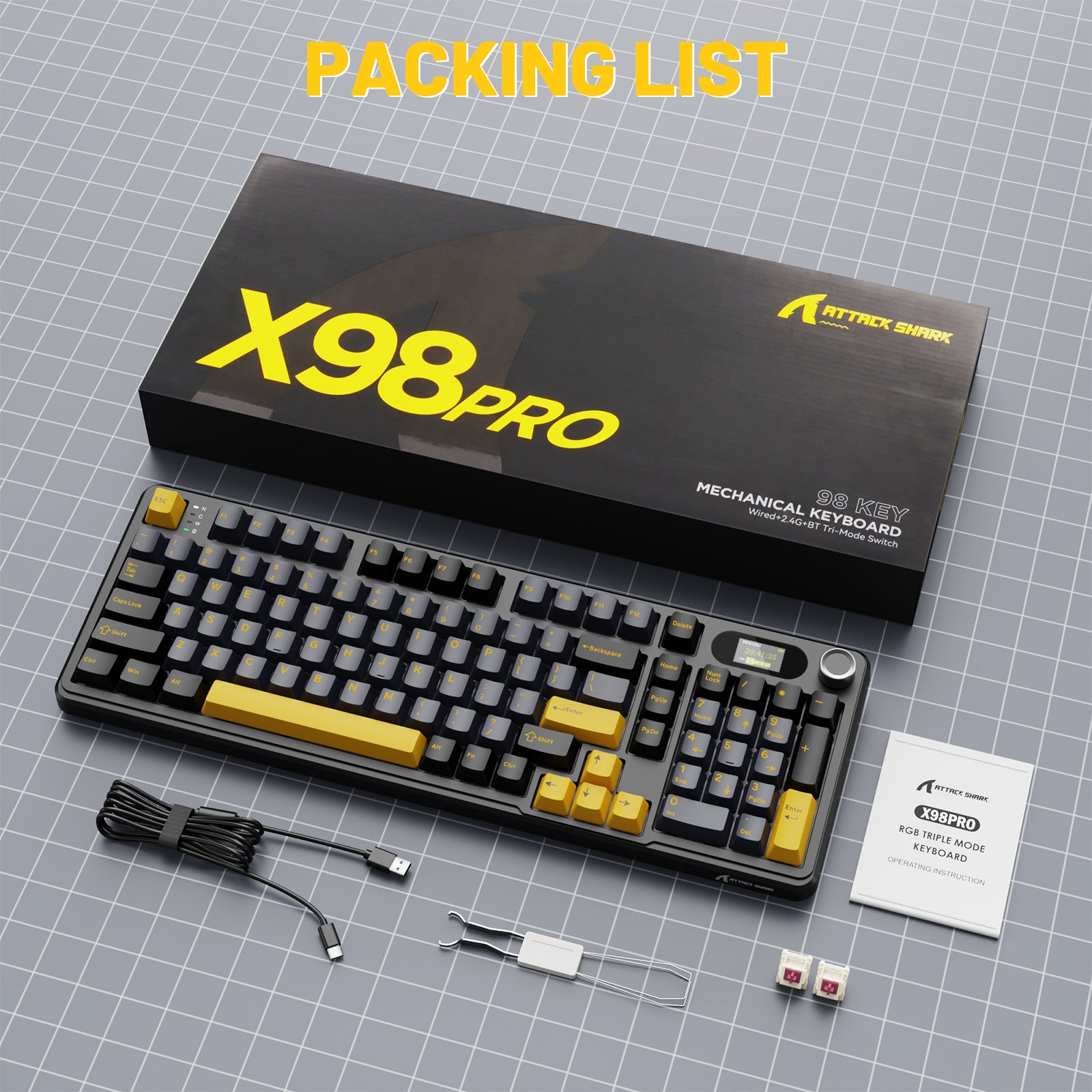
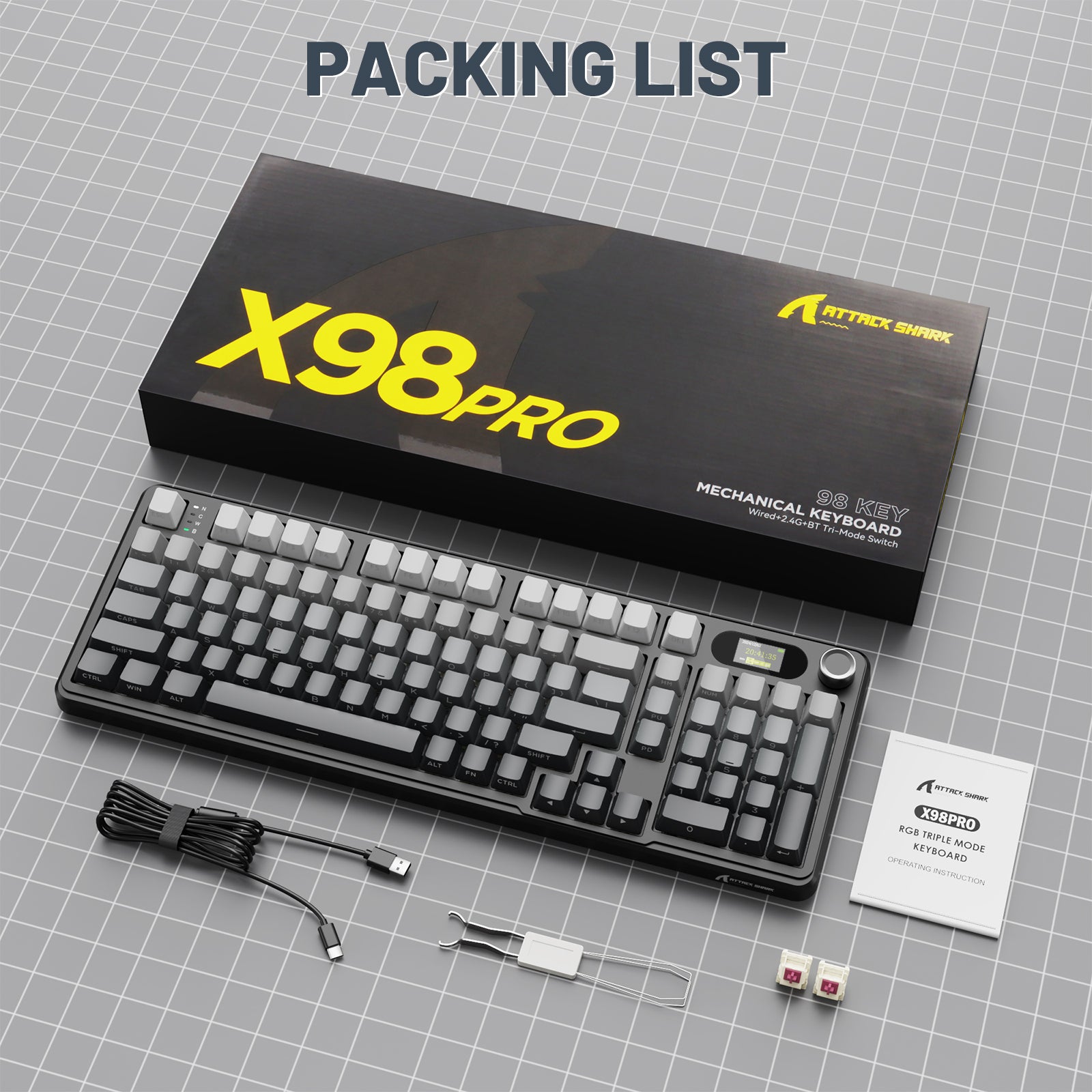
このRGBキーボードは、これまでにないパーソナライズされたカスタマイズ体験を提供します!LEDスクリーンのGIF画像を簡単にカスタマイズできます。さらに、このキーボードを購入すると、キーキャップとスイッチプーラー、2つのキーボードスイッチ、磁気リング付き1.5メートルのTYPE-Cケーブル、8言語対応の取扱説明書が付属します。Windows/Mac/Linuxなどのシステムに対応しています。

A really nice keyboard, for what it costs, it's really a bargain! In the box you also get the cable, two extra switch and the tool to remove the caps.
I really love this brand and its quality. 10/10!
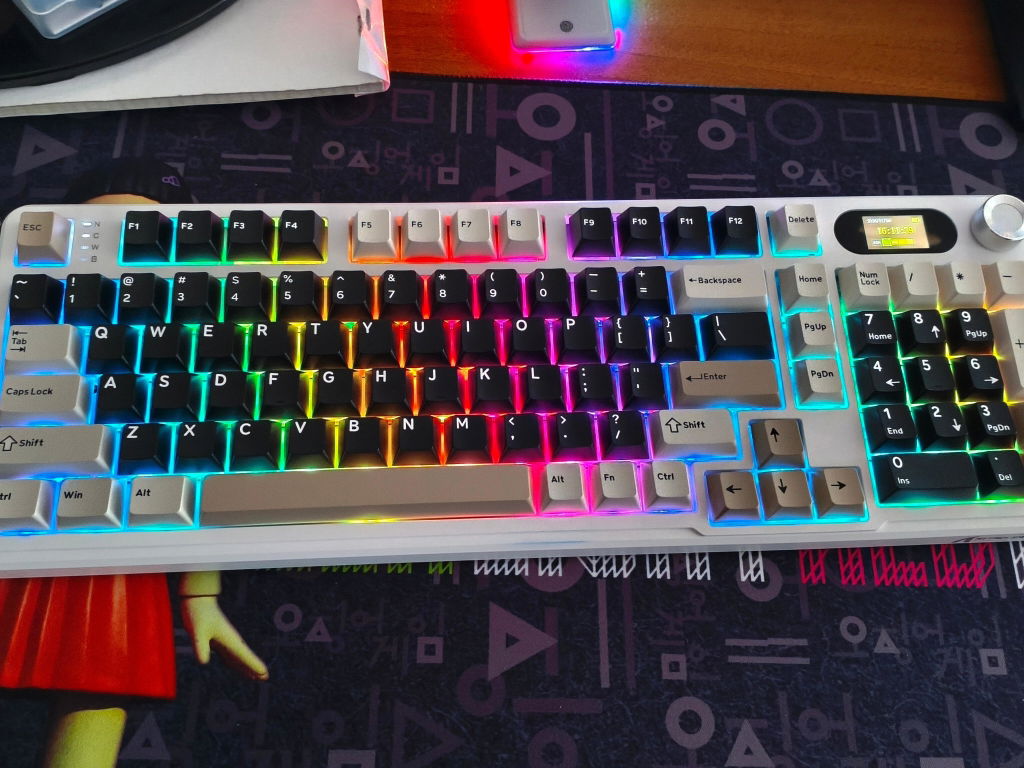
This review is for the ATTACK SHARK X98PRO Wireless Mechanical Gaming Keyboard that includes a braided/coiled USB-C to USB-A cable with a quick connect feature.This keyboard packs a ton of features in a package at a great value. Foremost, the keyboard has actual mechanical keys, not just soft key knockoffs that are touted as mechanical. The keys are Blueberry linear switches and can be swapped with any 3 or 5-pin switch. Likewise, the keycaps can be replaced with most standard keycap kits. The Blueberry keys are super quiet but still have a distinct mechanical press and rebound that I expect from mechanical keys. The description claims that the case is made of a fiberglass composite. It’s difficult to tell, but it’s not plastic and is lightweight, so there’s no reason to believe it’s not fiberglass.As far as functionality and programmable macros, multiple pre-programmed key functions are detailed in the instructions. These aren’t marked on the keyboard, so it’s just something that you’ll have to remember or make a cheat sheet and keep nearby. I feel like the instructions missed a major step in unlocking the programmability functions of the keyboard. I only found this out by going to the Attack Shark website. To change the small LCD, add in additional backlight animations, change key combos, or add macros, you must install the keyboard drivers and access the programming management interface through the qmk.top website. The website offers settings to change these functions and even lets you download ones from other people. The LCD screen is also programmed here, where you can add animations or set the time correctly.The keyboard has multiple connectivity options: direct connect with the USB, use the pre-paired USB 2.4GHz dongle, or Bluetooth. The keyboard allows up to three different Bluetooth devices to be connected, which are selectable using the Fn key plus the 1,2 or 3 keys. The pairing was like any other Bluetooth device. The 2.4GHz dongle can be re-paired, but it won’t be necessary unless the keyboard completely loses its settings.Overall, this is a nice mechanical keyboard, and I’m very impressed; however, I have a couple of issues. My cybersecurity alarms go off installing a driver that allows a remote website, likely located abroad, access to my keyboard. A device that I potentially use to enter private information. However, you don’t have to install the driver or use the website; you just won’t be able to program it. I don’t see any reason for it to be a security concern as long as you don’t install the software and connect to the cloud functions. I installed the driver and accessed the configuration website on a separate computer, made the changes I wanted, and then moved it back to my main computer. Once the keyboard is programmed, it retains settings through power cycles and between devices. Second, the keyboard is a full layout but is somewhat abnormal and may take some getting used to if you’re coming from a traditional layout.


The actuation force, key travel, actuation point, and tactile feedback are very well balanced. The type of switch provides a sensation that is quite different from a linear and smooth keystroke. It evokes a retro feeling reminiscent of old terminal keyboards. The key backlighting is not perfect, especially during the day. I tried different lighting color combinations. For me, red is the most suitable. The legends are positioned on the front face of the keycaps; therefore, if you need to look at the keys while typing, I strongly recommend taking a typing course. However, for gamers at night or in a very dark room, this should not be an issue.

This keyboard is a solid choice for beginners trying out mechanical keyboards. The typing feel is satisfying—responsive and tactile, with switches that are quiet enough for office use but still enjoyable for gaming. The RGB lighting is customizable and looks great in dim light, though I wish the brightness was more even across the keys. The side-printed legends make it tricky if you rely on looking down at the keys. Without the backlight, it’s even harder to spot certain symbols.The build feels sturdy, and the hot-swappable switches are a nice feature if you like to experiment. Pairing multiple devices via Bluetooth is easy once you read the instructions carefully, and the included coiled cable is flexible and well-made. The convenient knob is a great addition—you can use it to switch between different light colors and effects, and by pressing FN + knob, it doubles as a volume control. However, the small LED screen could use better customization options, and the instructions for setting it up weren’t very clear. It shows a clock that doesn’t sync with the PC, which can be annoying.For more customization, the X98 supports a web cloud driver that lets you adjust settings. You can upload a custom GIF for the LED screen and potentially update the time and date by downloading the official software from the ATTACK SHARK website. On the downside, the keycaps scratch easily, which may bother users who want their keyboard to stay pristine.✔ Pros• Good tactile typing experience• RGB lighting with multiple modes• Hot-swappable switches for customization• Versatile connectivity: Bluetooth, wired, and 2.4G• Convenient knob for lighting and volume control✘ Cons• Side-printed legends hard to read without lighting• RGB lighting isn’t evenly distributed• Instructions could be clearer• Keycaps scratch easilyThis review takes a look at the "X98 Wired Mechanical Keyboard, Full Key Hot-Swappable Gasket Structure LED Display" made by ATTACK SHARK.


Excelente compra, se siente de excelente calidad, fácil de configurar, muy bonito, recomendado excelente compra

Keycups feel nice and sound is amazing except space cuz it’s more on the clicky side but overall 10/10
Excelente compra, se siente de excelente calidad, fácil de configurar, muy bonito, recomendado excelente compra
Excelente compra, se siente de excelente calidad, fácil de configurar, muy bonito, recomendado excelente compra
I definitely like the keyboard and have not (yet) regretted my purchase. The switches feel nice, the keys feel good on your fingers, the quality feels high, the keystrokes are responsive, the sound it makes when you type is satisfying, and I really love the LED screen because it has a function where you can upload a GIF/Video file of your choosing to further personalize your keyboard past just the LED backlight of the keys; which I also think has good quality. The only reason I am not giving the keyboard five stars is because setting up the software/drivers to be able to make customization changes was a bit of a hassle (I still haven't gotten the actual keyboard software application to work, but eventually after some struggling managed to make it work through the online website version of the software instead).
If you think the keyboard looks nice and you think you would like it, then I wouldn't worry too much and just take the plunge and buy it - I am definitely enjoying it, although I am still getting used to the feeling of these mechanical switches; hasn't stopped me from managing to type 120 WPM though and enjoying myself all the while.
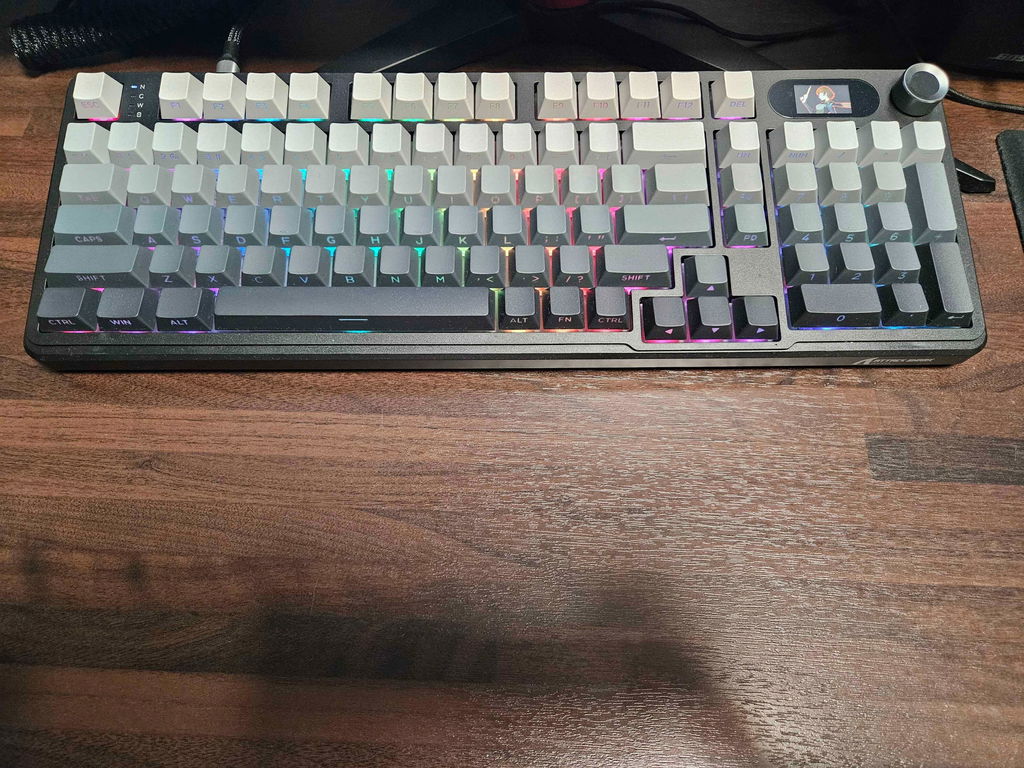
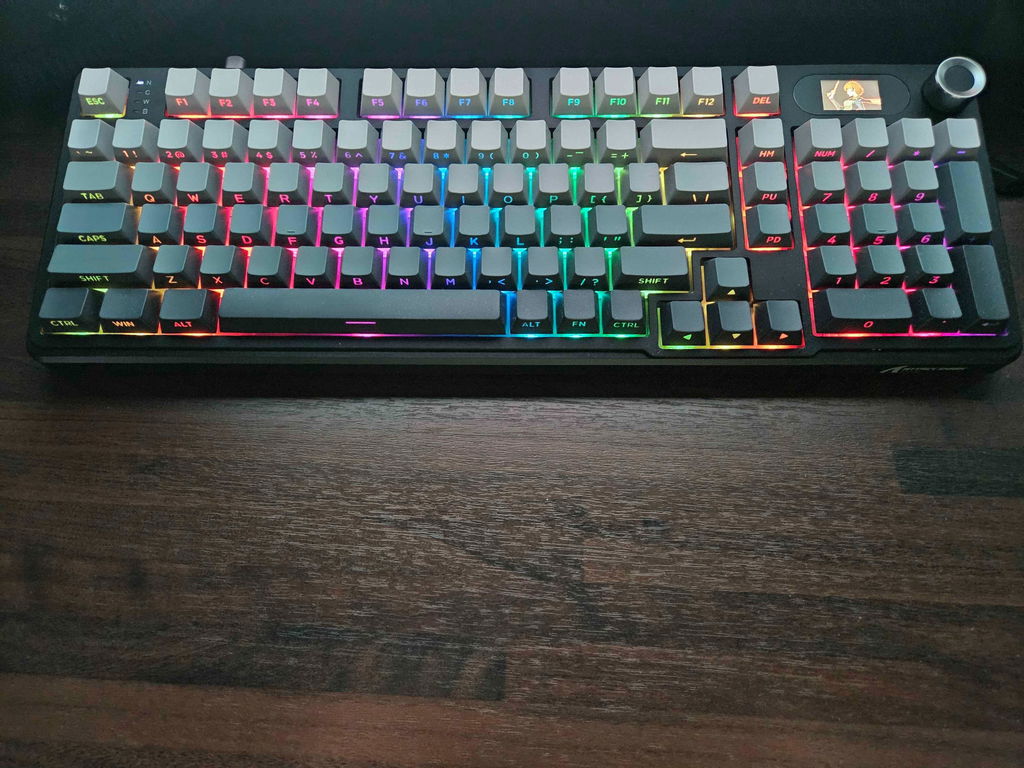
I definitely like the keyboard and have not yet regretted my purchase. The switches feel nice, the keys feel good on your fingers, the quality feels high, the sound it makes when you type is satisfying, and I really love the LED screen because it has a function where you can upload a GIF/Video file of your choosing to further personalize your keyboard past just the LED backlight of the keys; which I also think has good quality. The only reason I am not giving the keyboard five stars is because setting up the software to be able to make customization changes was a bit of a hassle (I still haven't gotten the actual keyboard software application to work, but eventually after some struggling managed to make it work through the website version of the software instead).
If you think the keyboard looks nice and think you would like it, then I wouldn't worry too much and just take the plunge and buy it - I am definitely enjoying it, although am still getting used to the feeling of these mechanical switches; hasn't stopped me from managing to type 120 WPM though and enjoying myself all the while.
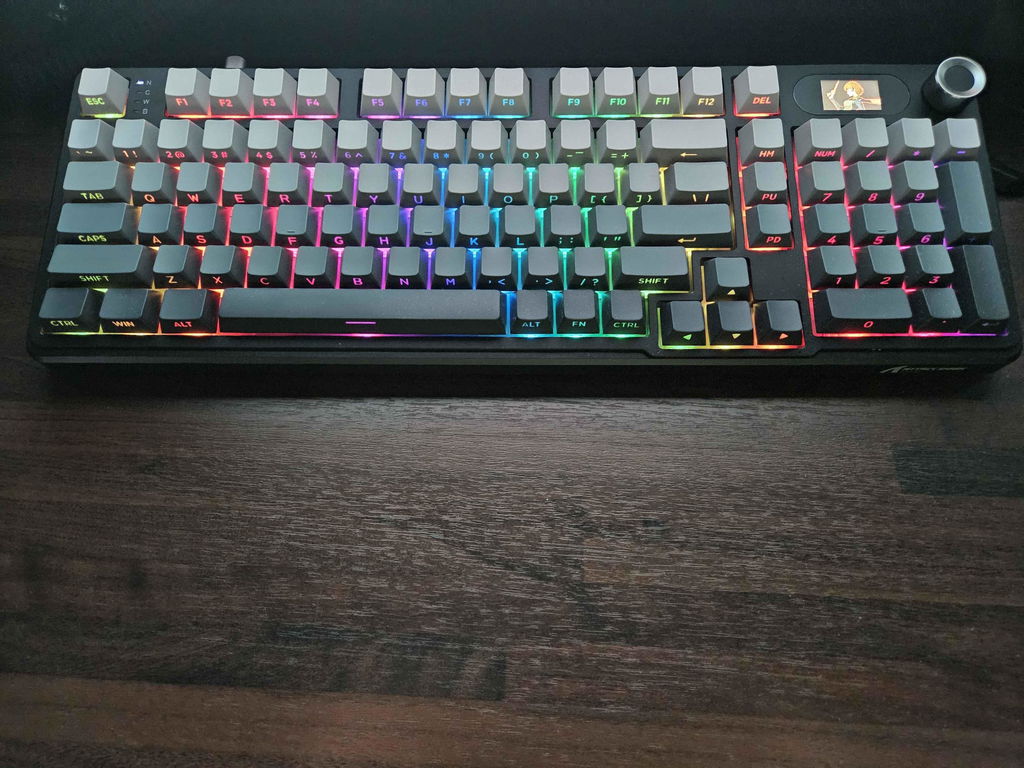
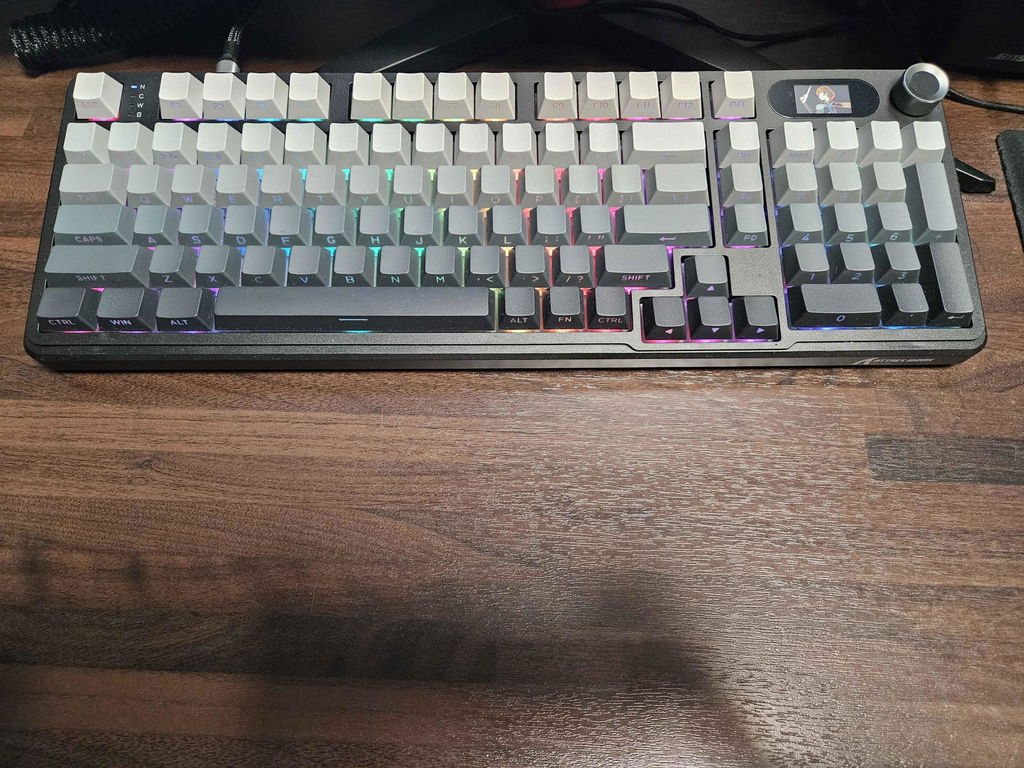
Looking so good, even better than on photos, especially colour.Typing will need some adjustments compared to my old G910.There is dedicated website with drivers for it, which adds functionality.

Clean design. Quiet, pleasant to press the keys. I can't get enough of it. At first impression I really like it, I think it's absolutely worth the price.

Clean design. Quiet, pleasant to press the keys. I can't get enough of it. At first impression I really like it, I think it's absolutely worth the price.
Clean design. Quiet, pleasant to press the keys. I can't get enough of it. At first impression I really like it, I think it's absolutely worth the price.
Clean design. Quiet, pleasant to press the keys. I can't get enough of it. At first impression I really like it, I think it's absolutely worth the price.
The actuation force, key travel, actuation point, and tactile feedback are very well balanced. The type of switch provides a sensation that is quite different from a linear and smooth keystroke. It evokes a retro feeling reminiscent of old terminal keyboards. The key backlighting is not perfect, especially during the day. I tried different lighting color combinations. For me, red is the most suitable. The legends are positioned on the front face of the keycaps; therefore, if you need to look at the keys while typing, I strongly recommend taking a typing course. However, for gamers at night or in a very dark room, this should not be an issue.
The actuation force, key travel, actuation point, and tactile feedback are very well balanced. The type of switch provides a sensation that is quite different from a linear and smooth keystroke. It evokes a retro feeling reminiscent of old terminal keyboards. The key backlighting is not perfect, especially during the day. I tried different lighting color combinations. For me, red is the most suitable. The legends are positioned on the front face of the keycaps; therefore, if you need to look at the keys while typing, I strongly recommend taking a typing course. However, for gamers at night or in a very dark room, this should not be an issue.
The actuation force, key travel, actuation point, and tactile feedback are very well balanced. The type of switch provides a sensation that is quite different from a linear and smooth keystroke. It evokes a retro feeling reminiscent of old terminal keyboards. The key backlighting is not perfect, especially during the day. I tried different lighting color combinations. For me, red is the most suitable. The legends are positioned on the front face of the keycaps; therefore, if you need to look at the keys while typing, I strongly recommend taking a typing course. However, for gamers at night or in a very dark room, this should not be an issue.
This keyboard is a solid choice for beginners trying out mechanical keyboards. The typing feel is satisfying—responsive and tactile, with switches that are quiet enough for office use but still enjoyable for gaming. The RGB lighting is customizable and looks great in dim light, though I wish the brightness was more even across the keys. The side-printed legends make it tricky if you rely on looking down at the keys. Without the backlight, it’s even harder to spot certain symbols.The build feels sturdy, and the hot-swappable switches are a nice feature if you like to experiment. Pairing multiple devices via Bluetooth is easy once you read the instructions carefully, and the included coiled cable is flexible and well-made. The convenient knob is a great addition—you can use it to switch between different light colors and effects, and by pressing FN + knob, it doubles as a volume control. However, the small LED screen could use better customization options, and the instructions for setting it up weren’t very clear. It shows a clock that doesn’t sync with the PC, which can be annoying.For more customization, the X98 supports a web cloud driver that lets you adjust settings. You can upload a custom GIF for the LED screen and potentially update the time and date by downloading the official software from the ATTACK SHARK website. On the downside, the keycaps scratch easily, which may bother users who want their keyboard to stay pristine.✔ Pros• Good tactile typing experience• RGB lighting with multiple modes• Hot-swappable switches for customization• Versatile connectivity: Bluetooth, wired, and 2.4G• Convenient knob for lighting and volume control✘ Cons• Side-printed legends hard to read without lighting• RGB lighting isn’t evenly distributed• Instructions could be clearer• Keycaps scratch easilyThis review takes a look at the "X98 Wired Mechanical Keyboard, Full Key Hot-Swappable Gasket Structure LED Display" made by ATTACK SHARK.