


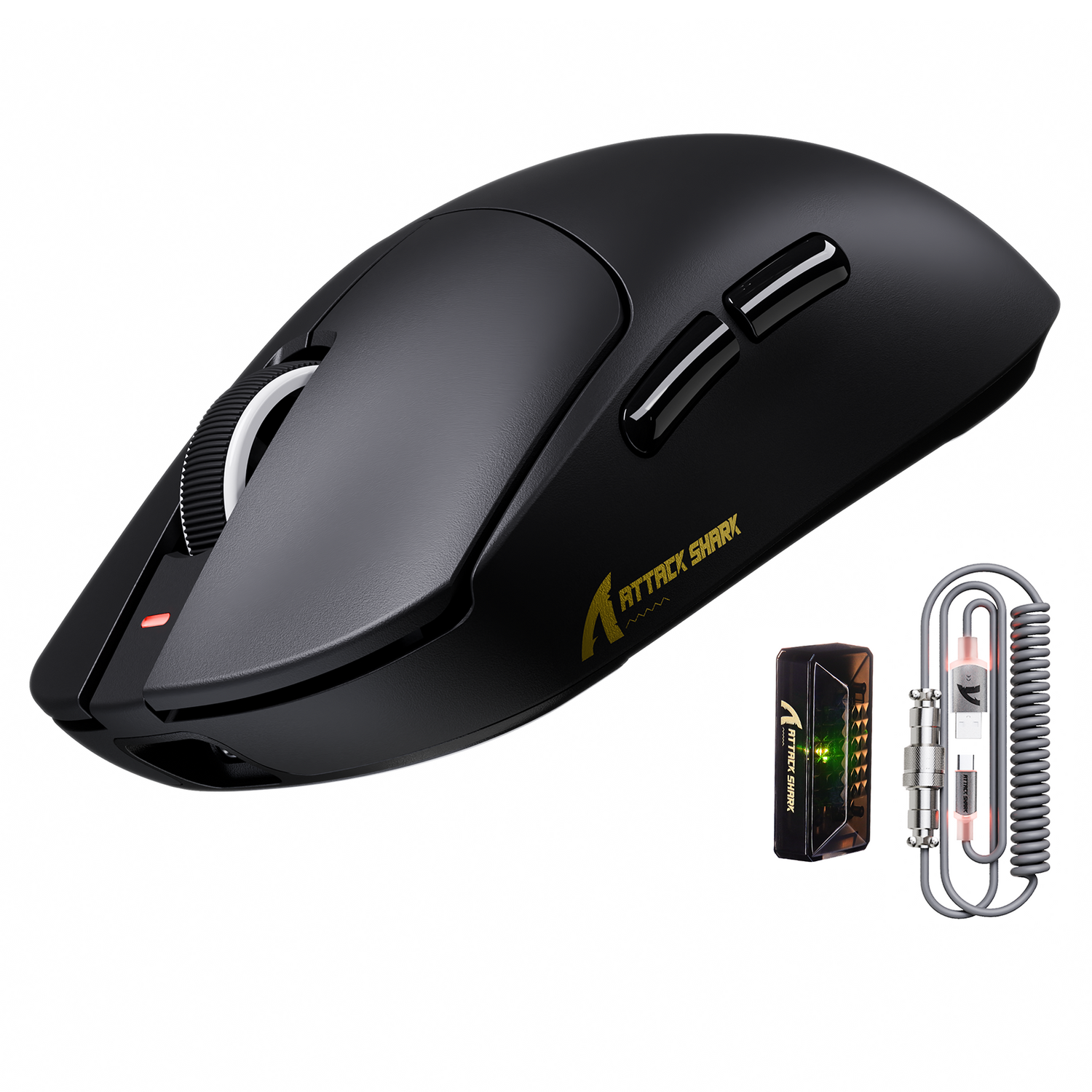
The transition from the industry-standard 1,000Hz polling rate to the cutting-edge 8,000Hz (8K) frontier represents the most significant shift in input fidelity in over a decade. For the competitive gamer, an 8K polling rate offers a near-instant 0.125ms response time, effectively eliminating the input lag bottlenecks found in legacy peripherals. However, this leap in performance does not come without a computational cost.
Managing the processor load during 8K polling usage is critical for maintaining system stability. If a system is not properly optimized, the high-frequency data stream can lead to perceptible frame time inconsistencies or "micro-stutter," particularly in CPU-bound titles. This article provides a technical blueprint for evaluating system readiness and optimizing hardware to handle the 8,000Hz interrupt demand.
The Mechanics of 8,000Hz Interrupts
To understand why 8K polling impacts the CPU, one must look at the way modern operating systems handle USB devices. Most peripherals operate via Interrupt Request (IRQ) signals. Every time a mouse sends a packet of data, it "interrupts" the CPU to process that information.
At a standard 1,000Hz rate, the CPU receives an interrupt every 1.0ms. At 8,000Hz, this interval shrinks to a mere 0.125ms. While modern processors are incredibly fast, the sheer frequency of these interrupts requires the OS scheduler and the CPU’s single-core performance to be highly efficient. According to the USB HID Class Definition (HID 1.11), the report descriptor manages how this data is structured, but the physical processing of those reports is where the system load originates.
Quantitative Impact: The 0.5% Heuristic
Real-world testing and industry observations suggest a reliable heuristic for budgeting CPU resources: for every 1,000Hz increase in polling rate, a system should budget approximately 0.5% of a single CPU core's capacity.
| Polling Rate | Interval (ms) | Estimated Single-Core Load | Perceived Benefit |
|---|---|---|---|
| 1,000Hz | 1.0ms | ~0.5% | Standard baseline |
| 2,000Hz | 0.5ms | ~1.0% | Reduced micro-jitter |
| 4,000Hz | 0.25ms | ~2.0% | High-end competitive standard |
| 8,000Hz | 0.125ms | ~3.5% | Elite-tier motion smoothness |
Note: These values are estimated ranges based on common practice and modern 6-core/12-thread architectures.
Thread Saturation vs. Total CPU Usage
A common misconception among gamers is that 8K polling is "safe" as long as total CPU usage is low (e.g., 30%). In reality, the bottleneck for high-frequency polling is thread saturation, not total multi-core capacity.
Most competitive games, such as Valorant or Counter-Strike 2, are heavily dependent on a "main thread" for game logic and frame rendering. If that specific thread is already running at 95% capacity, adding a 3.5% interrupt load from an 8K mouse can push that thread over 100%. When this happens, the CPU must delay either a game logic calculation or an input packet, resulting in a "stutter" or a dropped frame.
Practitioners have observed that the impact is more pronounced in wireless implementations. High-performance wireless MCUs, such as the Nordic 52840, must manage the radio stack and the 8K data stream simultaneously. As noted in the Global Gaming Peripherals Industry Whitepaper (2026), the integration of high-speed wireless protocols requires a robust host driver stack to prevent interrupt latency from cascading into system-wide lag.

Sensor Saturation: The Role of DPI and IPS
To truly take advantage of an 8,000Hz polling rate, the mouse sensor must generate enough data to fill those 8,000 slots every second. This is governed by the relationship between movement speed (Inches Per Second or IPS) and resolution (Dots Per Inch or DPI).
The formula for data packets sent per second is: Movement Speed (IPS) × DPI.
If you move your mouse too slowly or use a DPI that is too low, the mouse simply won't have new data to send in every 0.125ms window. For example, at 800 DPI, you must move the mouse at least 10 IPS to saturate the 8K bandwidth. However, at 1600 DPI, only 5 IPS is required.
For this reason, experts recommend using 1600 DPI or higher when operating at 8,000Hz. This ensures that even small micro-adjustments generate fresh data packets, providing the "smooth" feeling that 8K is known for. Using excessively high DPI (e.g., 26,000+) is generally unnecessary and can sometimes introduce sensor noise, but 1600 to 3200 DPI serves as the "sweet spot" for 8K stability.
System Optimization Checklist for 8K Polling
If you experience stutters while using 8,000Hz, the following technical optimizations are recommended to reduce the IRQ overhead and ensure the CPU can handle the stream.
1. USB Topology and Port Selection
Shared bandwidth is the enemy of high-frequency polling. Devices should always be connected to Direct Motherboard Ports (typically the Rear I/O panel).
- Avoid USB Hubs: Even powered hubs add a layer of processing that can increase interrupt latency.
- Avoid Front Panel Headers: These often use unshielded internal cables that are susceptible to electromagnetic interference, causing packet loss at 8K speeds.
- Dedicated Controllers: If possible, identify which USB ports on your motherboard are on a dedicated controller versus those shared with other high-bandwidth devices like webcams or external SSDs.
2. Windows Raw Input and Settings
The way Windows handles mouse data can be tuned for 8K.
- Enable Raw Input: Most modern games have a "Raw Input" setting. This allows the game to bypass Windows' pointer speed processing, reducing the CPU cycles spent on each mouse packet.
- Disable "Enhance Pointer Precision": This legacy feature adds a software-based acceleration curve that is computationally unnecessary and detrimental to muscle memory.
- Background Process Management: Use the Task Manager to identify background applications with high CPU "interrupts" or "System" usage. Software that frequently polls hardware (like some aggressive RGB controllers or hardware monitors) can conflict with 8K mouse data.
3. Display Synchronization
While there is no strict "1/10th rule," there is a perceptual threshold. To visually perceive the 0.125ms smoothness of 8K polling, a high-refresh monitor (240Hz, 360Hz, or 540Hz) is highly beneficial. Without a high-refresh display, the monitor becomes the bottleneck, rendering the 8K input data onto a 60Hz or 144Hz grid that cannot show the micro-movements.
The Wireless Trade-off: Power Consumption
For users of high-performance wireless mice, 8,000Hz polling introduces a significant power draw penalty. Transmitting 8,000 packets per second requires the radio to stay in a high-power state almost constantly.
Extrapolating from standard power models, a jump from 1,000Hz to 8,000Hz can increase the radio's current draw by approximately 200%. In practical terms, a 500mAh battery that might last 85 hours at 1,000Hz will likely drop to approximately 28 hours at 8,000Hz. This is a reduction of over 65%.
Gamers prioritizing 8K performance should be prepared for a near-daily charging cadence or consider using the mouse in wired mode during intense competitive sessions. High-quality, low-friction cables, such as those defined in the USB-IF Standards, are essential for maintaining 8K stability in wired mode without sacrificing movement freedom.
Evaluating System Readiness: Two Scenarios
To determine if 8K is right for your current build, consider these two common hardware profiles.
Scenario A: The Modern High-End Build
- CPU: 8-core/16-thread (e.g., Ryzen 7 7800X3D or Core i7-14700K).
- GPU: High-end (e.g., RTX 4080/4090).
- Monitor: 360Hz+.
- Verdict: This system has ample single-core headroom. The 3.5% load for 8K polling will be virtually unnoticeable, and the high-refresh display will fully showcase the reduced motion blur and input lag.
Scenario B: The Mid-Range / Legacy Build
- CPU: Older 4-core/4-thread or 6-core/6-thread (e.g., Core i5-9400 or Ryzen 5 3600).
- GPU: Mid-range (e.g., RTX 3060).
- Monitor: 144Hz.
- Verdict: 8K polling may cause issues here. In CPU-bound games, the added interrupt load could trigger frame time spikes. A more balanced approach for this user would be 2,000Hz or 4,000Hz, which provides a significant upgrade over 1,000Hz with much lower CPU overhead.
Surface Consistency and Sensor Data
The physical environment also impacts CPU load. A high-quality, consistent surface is critical for 8K mice. Surface inconsistencies on low-quality pads can cause the sensor to generate erratic, high-frequency data spikes. The CPU must process every one of these spikes, even if they are just "noise" from a dusty or uneven surface.
Using a professional-grade surface, such as an ultra-high-density fiber or tempered glass pad, ensures that the sensor data is clean. This reduces the "garbage" data the CPU has to filter, allowing the processor to focus on the actual movement of the player.
Summary of Best Practices
For the value-driven gamer looking to maximize performance-per-dollar, 8,000Hz is a powerful tool, but it requires a holistic approach to system health.
- Audit your CPU: Ensure you have single-thread headroom in your primary games.
- Optimize DPI: Move to 1600 DPI to ensure consistent packet saturation.
- Clean your Port: Use only rear motherboard USB ports.
- Manage Expectations: Understand that wireless battery life will decrease significantly.
By following these technical guidelines, you can ensure that your jump to 8K polling results in a smoother, more responsive gaming experience rather than a frustrated battle with system stutters.
Disclaimer: This article is for informational purposes only. High-frequency polling can increase system temperatures and power consumption. Ensure your PC has adequate cooling and a stable power supply before making significant changes to hardware settings.

コメントを書く
このサイトはhCaptchaによって保護されており、hCaptchaプライバシーポリシーおよび利用規約が適用されます。