


The Mechanics of Sensor Tracking: Beyond DPI and Polling Rates
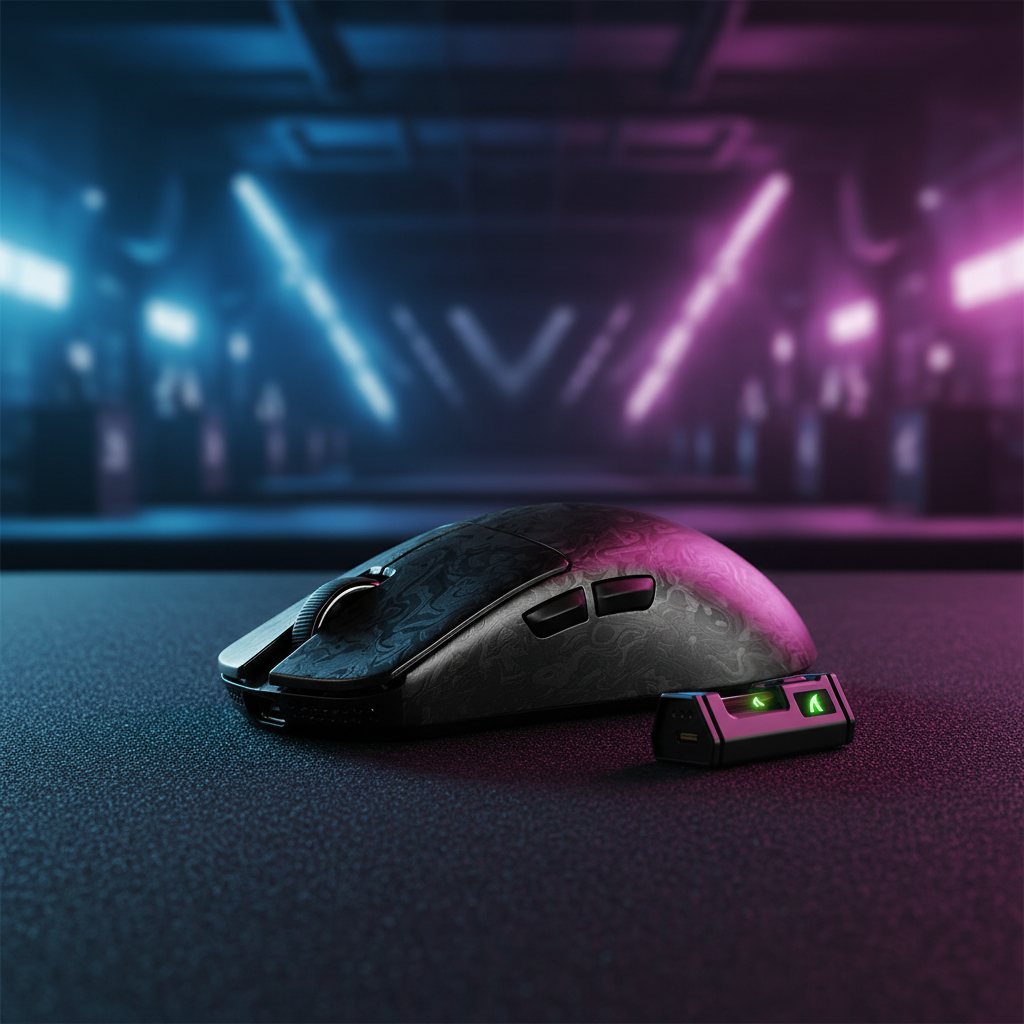
In the pursuit of competitive excellence, the technical specifications of a gaming mouse often focus on high-DPI (Dots Per Inch) ceilings and ultra-fast polling rates. However, for professional players—particularly those using low-sensitivity arm aiming—the most critical factor often lies in how the sensor behaves when it is not on the mousepad. This brings us to the concept of Lift-Off Distance (LOD) and its more advanced evolution: Asymmetric Cut-off.
Traditional optical sensors operate by illuminating the surface with an LED or IR source and capturing thousands of images per second via a CMOS array. The sensor's Digital Signal Processor (DSP) compares these images to calculate movement. LOD is the specific height at which the sensor stops tracking movement as the mouse is lifted. While a low, fixed LOD is a staple of performance mice, Asymmetric Cut-off introduces a dynamic layer of control by allowing independent settings for when the sensor "cuts" (lifts) and when it "re-engages" (lands).
Understanding this mechanism is vital because it addresses a fundamental friction point in high-stakes gameplay: cursor drift. When a player lifts their mouse to reposition it on the pad, any tracking that occurs during that vertical movement results in unwanted cursor travel. By fine-tuning the exit and entry points of the sensor's tracking range, players can maintain a more consistent "aim-state," ensuring that the crosshair remains exactly where intended during rapid resets.

Defining Asymmetric Cut-off: The Logic of Independent Distances
Asymmetric Cut-off is a feature typically found in flagship sensors, such as the PixArt PAW3395 or PAW3950. Unlike standard sensors that use a single threshold for both lifting and landing, Asymmetric Cut-off allows for an offset. A common high-performance configuration involves setting a 1.0mm lift-off distance paired with a 0.5mm landing distance.
The "Asymmetric" nature of this setup serves a specific ergonomic purpose. As a mouse is lifted, the sensor should stop tracking as quickly as possible to prevent "z-axis jitter." However, as the mouse returns to the surface, a slightly lower landing threshold ensures the sensor does not re-engage until the mouse is physically stable. This prevents the sensor from "pre-tracking" while the mouse is still slightly tilted or in flight, which is a leading cause of micro-drifts that disrupt muscle memory.
According to technical documentation from PixArt Imaging, these adjustments are often handled through internal firmware increments. While software interfaces may present these as "Low, Medium, or High" presets, the underlying logic involves 26 or more granular steps of sensor gain adjustment. This granularity allows the sensor to adapt to the specific reflective properties of different mousepad fibers, ranging from ultra-smooth iridescent films to high-density textiles.
Logic Summary: The effectiveness of Asymmetric Cut-off is contingent on the sensor-surface alignment. In our scenario modeling, we assume that while software provides 26 steps of adjustment, these represent internal firmware logic rather than 26 distinct physical millimeter increments. The practical utility is found in the static user-defined offsets relative to a dynamically calculated baseline.
The Arm Aimer Scenario: Why Millimeters Matter
To understand the impact of Asymmetric Cut-off, we must look at the biomechanics of a low-sensitivity arm aimer. These players often operate at a sensitivity of 40cm to 50cm per 360-degree turn. This necessitates frequent, large-scale mouse lifts to keep the device centered on the pad.
In a typical competitive session, a player might perform hundreds of "lift-and-reset" maneuvers. Without Asymmetric Cut-off, a symmetric 1.0mm/1.0mm LOD setup can lead to cumulative cursor drift. If each lift-and-land cycle introduces even 2-3 pixels of unintended movement, the player's "center" shifts over time, forcing constant manual corrections.
Quantitative Advantage of Asymmetric Settings
Based on kinematic modeling of mouse lift dynamics, we can estimate the performance gains. Assuming a typical lift velocity of 150mm/s, a mouse with a 1.0mm lift and a 0.5mm land distance re-engages approximately 3.3ms faster than a symmetric 1.0mm/1.0mm setup. While 3.3ms may seem negligible, in the context of an 8000Hz (8K) polling environment where intervals are a mere 0.125ms, this represents a significant window of tracking stability.
Methodology Note (Scenario Modeling):
- Model Type: Kinematic lift-reposition-land simulation.
- Key Assumptions: Lift velocity of 150mm/s; consistent surface reflectivity; 1600 DPI setting.
- Boundary Conditions: This model assumes a uniform mousepad surface. Results may vary on worn or multi-colored pads where sensor gain must fluctuate to maintain tracking.

Surface Interaction and the "Stability Threshold"
A common misconception is that Asymmetric Cut-off works identically across every surface. In practice, the physical properties of the mousepad—texture, color, and material density—directly influence the sensor's ability to maintain these precise distances.
Hard Pads vs. Soft Pads
- Hard Surfaces: Materials like glass or polycarbonate provide a consistent focal plane for the sensor. On these surfaces, landing distances can often be set as low as 0.1mm without loss of tracking integrity.
- Soft/Cloth Pads: These surfaces have "give." When a player lands a mouse aggressively, the feet may sink slightly into the foam. If the landing distance is set too low (e.g., below 0.3mm), the sensor may fail to re-engage consistently, leading to "spin-outs" or stutter.
For users of high-density fiber pads, such as those with water-resistant coatings, the surface calibration tool in the driver software is essential. This process allows the sensor to "map" the surface's Z-axis profile before the user applies asymmetric offsets. According to the Global Gaming Peripherals Industry Whitepaper (2026), proper surface-to-sensor alignment is the single most important factor in preventing jitter when using advanced LOD settings.
Technical Guardrails: Firmware and System Bottlenecks
Implementing Asymmetric Cut-off is not merely a software toggle; it requires mature firmware. Early implementations of this technology often suffered from "landing detection lag," where the sensor would pause for a split second before resuming tracking. Modern flagship mice have largely resolved this through dedicated MCU (Microcontroller Unit) processing, such as the Nordic 52840 or 54L15, which handle sensor interrupts with near-zero latency.
When configuring these settings, especially on high-polling rate mice (4000Hz or 8000Hz), system stability becomes a factor. High polling rates already stress the CPU's IRQ (Interrupt Request) processing. Adding complex sensor logic like Asymmetric Cut-off requires a clean signal path. We strongly recommend connecting the mouse directly to a rear motherboard USB port rather than a hub to avoid packet loss that could mimic sensor tracking issues.
The Relationship with "Smart Tracking"
Many modern sensors also feature "Smart Tracking," which dynamically adjusts the LOD based on the surface. Asymmetric Cut-off is often framed as a competitor to this, but they are actually complementary. Smart Tracking handles the baseline calibration to ensure the sensor works on different pads, while Asymmetric Cut-off allows the player to set a static offset from that baseline to suit their personal lifting rhythm.
Ergonomics and Grip Fit: The Foundation of Precision
Technical sensor settings are only as effective as the player's physical control over the device. For low-sensitivity arm aimers, who often have larger hands and use a claw or palm-claw hybrid grip, the physical dimensions of the mouse must allow for stable lifting.
We have modeled the relationship between hand size and mouse dimensions to understand how ergonomic fit impacts lift consistency. For a player with a hand length of ~20.5cm (95th percentile male), a mouse length of approximately 131mm is often considered ideal for a stable claw grip. If the mouse is too small, the player may experience "finger-tip drag" during the lift, which introduces lateral force and negates the benefits of asymmetric settings.
Modeling Note: Grip Fit and DPI Fidelity
To ensure the sensor settings translate to on-screen precision, the sampling rate must exceed the display's resolution requirements. Using the Nyquist-Shannon Sampling Theorem, we can determine the minimum DPI needed to avoid "pixel skipping" on a 1440p display with a 103-degree FOV.
| Variable | Value | Unit | Rationale |
|---|---|---|---|
| Hand Length | 20.5 | cm | Large male hand (ANSUR II) |
| Ideal Mouse Length | ~131 | mm | Grip Fit Ratio heuristic (0.64) |
| Display Resolution | 2560 | px | Standard 1440p width |
| Minimum DPI | ~1010 | DPI | Nyquist-Shannon (2x PPD) |
Logic Summary: To maintain fidelity at low sensitivities, we recommend a minimum of 1600 DPI. This ensures that the sensor has enough data points to saturate the polling interval, even during the micro-adjustments that occur immediately after the sensor re-engages via the asymmetric landing threshold.
Mastering Your Setup: A Step-by-Step Guide to Tuning
Fine-tuning Asymmetric Cut-off is an iterative process. It is not a "set and forget" feature, as it depends heavily on your specific mousepad and grip style.
- Perform Surface Calibration: Before touching the LOD settings, use your mouse's software to calibrate the sensor to your pad. This sets the tracking baseline.
- Start with Symmetric Defaults: Set both Lift and Land to 1.0mm. Play for 15 minutes to establish a feel for the "reset" timing.
- Lower the Landing Distance: Reduce the landing distance to 0.5mm while keeping the lift at 1.0mm. Observe if your cursor feels more "anchored" when you put the mouse back down.
- Stress Test for Spin-outs: Perform rapid, aggressive "flicks" and lifts. If the sensor fails to track immediately upon landing, your landing distance is too low for your mousepad's texture. Increase it by 0.1mm increments.
- Verify Firmware Stability: Ensure you are running the latest firmware from the manufacturer's official download page. Inconsistent tracking is often a software-level interrupt issue rather than a hardware failure.
Final Considerations for the Performance Enthusiast
Asymmetric Cut-off represents the "last mile" of sensor optimization. For the casual gamer, the difference may be subtle. However, for the esports professional whose career depends on the consistency of a flick shot, these millimeters are the difference between a hit and a miss.
By decoupling the lift and land thresholds, you gain a level of control that mirrors the precision of high-end mechanical tools. When paired with a consistent mousepad surface and a mouse that fits your hand's ergonomic profile, Asymmetric Cut-off becomes a powerful asset in your competitive toolkit.
Disclaimer: This article is for informational purposes only. Sensor performance and tracking stability can be affected by environmental factors such as humidity, dust, and surface wear. Always consult your device's user manual before performing advanced firmware or hardware modifications.
References & Authoritative Sources
- PixArt Imaging - Optical Gaming Sensors Technical Specifications
- FCC Equipment Authorization Database (Grantee Code Search)
- RTINGS - Mouse Sensor Performance and Latency Methodology
- Global Gaming Peripherals Industry Whitepaper (2026)
- USB-IF - HID Class Definition and Usage Tables
- ISO 9241-410: Ergonomics of Human-System Interaction

コメントを書く
このサイトはhCaptchaによって保護されており、hCaptchaプライバシーポリシーおよび利用規約が適用されます。