


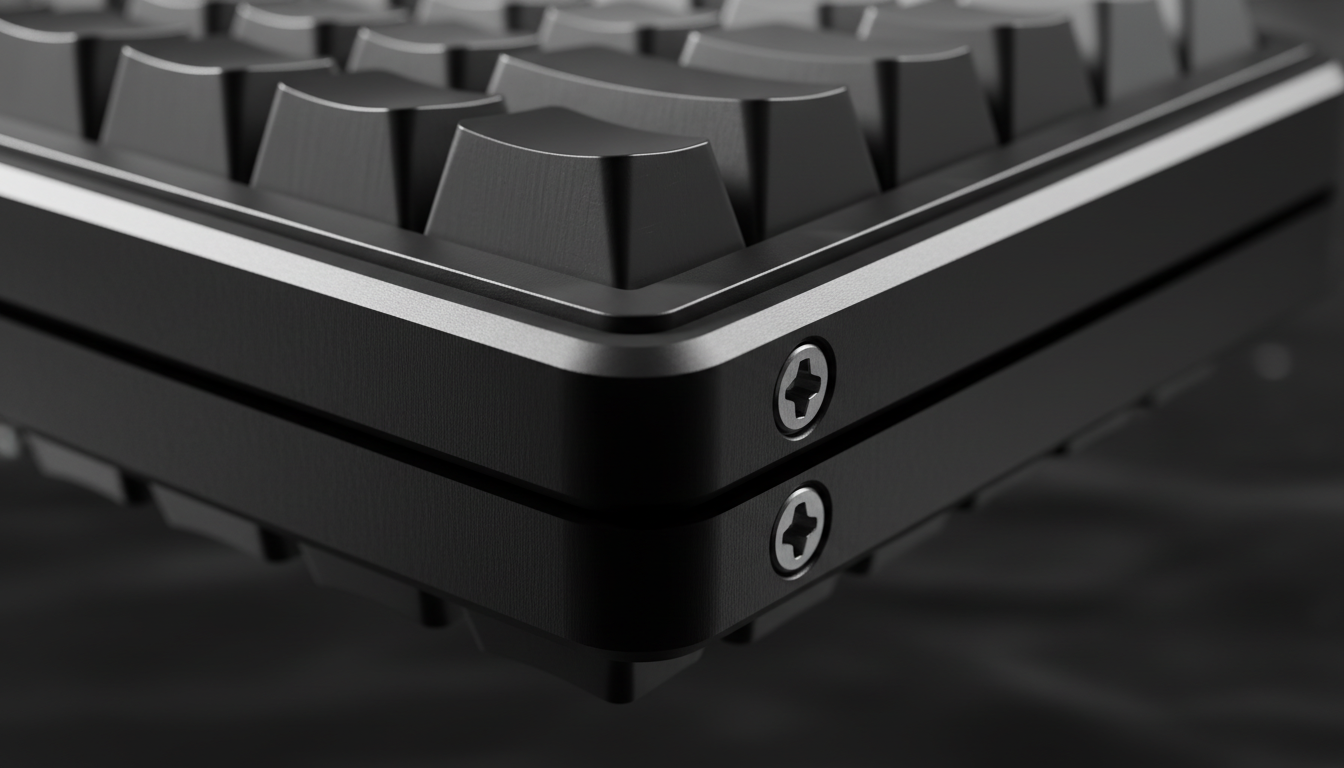
Executive Summary: How to Protect Your Aluminum Keyboard
To prevent permanent damage from galvanic corrosion, enthusiasts should implement three primary safeguards: replace standard zinc-plated screws with Grade 304/316 stainless steel, apply a dielectric grease barrier to all threaded interfaces, and utilize nylon washers to isolate dissimilar metals. In high-humidity or coastal environments, a quarterly inspection is recommended to ensure the structural integrity of the CNC enclosure.
The Electrochemical Reality of Premium Aluminum Enclosures
Enthusiasts often prioritize the aesthetic and acoustic properties of CNC-milled aluminum keyboard cases, yet a significant threat to these high-performance components is often invisible. Galvanic corrosion is a fundamental electrochemical process that can occur when dissimilar metals come into electrical contact within an environment containing an electrolyte. In the context of high-end peripherals, this typically manifests at the interface between steel mounting screws and the aluminum chassis.
While aluminum is naturally resistant to uniform atmospheric corrosion due to its ability to form a protective oxide layer, this defense can be compromised when it is coupled with a more noble metal. According to technical principles outlined in Galvanic corrosion (general reference), the result is often more than surface tarnish; it can lead to structural degradation that may permanently seize hardware and compromise the integrity of the enclosure. For users investing in "accessible high-performance" hardware, understanding these mechanisms is a practical step toward ensuring long-term durability.
Anatomy of a Galvanic Cell in Hardware Assembly
To understand why mixed metals can lead to failure, the keyboard assembly can be viewed as a series of unintentional batteries. A galvanic cell requires four specific components to function:
- The Anode (Aluminum Case): Aluminum is a highly "active" metal. When paired with most other metals, it typically becomes the anode, meaning it is the material that will sacrifice itself and corrode.
- The Cathode (Steel Screws): Many standard screws are made of zinc-plated steel or stainless steel, which are more "noble" (cathodic) than aluminum.
- Physical Contact: The threads of the screw tightened into the aluminum case provide the necessary electrical path.
- The Electrolyte: This is often the catalyst. Moisture from the air, sweat, or micro-condensation acts as the electrolyte that completes the circuit.
Based on Standard electrode potential data, the potential difference between common aluminum alloys (like 6061-T6) and 304-grade stainless steel can reach approximately 0.6V in humid conditions.
Note on Thresholds: In materials science and industry guides (e.g., MIL-STD-889), a potential difference greater than 0.15V in harsh environments or 0.50V in controlled indoor environments is generally identified as a high risk for accelerated corrosion.
Heuristic Rule: Our risk assessment uses the Anodic Index to rank metal compatibility. The larger the voltage gap between two metals, the higher the likelihood that the "anodic" metal (the aluminum case) will corrode when moisture is present.
The Electrolyte Problem: Why "Dry" Rooms Aren't Safe
A common misconception is that galvanic corrosion only affects outdoor or maritime equipment. However, modern gaming setups often create micro-climates that facilitate these reactions.
Thermal Cycling and Condensation Peer-reviewed research into the impacts of condensation on corrosion suggests that thermal cycling—the process of a PC heating up during use and cooling down afterward—can create transient micro-condensation. This moisture contributes to corrosion even in rooms that feel dry.
The Impact of Sweat Competitive gaming often involves physical exertion. Sweat, containing sodium chloride, is an exceptionally potent electrolyte. When sweat permeates the gaps between the case and screws, it increases the conductivity of the galvanic cell. This is especially prevalent in "coastal gaming" environments, where salt aerosols provide a constant supply of ions.
The Seized Screw Phenomenon: Identifying the Damage
Based on observations from our repair benches and common patterns in customer support, we frequently see the "Seized Screw" phenomenon. This occurs when the reaction between the steel screw and aluminum thread creates aluminum oxide.
Unlike the thin protective film that naturally forms on aluminum, this byproduct is a white, powdery substance that occupies more physical space than the raw aluminum it replaces. This expansion creates internal pressure within the threaded hole, which can effectively "lock" the screw to the case.
Potential Failure Points:
- The screw head may strip during attempted removal, requiring specialized extraction.
- The aluminum threads may be sheared out, rendering the case unable to hold hardware in the future.
- Poor quality control or tiny scratches in the anodized layer—often caused by the initial assembly—expose raw aluminum, creating a site for corrosion to begin.

Prevention Strategies for Long-Term Maintenance
Preventing corrosion is significantly more cost-effective than repairing a seized case. Based on industry best practices and community maintenance standards, we recommend the following:
1. Material Selection: Grade 304 and 316 Stainless Steel
While standard zinc-plated screws are common in budget kits, they can be highly reactive. Upgrading to Grade 304 or 316 stainless steel is a common preventative measure. While stainless steel is still cathodic to aluminum, it is more stable. According to Metal Compatibility guides (industry guide), using stainless steel with a barrier is a highly effective approach.
2. The Dielectric Barrier
Breaking the electrical circuit is the most effective way to stop the process:
- Dielectric Grease: A thin application of non-conductive silicone grease on the screw threads creates a physical barrier. This prevents moisture from entering the interface.
- Nylon Washers: Placing a small nylon washer between the screw head and the case prevents surface contact, isolating the circuit.
3. Anodization Integrity
Anodizing creates a hard, non-conductive surface. According to the Aluminum Anodizers Council (industry authority), a high-quality anodized layer acts as a dielectric barrier. We recommend inspecting screw holes for raw silver metal before assembly, as any scratch can become a focal point for corrosion.
Performance Modeling: The Competitive Coastal Gamer
To illustrate the stakes, we have modeled a scenario involving a "Competitive Coastal Gamer" in a high-humidity environment (85% RH). This model examines the trade-offs between performance and maintenance.
Modeling Setup: Performance vs. Maintenance Baseline
- Case Material: 6061-T6 Aluminum
- Screw Material: Zinc-Plated Steel (Stock hardware)
- Estimated Risk Window: Based on accelerated corrosion heuristics and repair data, hardware seizing can occur in as little as 12–18 months in high-salinity/high-humidity environments if no dielectric barriers are used.
Quantitative Performance Trade-offs
- Motion Sync Latency: At an 8000Hz polling rate, the deterministic latency penalty from Motion Sync is approximately ~0.0625ms (half the 0.125ms interval).
- Sensor Saturation: To saturate 8000Hz, a user must move the device at ~10 IPS at 800 DPI. This high throughput requires stable electrical paths; corrosion at the USB port can introduce packet loss.
-
Battery Impact: Operating at 8000Hz can reduce wireless runtime by ~75-80%.
- Calculation Basis: For a 300mAh battery, assuming an 8000Hz power draw of ~13mA vs. a 1000Hz draw of ~3mA, the estimated runtime is ~23 hours (300/13). This necessitates frequent charging, increasing mechanical wear on the USB-C port.
Logic Summary: These figures are derived from deterministic timing formulas based on USB HID standards. The "Risk Window" is a hypothetical estimate for high-stress environments and serves as a risk-assessment baseline rather than a guaranteed timeline.
Professional Maintenance Checklist
For users seeking to maximize hardware lifespan, we suggest this quarterly routine:
- Visual Inspection: Every 3 months, remove one screw to check for white powdery residue.
- Cleaning: If residue is found, clean threads with a 90%+ isopropyl alcohol (IPA) soak. Safety Note: Use IPA in a well-ventilated area and wear gloves to avoid skin irritation.
- Re-apply Barriers: Re-apply dielectric grease if you frequently swap components.
- Environmental Control: Consider a small desiccant pack inside the case to absorb internal moisture.
Conclusion: Bridging the Gap Between Purchase and Longevity
The "Specification Credibility Gap" is often bridged by practical maintenance. While brands provide the raw specs—like 8000Hz polling or CNC aluminum construction—it is the user’s role to manage the electrochemical realities of those materials.
By selecting the right hardware and using appropriate barriers, gamers can help ensure their investment remains modular and functional. Galvanic corrosion is a law of physics, but with proactive maintenance, it does not have to be the end of an aluminum case.
Disclaimer: This article is for informational purposes only. Hardware modification involves risks to equipment and potential exposure to chemicals. Always consult the manufacturer's warranty and safety guidelines before disassembling electronic devices.
Sources:
- Global Gaming Peripherals Industry Whitepaper (2026) (Manufacturer/Industry Source)
- Galvanic corrosion - Wikipedia (General Reference)
- Understanding impacts of condensation on corrosion - ScienceDirect (Peer-reviewed Study)
- What Bolts Should You Use with Aluminum? - hrfastener.com (Industry Guide)
- Aluminum Anodizers Council - What is Anodizing? (Industry Authority)
- USB HID Class Definition (HID 1.11) (Technical Standard)
- Standard electrode potential data - Wikipedia (General Reference)



コメントを書く
このサイトはhCaptchaによって保護されており、hCaptchaプライバシーポリシーおよび利用規約が適用されます。