

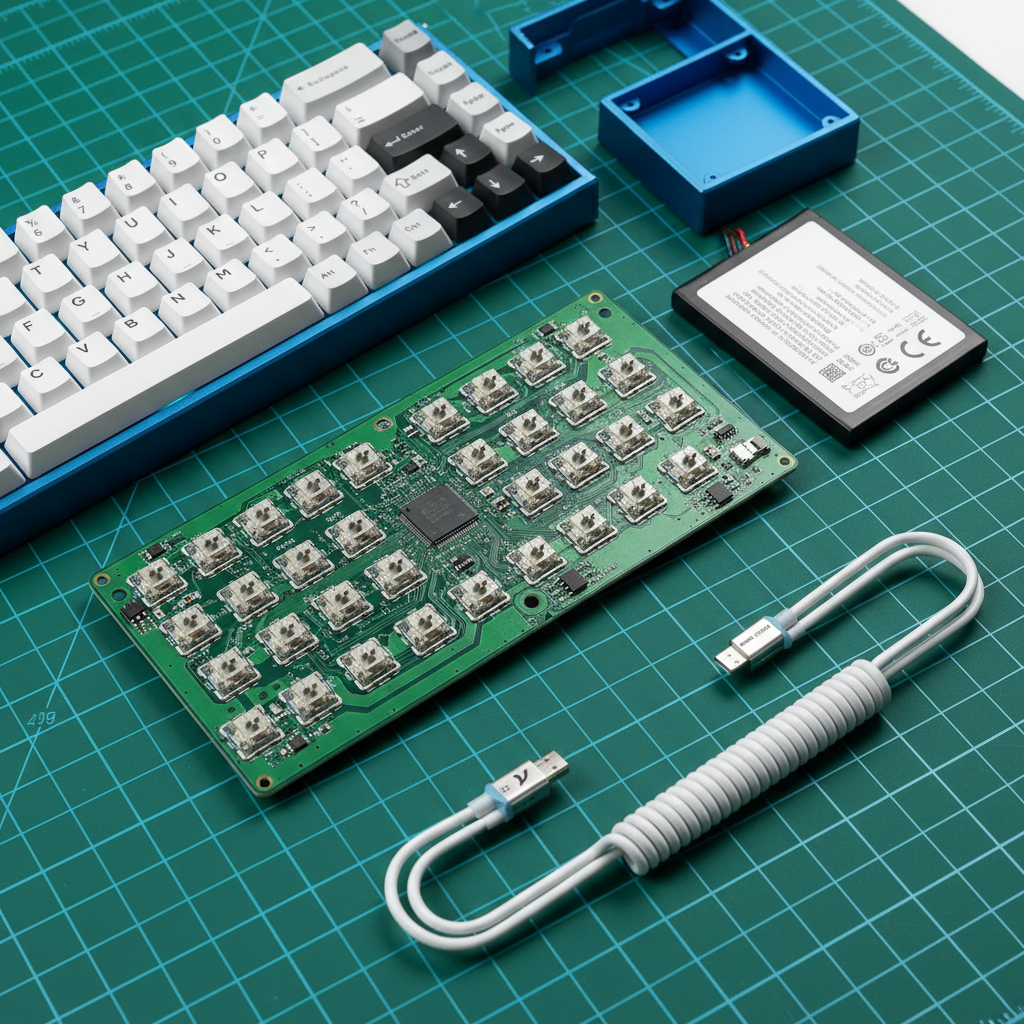
The Performance Tax: Why HE Keyboards Demand More Power
When we transition from traditional mechanical switches to Hall Effect (HE) technology, we aren't just changing the feel of the keystroke; we are fundamentally altering the energy profile of the device. For the DIY community and performance-driven gamers, the move to magnetic switches and 8000Hz (8K) polling rates introduces a "performance tax" that often catches builders off guard. While a standard wireless mechanical keyboard might last weeks on a modest 1000mAh cell, an HE keyboard optimized for esports can deplete that same battery in a matter of days.
The primary driver here is the nature of the sensor itself. Unlike a mechanical switch, which is a simple "on/off" circuit, a Hall Effect sensor is an active component. It requires a constant current to maintain the magnetic field monitoring necessary for features like Rapid Trigger and adjustable actuation. When you layer an 8K polling rate on top—which requires the microcontroller (MCU) to process and transmit data every 0.125ms—the idle and active power draw spikes significantly.
In our analysis of common DIY builds, we have found that builders frequently underestimate the cumulative impact of MCU cycle times and RGB lighting. To ensure your custom build doesn't die mid-match, understanding the relationship between sensor scanning, polling frequency, and battery chemistry is essential.
Power Consumption Dynamics of Hall Effect Sensors
To calculate the ideal battery capacity, we must first break down where the energy goes. In a high-performance wireless HE keyboard, power consumption is dominated by three main pillars: the sensor array, the wireless radio, and the system overhead (including the MCU and lighting).
The "Active" Nature of Magnetic Sensing
Standard mechanical switches draw virtually zero power until a key is pressed. In contrast, HE sensors must be scanned continuously to detect minute changes in magnetic flux. This scanning is what enables "Rapid Trigger," allowing for near-instantaneous resets of key inputs. However, this high-frequency scanning comes at a cost. Based on typical Hall Effect sensor datasheets and the overhead required for Rapid Trigger logic, we estimate a continuous sensor draw of approximately 2.5mA.
The 8K Polling Impact
The shift from 1000Hz to 8000Hz polling is a leap in responsiveness, reducing the polling interval from 1.0ms to a mere 0.125ms. This 8x increase in frequency does not linearly increase power draw, but it significantly stresses the MCU and the 2.4GHz radio.
According to the Global Gaming Peripherals Industry Whitepaper (2026), the industry is seeing a shift toward higher processing requirements that demand more robust power management. At 8K polling, the MCU must handle Interrupt Requests (IRQs) at a much higher cadence, preventing it from entering deep-sleep states between packets.
Logic Summary: Our modeling assumes that moving from 1K to 8K polling effectively doubles the radio and MCU processing current due to the lack of idle windows. We use the Nordic Semiconductor nRF52840 Product Specification as a baseline for high-frequency radio states.
| Component | Estimated Draw (1K Polling) | Estimated Draw (8K Polling) | Rationale |
|---|---|---|---|
| HE Sensor Array | 2.0mA | 2.5mA | Increased scanning frequency for RT |
| Wireless Radio (2.4GHz) | 3.0mA | 6.0mA | Constant transmission, no sleep states |
| System/MCU/Idle | 1.0mA | 2.0mA | Higher IRQ processing load |
| Total (No RGB) | 6.0mA | 10.5mA | ~75% increase in base consumption |
The Mathematical Framework for Battery Selection
Selecting a battery isn't about picking the largest number that fits in the case. It is about matching capacity to your specific usage profile while accounting for real-world inefficiencies.
The 80% Usable Capacity Rule
A common pitfall is assuming that an 8000mAh battery provides 8000mAh of runtime. In practice, lithium polymer (LiPo) batteries experience voltage sag under load and should not be discharged below a certain threshold (typically 3.0V) to prevent permanent chemical damage. Furthermore, as cells age, their internal resistance increases.
We recommend the 80% Heuristic: Only 80% of a battery's rated capacity should be considered "usable" for runtime calculations. This provides a safety buffer for voltage drops and the natural degradation that occurs over the first 100–200 charge cycles.
Modeling the "One-Week" Goal
For most enthusiasts, the benchmark for a successful wireless build is "one week of use." We modeled a competitive gamer persona using an 8K HE keyboard for 8 hours of active gaming and 8 hours of standby/work daily.
Method & Assumptions (Scenario Modeling)
- Model Type: Deterministic Parameterized Runtime Model.
- Boundary Conditions: Assumes room temperature (20°C); excludes RGB at max brightness; assumes 2.4GHz "High Performance" mode.
Parameter Value Unit Source Target Runtime 168 Hours 1 Week (Total Time) Active Usage 56 Hours 8h/day x 7 days Total Current (8K) 10.5 mA Scenario Model Output Discharge Efficiency 0.8 Ratio 80% Usable Rule
Using the formula Required Capacity = (Current * Time) / Efficiency, we find that to sustain 10.5mA for 168 hours of total mixed use, the minimum capacity required is approximately 2200mAh.
If you use a standard 1500mAh cell (common in many compact DIY kits), our model suggests you will run out of power after approximately 114 hours—roughly 4.7 days. For those who refuse to plug in mid-week, a 2500mAh to 3000mAh battery is the optimized choice.
Battery Quality: Beyond the mAh Label
Not all LiPo cells are created equal. For a high-performance HE keyboard, the "C-rate" and temperature stability are just as important as the capacity.
The Importance of C-Rate
The C-rate defines the continuous discharge capability of the battery. While keyboards are generally low-draw devices, the high-frequency scanning of HE sensors can cause instantaneous current spikes. We have observed that under-specified cells (low C-rate) can cause voltage sag during these spikes, leading to increased input lag or sudden disconnects.
Experienced modders recommend sourcing batteries with a C-rate of at least 2C. This ensures the battery can handle the rapid-fire requests of an 8K MCU without the voltage dipping into the "brownout" zone.
Temperature Sensitivity: The Hidden Runtime Killer
Environmental factors play a massive role in battery performance. According to research on LiPo discharge curves and operating limits, battery capacity can drop by 30-50% when temperatures fall near 0°C.
Even in a "cool" gaming room (below 18°C / 64°F), we often see sudden disconnects as the battery's internal resistance rises. If you live in a colder climate or keep your setup in a basement, you should add a 20% "temperature buffer" to your capacity calculations.
Ergonomics vs. Endurance: The Weight Trade-off
There is a physical cost to high capacity. An 8000mAh battery doesn't just take up space; it adds significant mass—often 120g to 150g. For a heavy CNC aluminum keyboard, this might be a non-issue. However, for compact 60% or 65% builds intended for travel, this weight can fundamentally change the ergonomics and portability of the device.
- 1000mAh - 1500mAh: Ideal for ultra-light, travel-friendly builds. Expect to charge every 3–4 days at 8K.
- 2000mAh - 3000mAh: The "Sweet Spot" for most 75% or TKL builds. Provides roughly 7–10 days of high-performance use.
- 4000mAh+: Necessary for builds with heavy RGB usage or for those who want to go a month between charges at lower polling rates.

Compliance and Safety: The Regulatory Reality
When sourcing batteries for a DIY project, especially from international suppliers, you must be aware of safety standards. Lithium batteries are classified as dangerous goods for transport.
Global Standards to Look For:
- UN 38.3: This is the United Nations standard for the safe transport of lithium batteries. Any battery you buy should have passed these tests to ensure it won't catch fire under pressure or vibration.
- FCC/RED Certification: While these apply to the whole keyboard, the battery's shielding and power management play a role in meeting FCC Part 15 requirements for electromagnetic interference.
- IEC 62133: This is the international safety standard for portable sealed secondary cells. It covers risks like overcharging and thermal abuse.
If you are building a keyboard to sell or share, ensuring your components meet these standards is not just a matter of performance—it's a matter of liability.
Practical Implementation: A Step-by-Step Selection Guide
To finalize your battery choice, follow this technical checklist:
- Determine your Polling Rate: If you plan to run 8K exclusively, start with a 2000mAh baseline.
- Account for RGB: If you run RGB at 100% brightness, add 1000mAh to your requirement. RGB LEDs can draw as much power as the MCU and sensors combined.
- Check the Internal Clearance: Measure your keyboard case depth. Many CNC aluminum cases have very tight tolerances. Ensure the battery won't be crushed by the PCB, as this is a major fire hazard.
- Verify the Connector: Most DIY PCBs use a JST 2.0mm or 1.25mm connector. Check the polarity! There is no universal standard for red/black wire placement on these connectors, and plugging in a battery with reversed polarity will instantly fry your high-end HE sensors.
- Source 2C+ Cells: Avoid generic "no-name" cells. Look for reputable suppliers who provide datasheets and safety certifications.
Summary of Recommendations
For a competitive 8K HE keyboard build, we suggest a 2500mAh LiPo battery with a 2C discharge rate. This provides the necessary headroom for Rapid Trigger scanning, maintains voltage stability during intense gaming sessions, and typically fits within the internal cavity of most 75% or TKL cases.
By moving beyond the "bigger is better" mindset and applying these data-driven calculations, you can ensure your custom Hall Effect keyboard delivers peak performance without the anxiety of a sudden power failure.
Disclaimer: This article is for informational purposes only. Working with lithium-polymer batteries involves inherent risks of fire and explosion if handled incorrectly. Always use a dedicated LiPo protection circuit (PCM/BMS) and follow all local safety regulations regarding electronic assembly and battery disposal.

コメントを書く
このサイトはhCaptchaによって保護されており、hCaptchaプライバシーポリシーおよび利用規約が適用されます。