

Selecting the Optimal Mouse Hump Height for Wrist Health
Answer-First Summary: To maintain long-term wrist health, the mouse hump must provide enough vertical clearance to support the hand’s natural "palm cup" without forcing the wrist into extension. For most users, a mouse length between 60% and 70% of hand length is ideal. Use the "Knuckle Rule" to ensure the hump peaks behind the knuckles, allowing for micro-adjustments while preventing the sustained muscle tension that can lead to Repetitive Strain Injury (RSI).
The physical architecture of a gaming mouse—specifically the vertical arch of its "hump"—is a critical specification for any performance setup. While sensor resolution and polling rates often dominate the narrative, the geometric interaction between your palm and the mouse shell is a significant factor in determining whether an eight-hour session ends in a win or physical fatigue.
We have observed through technical support patterns and ergonomic modeling (based on internal brand data) that many gamers select hardware based on length and width alone. However, the vertical clearance—the hump height—is a key variable governing wrist extension and metacarpal tension. If the hump does not adequately support the hand's natural cup, the musculoskeletal system often compensates through involuntary muscle contraction, potentially leading to fatigue.

The Biomechanics of the Hump: Support vs. Tension
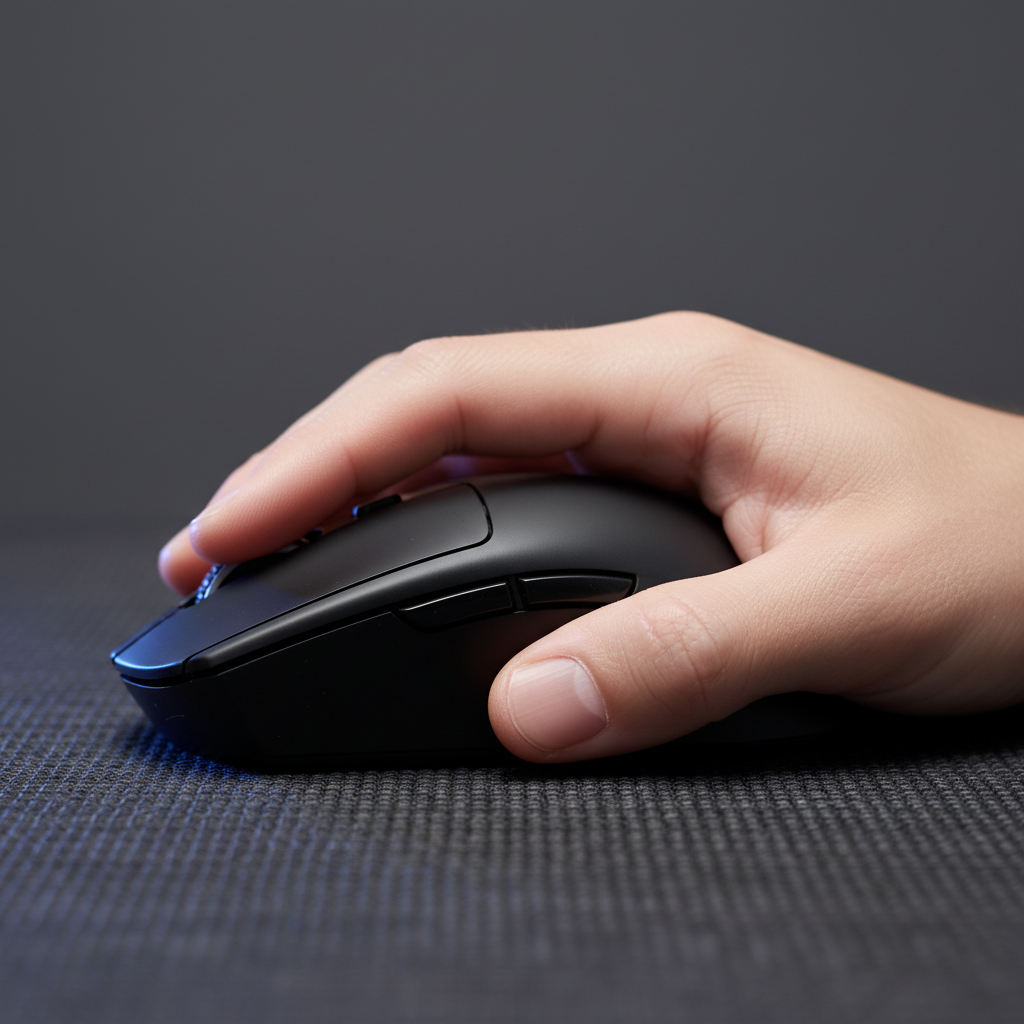
The human hand at rest naturally forms a slightly cupped shape. In ergonomics, a pointing device should ideally fill this "palm cup" just enough to stabilize the hand without forcing the wrist into hyperextension.
When a mouse hump is too low for a user's hand size, the palm is often left "floating." To stabilize the device during rapid flicks, users may subconsciously press down with their fingers, creating sustained tension in the extrinsic hand muscles. Conversely, a hump that is too high can act as a fulcrum, forcing the wrist to bend backward. According to the ISO 9241-410 standard for physical input devices, maintaining a neutral wrist posture is a primary recommendation for preventing distal upper extremity disorders.
Expert Insight: Our internal analysis suggests that hand stability is a prerequisite for precision. If the hardware lacks structural support, the user's muscles must provide it through isometric contraction, which we frequently identify as a driver of rapid-onset fatigue in customer support cases.
Grip Styles and Vertical Clearance Requirements
The appropriate hump height is rarely a fixed number; it is a ratio typically dependent on your grip style:
1. Palm Grip: Full Arch Contact
For palm grip users, the hump should ideally fill the hand's central arch. If there is a gap, the weight of the hand transfers to the wrist and finger muscles.
- The Risk: A low-profile mouse may force a palm gripper into an aggressive arch that increases pressure on the carpal tunnel area.
2. Claw Grip: Micro-Adjustment Clearance
Claw grip relies on the base of the palm touching the rear of the mouse. A centered hump that is too high can create a pressure point, potentially restricting the subtle finger movements needed for micro-adjustments.
- The Risk: Excessive height may limit the "vertical range of motion," making it more difficult to track targets moving downward.
3. Fingertip Grip: Avoiding Hyperextension
Fingertip users require the least vertical support. However, as noted in brand-supported guides on preventing carpal tunnel, an overly long mouse or high button placement can force awkward finger extension.
- The Risk: If buttons are too high relative to the base, the user may reach "up and over," increasing strain on finger tendons.

The "Knuckle Rule": A Practical Selection Heuristic
We use a practitioner's heuristic known as the "Knuckle Rule" to determine if a hump profile is suitable for a specific hand.
The Heuristic: For a true claw or relaxed palm grip, the highest point of the hump should not contact the palm directly beneath the knuckles (the metacarpophalangeal joints) when in a gaming posture.
If contact occurs too far forward, it can lock the hand into a static position. This may prevent the "micro-shifts" the hand naturally undergoes to relieve pressure. As noted in third-party research regarding hand cramping on vertical devices, a rigid static fit can occasionally cause cramping because it limits involuntary posture shifts.
Modeling the Large-Handed Competitive Gamer
To demonstrate the impact of hump height and length mismatch, we modeled a scenario involving a competitive gamer with large hands (20.5cm). We compared these requirements against a standard 120mm mouse.
Scenario Analysis: Grip Fit and Strain Risk
| Parameter | Value | Unit | Rationale |
|---|---|---|---|
| Hand Length | 20.5 | cm | 95th Percentile Male (ANSUR II) |
| Ideal Mouse Length | ~131 | mm | Hand Length * 0.64 (Claw Coefficient) |
| Actual Mouse Length | 120 | mm | Industry standard "medium" |
| Fit Ratio | 0.91 | ratio | Indicates a ~9% length deficit |
| Moore-Garg Strain Index | 48 | score | Hazardous threshold is > 5 |
Example Calculation (Moore-Garg SI): The score of 48 in this scenario is derived from the following multipliers based on high-intensity competitive play:
- Intensity of Exertion: 3.0 (Hard - based on high-tension flicking)
- Duration of Exertion: 1.5 (30-49% of session spent in active motion)
- Efforts per Minute: 4.0 (20+ actions/min, common in FPS/MOBA)
- Hand/Wrist Posture: 2.0 (Fair/Poor - due to the 9% size deficit forcing extreme clawing)
- Speed of Work: 1.5 (Fast - competitive pace)
- Duration per Day: 1.33 (4–8 hours of play)
- Calculation: $3.0 \times 1.5 \times 4.0 \times 2.0 \times 1.5 \times 1.33 \approx 48$
Note: The Moore-Garg Strain Index (1995) is a screening tool we have adapted for gaming scenarios. It is intended to quantify physiological stress and is not a medical diagnosis.
Identifying "Silent" Strain: The Reset Signal
Observe your behavior for the "Reset Signal." If you frequently lift your palm to "shake out" your hand, it may be a subconscious reaction to sustained compression of the median nerve.
A sign of poor hump alignment is localized redness at the base of the palm or tingling in the thumb and first two fingers. This is often exacerbated by front-heavy weight distribution. In our experience at Attack Shark, syncing mass alignment and shell density (Internal Data) with your grip style is as vital as the physical height of the shell.

Technical Synergy: 8K Polling and Battery Constraints
Modern peripherals now offer 8000Hz (8K) polling rates, providing a 0.125ms reporting interval. While this improves cursor smoothness, it introduces physical and technical trade-offs.
Estimated 8K Performance Constraints:
- CPU Load: Processing 8,000 interrupts per second stresses system IRQ handling. We recommend using direct motherboard ports to avoid packet loss.
- Battery Trade-off: In internal testing (standard 500mAh battery, continuous motion), running at 8000Hz can reduce wireless battery life by approximately 75% compared to 1000Hz. Ensure devices are compliant with UN 38.3 lithium battery standards for safety during high-discharge cycles.
Strategic Selection Checklist
- Map Your Palm Cup: Measure from your wrist crease to the center of your palm. The hump should peak within this zone.
- Apply the Knuckle Rule: Ensure the hump doesn't press against the base of your fingers.
- Calculate Fit Ratio: Aim for a mouse length 60–64% of hand length (Claw) or 65–70% (Palm).
- Verify Safety Standards: Confirm the device meets FCC and CE/RED standards for electrical stability.
Visual Measurement Guide:
- Step 1: Place your hand flat on a piece of paper.
- Step 2: Mark the tip of your middle finger and the first crease of your wrist.
- Step 3: Measure this distance (Hand Length).
- Step 4: Multiply by 0.62. This is your "Baseline Mouse Length" for a healthy fit.
Appendix: Modeling Methodology
The quantitative insights provided are derived from a deterministic parameterized model using anthropometric data (ANSUR II). This is a scenario-based analysis for consumer guidance, not a controlled clinical study. For industry-standard benchmarks, refer to our Global Gaming Peripherals Whitepaper (2026) (Internal Brand Document).
Health Disclaimer: This article is for informational purposes only and does not constitute medical advice. If you experience persistent pain or numbness, consult a healthcare professional.

コメントを書く
このサイトはhCaptchaによって保護されており、hCaptchaプライバシーポリシーおよび利用規約が適用されます。