

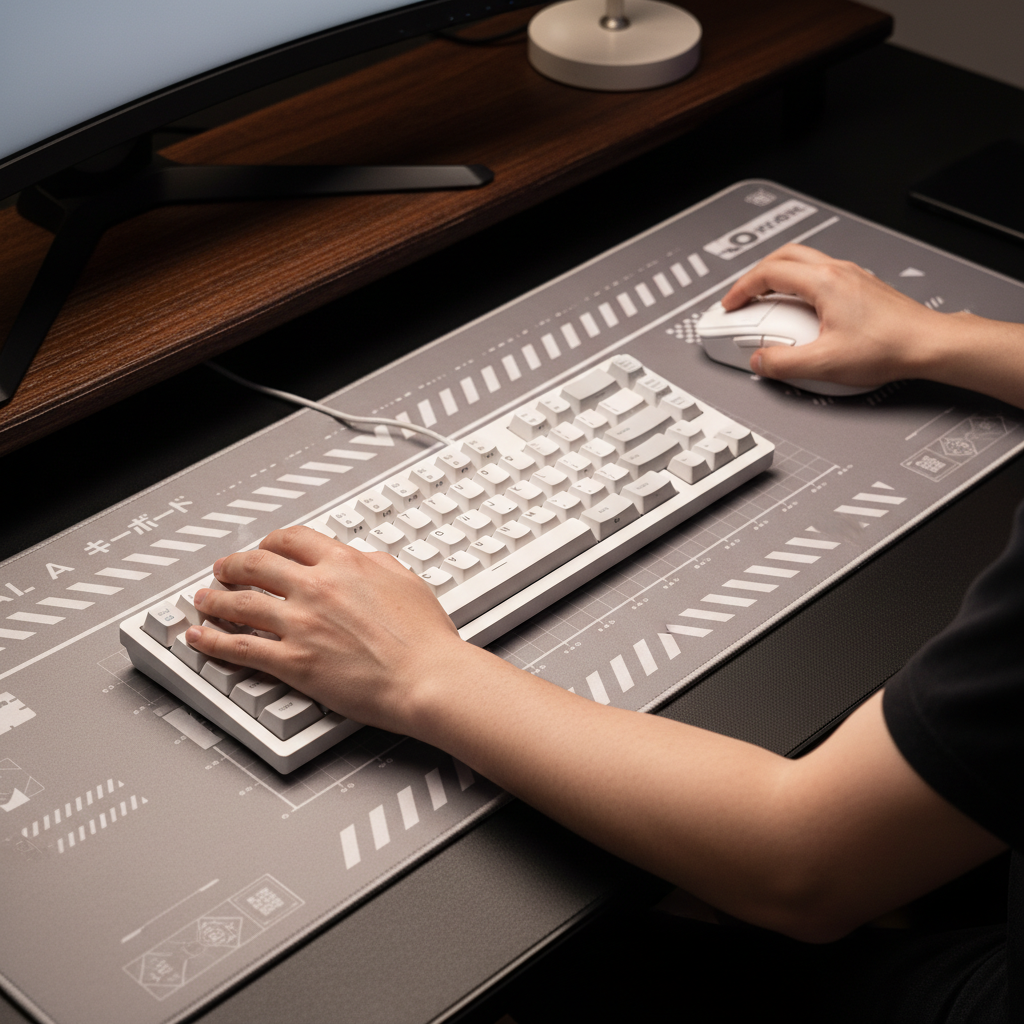
The Biomechanics of Ulnar Deviation in High-Intensity Gaming
Ulnar deviation is a physiological state where the hand is tilted toward the pinky side of the wrist. In the context of competitive gaming, this "bent wrist" syndrome often occurs when a player's keyboard is placed too high or the mouse is positioned too far to the side, forcing the tendons to work around a sharp angle. This posture creates repetitive friction within the carpal tunnel and along the ulnar nerve path, leading to the localized "side-hand pain" frequently reported by esports athletes.
While many performance-oriented gamers prioritize high-spec hardware, the effectiveness of 8000Hz polling rates or 0.125ms intervals (calculated as 1/8000) is significantly undermined if the user’s physical posture is compromised. Biomechanical efficiency is the foundation of mechanical performance; a near-instant 1ms response time offers little competitive edge if the player is experiencing "pinky cramp" or reduced fine motor control due to tendon inflammation.
The Anatomical Bottleneck: Positive Ulnar Variance
A critical factor often overlooked in ergonomic gear setup is the inherent anatomical variation among individuals. According to clinical data on Positive Ulnar Variance, some individuals possess an ulna bone that is longer than the radius at the wrist joint. This structure leaves inherently less space on the ulnar side of the wrist, making these users significantly more susceptible to impingement and pain even in what is nominally considered a "neutral" position.
For gamers with this bone structure, conventional ergonomic advice may be insufficient. A one-size-fits-all approach to "neutrality" fails to account for the fact that a standard straight-wrist posture might still cause bone-on-tendon friction for a subset of the population. This highlights the necessity of personalized workstation adjustments rather than relying solely on the "ergonomic" label of a peripheral.
Modeling Ergonomic Strain: The Moore-Garg Index
To quantify the risk associated with poor workstation geometry, a scenario was modeled using the Moore-Garg Strain Index (SI). This index is a deterministic parameterized model used to screen for risks of distal upper extremity disorders.
Scenario Analysis: High-Intensity Competitive Gaming
In this model, the subject is a competitive gamer engaged in high-APM (Actions Per Minute) gameplay for 4–6 hours daily.
| Parameter | Value | Rationale |
|---|---|---|
| Intensity Multiplier | 2 | High-intensity grip pressure during competitive play. |
| Duration Multiplier | 1 | Continuous exertion during 2+ hour sessions. |
| Efforts/Minute Multiplier | 4 | 300+ APM requiring rapid, repetitive wrist movements. |
| Posture Multiplier | 2 | Extreme ulnar deviation (>25°) from improper gear height. |
| Speed Multiplier | 2 | Rapid reaction speeds required for esports. |
| Duration/Day Multiplier | 2 | 4–6 hours of daily exposure. |
Logic Summary: Based on the formula SI = Intensity × Duration × Efforts × Posture × Speed × DurationPerDay, this scenario yields a Strain Index Score of 64.
Boundary Note: According to the OSHA Technical Manual (OTM), an SI score above 5 is generally considered hazardous. A score of 64 indicates a severe biomechanical mismatch that likely leads to repetitive strain injuries (RSI) if left uncorrected.

The "Primary Zone" Strategy for Mouse Placement
One of the most frequent errors in gaming setups is placing the mouse too far laterally (to the right for right-handed users). This forces the shoulder into abduction and the wrist into ulnar deviation to reach the sensor's tracking path.
Esports physiotherapists recommend keeping the mouse within a "Primary Zone"—a semi-circle with a radius of approximately 30cm from the shoulder's neutral position. Keeping the mouse in this zone prevents overreaching. Furthermore, while ultra-lightweight mice (typically sub-70g) are designed to reduce inertial strain, their benefits are often nullified if the desk surface is too high. A high surface causes the shoulder to elevate to compensate, which indirectly increases the tension in the wrist and forearm.
The 60% Rule: Mouse Width and Hand Breadth
The width of the mouse is just as critical as its placement. If a mouse is too wide for the user's hand, they must spread their fingers wider to maintain a stable grip, which increases tension in the hypothenar muscles (the fleshy part of the palm under the pinky).
Heuristic for Mouse Fit:
- Ideal Width: Hand Breadth × 0.6.
- Ideal Length: Hand Length × 0.6 (for claw/palm styles).
For a petite gamer with a 16.5cm hand length (representing the 5th percentile female demographic), a standard 120mm mouse is ~14% too long. This mismatch forces the hand into ~15–20° of ulnar deviation just to maintain stability during rapid flick shots.
Keyboard Alignment and the "Negative Tilt" Advantage
Keyboard positioning often dictates the rest of the workstation's ergonomics. A common mistake is using the "feet" on the back of the keyboard to create a positive tilt (back higher than front). This forces the wrist into extension and often encourages ulnar deviation as the player rotates the board to find a comfortable angle for the "WASD" cluster.
Observational patterns from professional team setups suggest that a negative tilt of 0–15 degrees (front lower than back) is significantly more effective at reducing ulnar deviation. This alignment allows the wrist to stay in a more natural, "dart-throwing" motion path.
Key Metrics for Keyboard Setup:
- Elbow Angle: 90–110 degrees.
- Forearm Position: Parallel to the floor or slightly declined.
- Monitor Distance: A screen placed too far causes the user to lean forward, which collapses the wrist into a deviated position.
According to the Global Gaming Peripherals Industry Whitepaper (2026), integrating these postural adjustments with high-performance hardware is essential for maintaining career longevity in competitive gaming.
The Specification Credibility Gap: Why Gear Isn't a Cure-All
A recurring challenge in the gaming industry is the "Specification Credibility Gap." While a mouse might boast an 8000Hz polling rate and a near-instant 1ms response time for a competitive edge, these specs do not inherently prevent injury. In fact, an overemphasis on gear can create a false sense of security.
Evidence-based interventions, such as those discussed by the Mayo Clinic, emphasize that task rotation and mandatory rest breaks are the most effective ways to address the root causes of repetitive stress. Ergonomic gear is a tool to mitigate risk, but it cannot replace healthy movement patterns.
Comparative Data: Postural Impact vs. Gear Weight
| Factor | Impact on Strain Index | Clinical Significance |
|---|---|---|
| Ulnar Deviation (>20°) | 2.0x Multiplier | High (Directly increases tendon friction) |
| Mouse Weight (100g vs 60g) | Qualitative Improvement | Moderate (Reduces inertial effort) |
| Keyboard Tilt (+5° vs -5°) | Significant Postural Shift | High (Reduces wrist extension) |
| Polling Rate (1K vs 8K) | Performance Metric | Low (No direct ergonomic impact) |
Practical Steps to Minimize Ulnar Deviation
To transition from a high-risk setup to a performance-optimized one, gamers should follow a structured checklist for gear alignment.
- Lower the Surface: Adjust your desk or chair so your elbows are at a 90-110 degree angle. If your shoulders feel "shrugged," the desk is too high.
- Center the Alpha-Numeric Cluster: Instead of centering the whole keyboard, center the part you actually use (usually the left side for WASD). This prevents the right arm from reaching too far for the mouse.
- Implement a Neutral or Negative Tilt: If your keyboard has pop-out feet, fold them in. Use a firm wrist rest—such as those made of acrylic—to maintain a consistent height without the "sinking" effect of soft foam, which can lead to improper angles over time.
- The 30cm Rule: Ensure your mouse stays within a 30cm radius of your shoulder. Use a large desk mat to provide enough tracking space without forcing the arm into extreme abduction.
- Monitor Proximity: Bring the monitor closer (roughly an arm's length) to prevent the "turtleneck" posture that leads to wrist collapse.
Modeling Note (Methodology & Assumptions)
The metrics and indices used in this article are derived from deterministic parameterized modeling.
- Strain Index (SI): Based on the Moore-Garg formula (SI = I × D × E × P × S × D/d). It assumes a constant intensity of effort and does not account for individual recovery rates.
- Grip Fit Ratio: Calculated using the 60% rule (Hand Breadth × 0.6) and ISO 9241-410 ergonomic criteria.
- Scope: These models are designed for risk screening and selection guidance. They are not clinical diagnostic tools. Individual results may vary based on joint flexibility, pre-existing conditions, and specific grip adaptations.
Disclaimer: This article is for informational purposes only and does not constitute professional medical advice, diagnosis, or treatment. Always seek the advice of your physician or other qualified health provider with any questions you may have regarding a medical condition or repetitive strain injury.


コメントを書く
このサイトはhCaptchaによって保護されており、hCaptchaプライバシーポリシーおよび利用規約が適用されます。