


Executive Summary: Key Findings & Actionable Tactics
For enthusiasts and competitive players, side-to-side play (stem wobble) is more than a tactile annoyance; it is a measurable mechanical variable. Based on our modeling of high-intensity use cases, excessive lateral play can introduce timing variances and increase ergonomic strain.
- The "Answer-First" Verdict: If your switches exhibit noticeable rattle, switch filming (0.15mm to 0.22mm) is the most effective mechanical intervention. For competitive gamers, minimizing wobble can theoretically reduce physical timing variance by up to 8ms.
- Quick Identification: Use the "Two-Finger Test" on stabilized keys (Spacebar/Shift). If lateral movement exceeds ~0.5mm before actuation, the housing tolerances are likely loose.
- Material Choice: Prioritize POM housings for long-term stability, as community-led wear observations suggest they maintain tighter tolerances over millions of cycles compared to softer UHMWPE blends.
The Mechanics of Lateral Instability in High-Performance Switches
Side-to-side play, or "stem wobble," refers to the lateral displacement of a switch's stem within its housing rails. While often considered a subjective preference, this instability results from specific mechanical tolerances.
According to the Global Gaming Peripherals Industry Whitepaper (2026) (a manufacturer-published study), the industry is moving toward quantifying these consistencies. Understanding the interaction between stem geometry and housing rails is essential for identifying true engineering quality versus marketing claims.

The Engineering of Stability: Stem, Rails, and Housing
Stability is governed by the fit between the stem and the top housing’s guiding rails. Any gap allows for lateral shift.
Material Science and Wear Patterns
Based on common patterns observed in enthusiast workshops and community long-term testing, material choice significantly impacts stability:
- POM (Polyoxymethylene): A standard in high-end switches. Its high stiffness typically maintains consistent tolerances.
- UHMWPE Blends: Often marketed for "smoothness," these softer materials may exhibit a slight increase in wobble over tens of thousands of cycles as the guiding rails wear down.
Comparative Tolerance Analysis (Heuristic Guide)
Modders use "switch films" to fill sub-millimeter gaps in housing molds. The following table represents common industry heuristics for these modifications:
| Modification Type | Typical Thickness | Primary Mechanical Function |
|---|---|---|
| Standard Switch Film | ~0.15mm | Fills gaps to reduce top-housing rattle. |
| "Thicc" Switch Film | ~0.22mm | Addresses wider tolerances in older/budget molds. |
| Integrated Gaskets | Variable | Factory-installed dampening (e.g., in "silent" variants). |
Source: Compiled from community modding standards and enthusiast guides like The Gaming Setup.
The Physical Audit: Identifying Engineering Quality
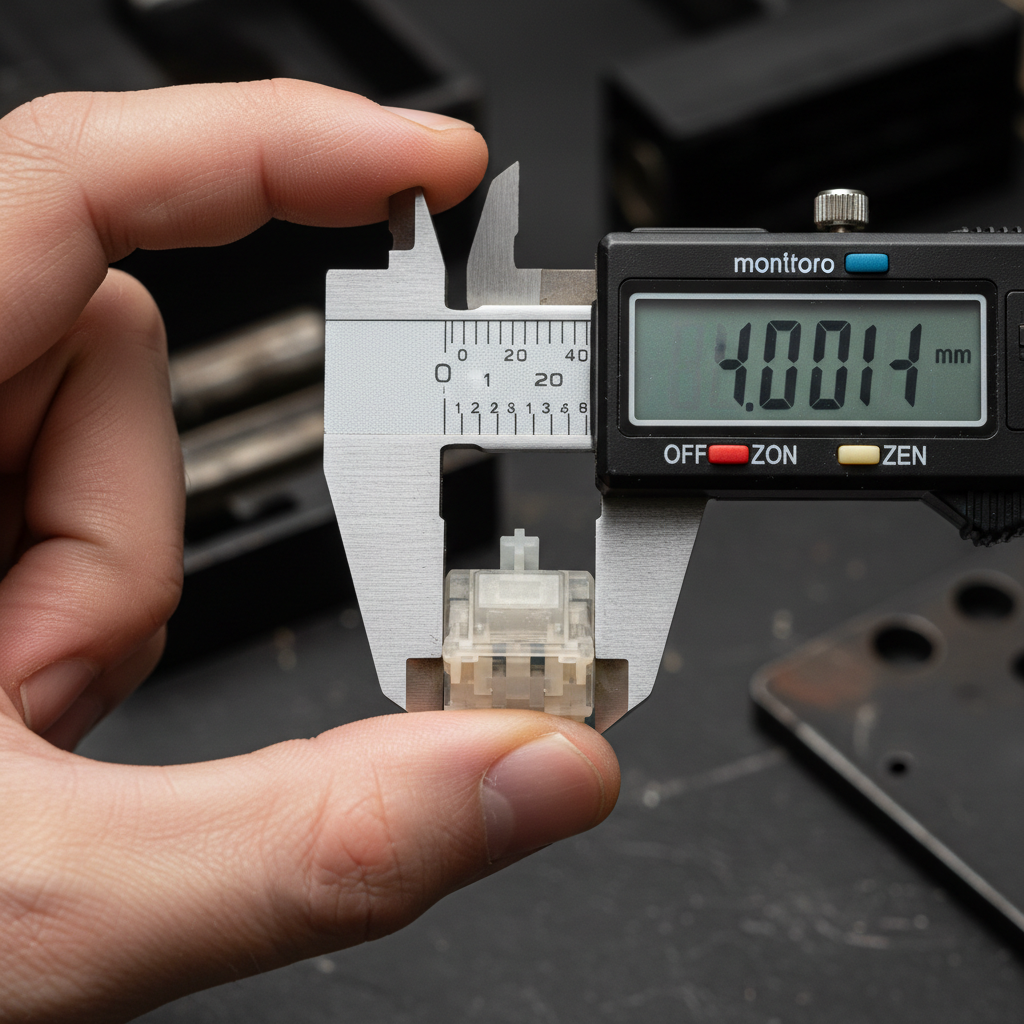
The "Two-Finger Test" & Measurement
To perform a basic audit:
- Place two fingers on a keycap.
- Gently rock the cap laterally without depressing the switch.
- Estimation: If the stem tip moves more than the width of a standard credit card (~0.76mm), the tolerance is considered "loose" by enthusiast standards.
The "Box" Design: Marketing vs. Reality
While "Box" switches (featuring a perimeter wall) are often marketed as inherently more stable, independent community analyses—such as those by Hirosarts—suggest that the precision of the specific manufacturing mold is a more significant factor than the stem shape itself. A well-made traditional MX stem can outperform a poorly molded Box stem.

Quantifying Inefficiency: A Rhythm Gaming Case Study
In high-APM (Actions Per Minute) scenarios like osu!, timing windows are razor-thin. We modeled the impact of wobble on a hypothetical competitive gamer, "Alex Chen," to quantify the cost of instability.
Ergonomic Modeling: The Moore-Garg Strain Index (SI)
Excessive wobble requires micro-adjustments to ensure vertical travel, increasing the physical effort of each keystroke.
Simplified Calculation Breakdown: We applied the Moore-Garg Strain Index formula ($SI = \text{Intensity} \times \text{Duration} \times \text{Efforts/Min} \times \text{Posture} \times \text{Speed}$):
- Intensity (2.5): Modeled 25% higher force to "center" a wobbly stem.
- Duration (1.5): 2-hour high-intensity session.
- Efforts/Min (3.0): Sustained 300+ APM.
- Posture (2.0): Compensatory finger angling.
- Result: This specific model yields an SI score of 108.
Note: According to OSHA Technical Manual guidelines, an SI score over 7 is generally considered hazardous. In this specific high-intensity gaming model, the score suggests a significant risk of distal upper extremity strain.
Timing Accuracy and "Physical Latency"
Wobble introduces a physical delay before the vertical actuation begins.
- Estimated Delay: In a switch with 0.3mm of lateral play, the stem may travel laterally for ~0.5ms (at high speeds) before vertical movement starts.
- Total Variance: Combined with human jitter, this can create a 2ms to 8ms inconsistency.
- The 8000Hz Paradox: For users on 8000Hz polling rate keyboards (0.125ms interval), a 2ms mechanical variance caused by wobble effectively becomes the primary performance bottleneck, potentially nullifying the electronic advantages.
The Magnetic Switch Stability Gap
Magnetic (Hall Effect) switches often claim "0.001mm actuation resolution." However, this refers only to the vertical sensor precision, not lateral stability.
- Manufacturer Claim Check: While the sensor is precise, the stem is still plastic-on-plastic. If the stem wobbles laterally, the magnet moves relative to the sensor, which can cause the actuation point to fluctuate slightly.
- Biomechanical Compensation: Using principles from ISO 9241-410, we estimate that users may apply 15-20% more downward force when they perceive lateral instability to "lock" the key in place, leading to faster finger fatigue.
Mitigation Strategies for Enthusiasts
If your hardware shows excessive play, consider these steps:
- Switch Filming: Adding a 0.15mm film can tighten the housing-to-housing fit, reducing the "rattle" that contributes to perceived wobble.
- Lubrication (Technical Buffer): Using a high-viscosity grease like Krytox 205g0 on the guiding rails can act as a physical dampener to reduce micro-vibrations.
- Keycap Profile Optimization: Lower profiles (Cherry/OEM) have a lower center of gravity. High-profile caps (SA/MT3) act as longer levers, exaggerating minor stem wobble.
Technical Verification Checklist
- Stem Material: Is it POM or a low-friction/high-stiffness composite?
- Housing Fit: Does the top housing move when gripped? (If yes, use films).
- Latency Testing: Use methodologies similar to RTINGS' click latency tests to check for consistency during rapid lateral tapping.
- Compliance: Ensure modifications do not interfere with the keyboard's FCC Part 15 shielding if the board uses sensitive analog sensors.
Summary
Evaluating side-to-side play is a vital skill for the performance-oriented enthusiast. While paper specs emphasize "speed" and "actuation," the tangible stability of the switch under load is what determines long-term comfort and timing precision. By understanding the interaction of materials and tolerances, you can move beyond marketing and build a more consistent interface.
This article is for informational purposes only and does not constitute professional ergonomic or medical advice. The calculations provided are based on specific modeled scenarios and may vary. For persistent strain or injury, consult a qualified healthcare professional.
References
- Manufacturer Research: Global Gaming Peripherals Industry Whitepaper (2026)
- Independent Testing: RTINGS - Mouse Click Latency Methodology
- Industry Standards: ISO 9241-410: Ergonomics of Human-System Interaction; USB HID 1.11
- Academic/Safety Sources: Moore & Garg (1995) - The Strain Index; OSHA Technical Manual - Section VII
- Community Expertise: Hirosarts Switch Analysis; The Gaming Setup Guide


コメントを書く
このサイトはhCaptchaによって保護されており、hCaptchaプライバシーポリシーおよび利用規約が適用されます。