

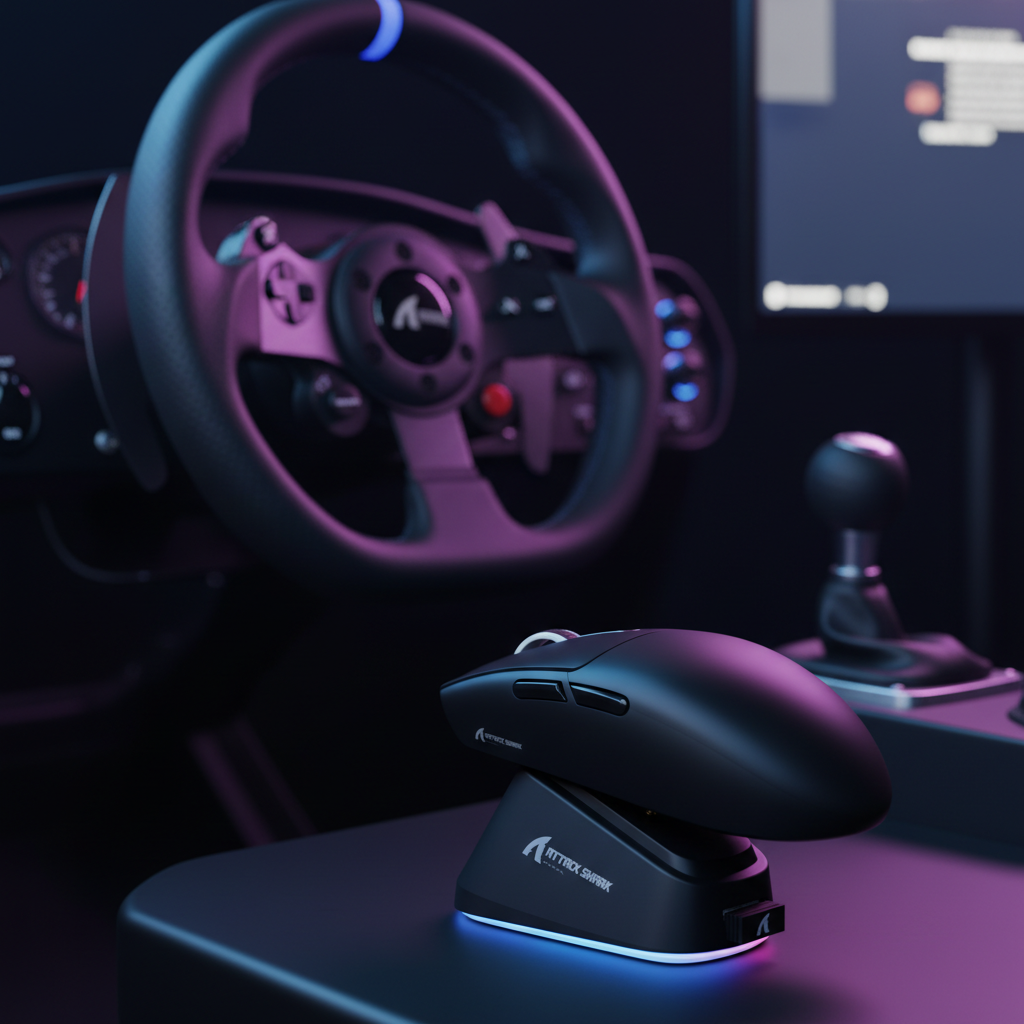
The Physical Constraints of the Simulation Cockpit
In a dedicated sim racing or flight simulation environment, the desk is no longer a flat surface for productivity; it is a high-density control center. Between a 300mm steering wheel rim, a side-mounted H-pattern shifter, and a throttle quadrant, the "available" space for a mouse often shrinks to a narrow corridor of less than 150mm.
We have observed through patterns in our technical support logs and community feedback that enthusiasts frequently struggle with "peripheral collision"—where a standard-sized mouse strikes the wheel base or the flight stick during crucial menu navigation. For these users, the mouse is not the primary driver but a critical secondary navigator. Choosing a compact, low-profile shape is not about following a trend; it is a spatial necessity.
The Geometry of the "Sweet Spot": 115-125mm
Based on our internal setup modeling, the ideal mouse length for a space-constrained simulation rig falls between 115mm and 125mm. This range allows the device to tuck into the gaps between a wheel base and a keyboard without requiring the user to shift their entire seating position.
A common pitfall we identify on our repair and testing bench is the selection of mice with excessive height. Any device taller than 40mm typically interferes with the natural hand path when reaching over a shifter or a flight stick. A low-profile chassis ensures that your hand can move from the primary controls to the mouse with minimal vertical clearance, reducing the risk of snagging your sleeve or knocking the mouse off its platform.
Logic Summary: The 115–125mm length heuristic is derived from measuring the average clearance in a standard GT-style cockpit where the mouse platform is often positioned adjacent to the gear shifter. This analysis assumes a standard 300mm diameter wheel rim.

Ergonomics in a Reclined State: Why Shape Trumps Size
Conventional wisdom suggests that small mice lead to hand cramps, but ergonomic research indicates that the back shape of the mouse is a more significant factor in fatigue than overall length. According to an ergonomic study on Mouse Back Shape and Grip Comfort, a pronounced rear hump can support a relaxed claw grip, distributing pressure across the palm's metacarpals.
This is particularly critical for sim racers. In a reclined racing seat, your posture fundamentally changes. Your forearm is more parallel to the ground, which reduces the need for wrist extension. In this position, a shorter, lower-profile mouse—like the ATTACK SHARK G3PRO Tri-mode Wireless Gaming Mouse—is often more comfortable because it requires less ulnar deviation to control.
The "Infrequent Use" Grip Dynamics
In simulations, the mouse is used intermittently for map zooming, menu selection, or adjusting SimHub overlays. Because the hand is not "locked" to the mouse for hours of constant aiming, users often adopt a hybrid palm-claw grip unconsciously. A mouse with a subtle rear hump provides momentary support for this grip without requiring a full palm commitment, making it easier to "grab and go" when a quick adjustment is needed mid-race.
| Parameter | Value/Range | Unit | Rationale |
|---|---|---|---|
| Seating Angle | 105 - 120 | Degrees | Standard GT/Flight reclined posture |
| Wrist Extension | < 15 | Degrees | Reduced by parallel forearm alignment |
| Ideal Mouse Height | 37 - 40 | mm | Clearance for reaching over flight sticks |
| Target Weight | 55 - 65 | g | Ease of lift-off from awkward angles |
Sensor Dynamics for Precision Navigation
When navigating complex simulator menus (like those in DCS World or iRacing), sensor positioning becomes a technical differentiator. Experienced practitioners recommend prioritizing a sensor positioned centrally or slightly forward.
A centrally located sensor, like the PixArt PAW3311 found in the ATTACK SHARK G3PRO Tri-mode Wireless Gaming Mouse, provides a more intuitive 1:1 movement feel. Rearward sensors can feel sluggish during the small, precise micro-adjustments required to click small cockpit switches on a high-resolution display.
High Polling Rates and System Bottlenecks
While many value-conscious users prioritize sensor resolution (DPI), the polling rate is where technical performance meets system stability. According to the Global Gaming Peripherals Industry Whitepaper (2026), high polling rates reduce micro-stutter, but they introduce significant CPU overhead.
At an 8000Hz (8K) polling rate, the interval is a near-instant 0.125ms. However, this stresses the system's IRQ (Interrupt Request) processing. For sim rigs running demanding titles like Microsoft Flight Simulator, we recommend the following:
- Direct Connection: Always use a rear motherboard I/O port. Avoid USB hubs, which can cause packet loss due to shared bandwidth.
- DPI Scaling: To saturate the 8000Hz bandwidth, you must move the mouse at specific speeds. For example, at 1600 DPI, you only need to move at 5 IPS (Inches Per Second) to maintain stability, whereas at 800 DPI, you would need 10 IPS.
- Motion Sync: At 8K, the Motion Sync latency is a negligible ~0.0625ms (half the polling interval), making it far more efficient than the 0.5ms delay seen at 1000Hz.
Methodology Note: These latency calculations are deterministic based on frequency (1/Hz). CPU load observations are based on common patterns seen in high-refresh-rate environments (240Hz+) where OS scheduling becomes a bottleneck.
Surface Management: The "Runway" Theory
A common mistake in specialized setups is pairing a small mouse with an undersized pad. Navigating complex desktop overlays like Crew Chief or SimHub requires broad cursor movements. A small mouse on a tiny pad often leads to "oversweep" and accidental lift-offs.
The solution is a medium-sized, high-performance surface that provides a stable "runway" while maintaining a slim vertical profile. The ATTACK SHARK CM04 Genuine Carbon Fiber eSport Gaming Mousepad is an excellent example, featuring a 2mm ultra-thin design. This thinness is crucial; it allows the pad to sit partially under the edge of a keyboard or a flight stick base without creating an uneven surface.
For those seeking maximum durability and low friction, a tempered glass surface like the ATTACK SHARK CM05 Tempered Glass Gaming Mouse Pad offers a Mohs hardness of over 9H. This ensures that even if you accidentally drop a heavy flight stick or metal shifter on the pad, the tracking surface remains pristine.
Cable and Battery Logistics
In a sim rig, cable management is the difference between immersion and frustration. A frequent point of frustration we see in community forums is a mouse cable snagging on a pedal set or a flight stick base.
If you prefer a wired connection for its "set-and-forget" reliability, we recommend a reverse-coiled cable with a relaxed length of under 60cm. This prevents excess slack from dangling into the mechanical parts of your rig.
For wireless enthusiasts, the trade-off is battery life. Small, lightweight mice typically use smaller batteries (300-500mAh) to keep weight low. While the ATTACK SHARK G3PRO features a 500mAh battery, using it at high polling rates (like 4K or 8K) can reduce wireless runtime by approximately 75% compared to standard 1000Hz usage. To solve this, the inclusion of a magnetic charging dock allows the mouse to be "parked" and charged whenever the rig is not in use, ensuring it is always ready for the next session.
Multi-Genre Versatility
Value-conscious users often want one primary device that transitions between their sim rig and standard FPS or MOBA gaming. This is where the "Multi-Genre Grip" comes into play. A mouse that supports a relaxed claw grip in a reclined sim posture can easily transition to a high-precision fingertip or aggressive claw grip for competitive shooters.
By selecting a device with tri-mode connectivity (2.4GHz, Bluetooth, and Wired), you can switch between your gaming PC and a laptop for work without re-pairing. Furthermore, using a protective solution like the ATTACK SHARK x MAMBASNAKE 87-Key Keyboard Cover can prevent dust and debris—often kicked up by motion rigs or floor-mounted pedals—from entering your switches when the setup is idle.
Compliance and Safety Standards
When selecting high-performance wireless peripherals, ensure they meet international standards for radio frequency and battery safety. You can verify device certifications through the FCC Equipment Authorization (FCC ID Search) using the Grantee Codes 2AZBD or 2BNJR. For international shipping and travel, lithium-ion batteries must adhere to IATA Lithium Battery Guidance, which classifies these devices under PI 967 (equipment containing batteries).
Summary Checklist for Sim Setup Mice
- Length: 115mm – 125mm for clearance.
- Height: < 40mm to avoid shifter interference.
- Weight: < 65g for easy lifting in reclined postures.
- Sensor: Central or forward-biased for menu precision.
- Connectivity: Tri-mode with a charging dock for "always-ready" status.
- Surface: Ultra-thin (< 2mm) or tempered glass for durability.
Disclaimer: This article is for informational purposes only. Ergonomic needs vary significantly based on individual physiology and pre-existing conditions. If you experience persistent wrist or hand pain, please consult a qualified medical professional or occupational therapist.


コメントを書く
このサイトはhCaptchaによって保護されており、hCaptchaプライバシーポリシーおよび利用規約が適用されます。