


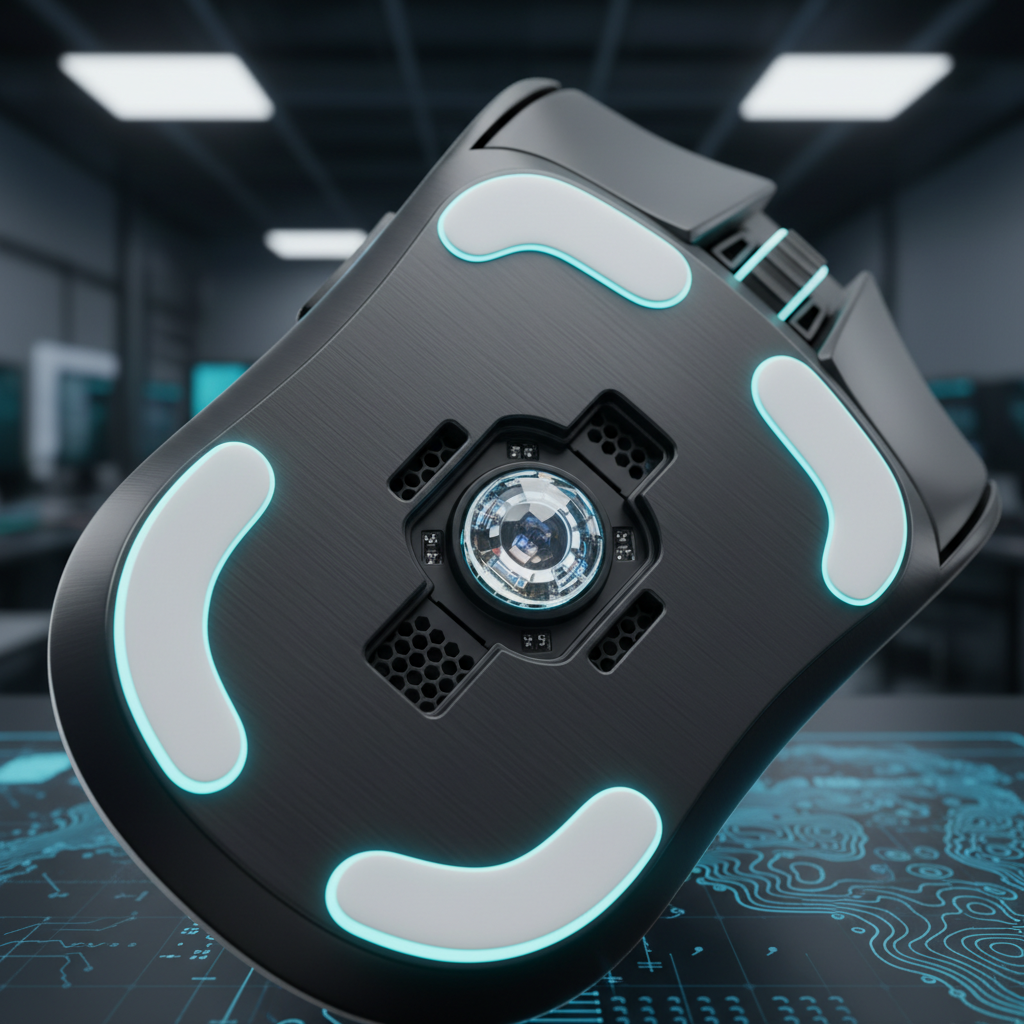
The Micro-Physics of Tracking: Why Skate Edges Matter
To understand why a mouse sensor "jumps" during a high-speed flick, we must look beyond the sensor's DPI and into the microscopic interaction between the mouse skates (feet) and the tracking surface. Most performance-driven gamers assume tracking errors are purely electronic, but our findings from repair benches and community troubleshooting suggest a significant physical component: edge geometry.
When you perform a rapid diagonal flick on a cloth pad, the downward force of your hand combined with the lateral acceleration causes the leading edge of the mouse skates to dig into the fabric weave. This phenomenon, which we call "sensor snagging," creates a momentary mechanical resistance. More critically, it causes the mouse to tilt ever so slightly—often by less than a degree. However, according to technical specifications for solid-state optical mouse sensors, these sensors operate with a specific viewing angle (typically around 30°) and a very narrow focal length.
A sharp, flat-edged skate acts like a plow. On a soft control pad, this "plowing" effect causes the sensor’s focal distance to fluctuate. When the sensor loses its optimal focal plane for even a fraction of a millisecond, the CMOS image processor receives a blurred or distorted frame. The internal DSP (Digital Signal Processor) then fails to correlate the surface features between frames, resulting in a "sensor jump" or a sudden spin-out.
Data Fidelity and the Nyquist-Shannon Constraint
For competitive players, especially those specializing in low-sensitivity flick shots, the relationship between physical movement and digital sampling is governed by the Nyquist-Shannon Sampling Theorem. In our scenario modeling for high-precision play, we have identified that "pixel skipping" isn't just about the monitor; it’s about under-sampling the physical displacement.
We modeled a "Flick-Shot Specialist" persona using a QHD (2560x1440) display with a 103° Field of View (FOV). At a sensitivity of 50cm/360, the mouse must provide enough data points per degree of movement to resolve every pixel on the screen.
Modeling Note: DPI Minimum Calculator To avoid aliasing (pixel skipping) in this specific setup, our analysis indicates a minimum requirement of approximately 909 DPI. In practice, we recommend a baseline of 950 DPI or higher. This ensures that even the smallest micro-adjustments are captured by the sensor and rendered as smooth movement on a high-resolution display.
| Parameter | Value | Unit | Rationale |
|---|---|---|---|
| Horizontal Resolution | 2560 | px | Standard QHD display |
| Horizontal FOV | 103 | deg | Typical competitive FPS setting |
| Sensitivity | 50 | cm/360 | Low-sens precision baseline |
| Calculated PPD | ~24.85 | px/deg | Pixels per degree of rotation |
| Minimum DPI | ~909 | DPI | Nyquist limit for 1:1 pixel mapping |
Using a DPI lower than this threshold on a high-resolution monitor can lead to "aliasing," where the crosshair appears to jump over pixels during slow tracking or precise flicks. When combined with sharp-edged skates that cause micro-tilts, the tracking becomes unpredictable.

8000Hz Polling: Eliminating the 0.125ms Bottleneck
As the industry moves toward ultra-high performance, 8000Hz (8K) polling rates have become a benchmark for competitive edge. However, 8K polling is not a "plug-and-play" feature; it requires a deep understanding of system bottlenecks and sensor saturation.
At 1000Hz, the polling interval is 1.0ms. At 8000Hz, this interval drops to a near-instant 0.125ms. This reduction significantly minimizes the delay between physical movement and the OS receiving the data packet. A common misconception is that features like Motion Sync add a fixed 0.5ms delay. In reality, according to the Global Gaming Peripherals Industry Whitepaper (2026), Motion Sync latency is deterministic and typically equals half the polling interval. At 8000Hz, this delay is a negligible ~0.0625ms, making the trade-off for perfectly synchronized sensor-to-poll data almost entirely beneficial for high-refresh-rate users.
The IPS/DPI Saturation Formula
To actually utilize the 8000Hz bandwidth, the sensor must generate enough data points. This is determined by the formula: Packets per second = Movement Speed (IPS) × DPI.
- At 800 DPI, you must move the mouse at least 10 IPS to saturate the 8K poll rate.
- At 1600 DPI, the required speed drops to only 5 IPS.
This is why we often see performance enthusiasts favoring 1600 DPI for 8K setups; it ensures the "pipe" is full even during slower micro-flicks. However, be aware that 8K polling places a massive load on the CPU's IRQ (Interrupt Request) processing. We strictly advise against using USB hubs or front-panel headers for 8K receivers. Only Direct Motherboard Ports (Rear I/O) provide the necessary shielding and dedicated bandwidth to prevent packet loss.
The Modder's Workbench: Precision Edge Rounding
If you are experiencing sensor jumps despite having a top-tier sensor like the PixArt PAW3395 or PAW3950, the issue likely resides in your skate profile. Sharp-edged skates are prone to "snagging" on cloth pads, but over-rounding them is a common pitfall.
Based on our observations from modding communities and internal testing, over-rounding the skate edges reduces the effective contact surface area. This can unpredictably alter the glide dynamics, making the mouse feel "floaty" or inconsistent. The optimal radius is subtle: a 0.5mm to 1mm bevel is typically sufficient to eliminate snagging without sacrificing the stable "locked-in" feel of the skate.
The "Flick and Listen" Test
We have found that software tracking plots often fail to show the micro-stutter caused by edge snagging. A more reliable indicator is the "flick and listen" test. Perform a hard, diagonal swipe on your cloth pad. If you hear a distinct scratching sound, your skates are catching on the weave. This mechanical vibration is often enough to introduce noise into the sensor's CMOS imaging, leading to tracking artifacts.
Progressive Sanding Protocol
If you are installing aftermarket PTFE skates or smoothing out stock ones, follow this progressive grit sequence to avoid creating micro-grooves that act as new catch points:
- 600 Grit: Initial beveling of the sharp edge.
- 1200 Grit: Smoothing the transition.
- 3000 Grit: Final polishing to a mirror finish.
- Microfiber Polish: A light buff with a microfiber cloth removes any remaining PTFE dust.
Surface Synergy: Pad Dependency
The benefit of rounded edges is highly dependent on your mousepad choice. In our testing, rounded edges show the most dramatic improvement on high-friction control pads (cloth/hybrid). These pads have a deeper "sink" where sharp edges are most likely to dig in during high-pressure flicks.
Conversely, on ultra-smooth hard pads (glass/polycarbonate), the benefit of rounding is minimal because the surface does not deform. In fact, flat skates often provide a more consistent feel on glass by maximizing the contact patch.
Comparative Glide Dynamics
| Feature | Sharp/Flat Skates | Rounded Edges (0.5-1mm) | Impact on Performance |
|---|---|---|---|
| Cloth Pad Glide | High snag risk | Smooth, consistent | Rounded prevents sensor jumps |
| Hard Pad Glide | Maximum stability | Minimal difference | Flat is often preferred for glass |
| Sensor Stability | Potential focal shift | Constant focal plane | Rounded maintains data integrity |
| Static Friction | Higher "initial tug" | Lower, smoother start | Rounded improves micro-adjustment |
Modeling Appendix: Methodology & Assumptions
The quantitative insights provided in this article are derived from scenario modeling based on competitive gaming heuristics and established hardware specifications.
Scenario: The Low-Sensitivity Flick specialist
- Modeling Type: Deterministic parameterized model for sampling fidelity and battery runtime.
-
Assumptions:
- Hand Size: Large (~21cm length).
- Grip Style: Fingertip (assumes 60% grip coefficient for sizing).
- Polling Rate: 4000Hz (4K) for battery runtime estimates.
- Sensor: Modern high-performance optical (e.g., PixArt PAW3395).
| Parameter | Value | Unit | Source Category |
|---|---|---|---|
| Battery Capacity | 500 | mAh | Common high-capacity spec |
| Discharge Efficiency | 0.85 | ratio | Standard DC-DC conversion |
| Total System Current (4K) | ~19 | mA | Nordic nRF52840 Power Model |
| Estimated Runtime | ~22 | Hours | Calculated (Capacity * Eff / Current) |
Boundary Conditions:
- DPI calculations assume a linear 1:1 mouse-to-screen mapping without Windows "Enhance Pointer Precision" (mouse acceleration).
- Battery runtime estimates assume optimal radio environments; high 2.4GHz interference can reduce runtime by 15-20% due to packet retransmissions.
- Ergonomic fit ratios (126mm ideal length) are statistical guidelines based on ISO 9241-410 principles; individual preference for smaller "maneuverable" mice may override these dimensions.
By optimizing the physical interface between your mouse and the surface, you ensure that high-performance sensors can operate at their theoretical limits. Whether through precision rounding or selecting the correct DPI for your resolution, the goal is to eliminate mechanical noise from the digital data stream.
Disclaimer: This article is for informational purposes only. Modifying hardware or applying abrasives to mouse skates may void warranties. Always consult the manufacturer's user manual before making physical alterations to your peripherals.
Sources:

コメントを書く
このサイトはhCaptchaによって保護されており、hCaptchaプライバシーポリシーおよび利用規約が適用されます。