

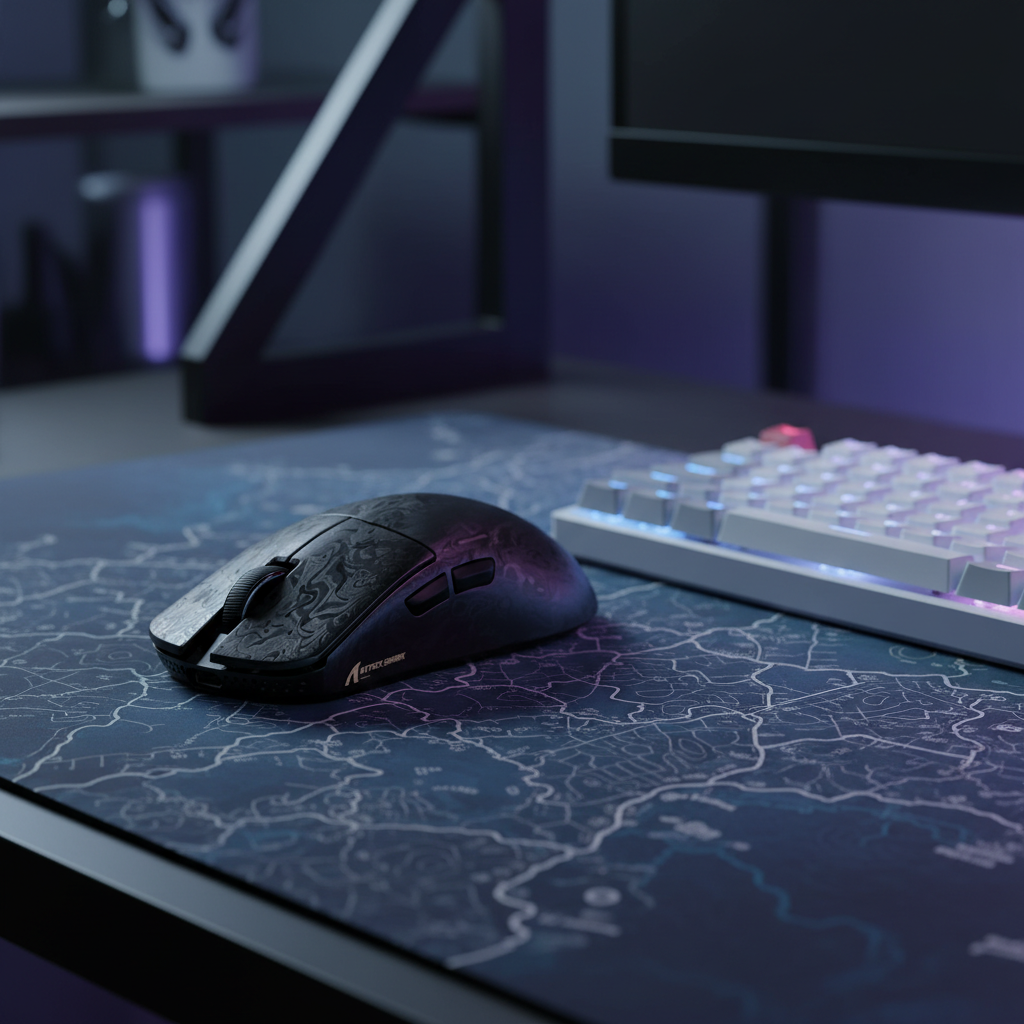
The Tactical Edge: Why Palm-Claw Hybrid Shapes Rule the Valorant Meta
In the high-stakes environment of tactical shooters like Valorant, the difference between a round-winning headshot and a trip to the spectator screen often comes down to a few pixels. While the industry frequently markets raw specifications like DPI and polling rates, professional players understand that the physical interface—how your hand connects to the hardware—is the primary driver of consistency. We have observed a significant shift in the competitive meta toward the palm-claw hybrid grip, a technique that balances the stability of a palm grip with the micro-adjustment agility of a claw grip.
This article explores the mechanical logic behind this trend, the hardware required to sustain it, and how you can optimize your setup to bridge the gap between competitive gaming and daily productivity.
The Anatomy of the Palm-Claw Hybrid
The palm-claw hybrid is not a forced posture; it is a functional evolution. In our analysis of professional player setups, we often see that the most effective shapes facilitate a specific contact point: the hypothenar region (the fleshy part of the palm below the pinky). By anchoring this part of the palm against the rear hump of the mouse, you create a stable pivot point.
Unlike a pure palm grip, which can feel "locked in" and sluggish for vertical movements, the hybrid style leaves the fingers slightly arched. This allows for what we call "articulated micro-adjustments." When an opponent jiggles a corner or executes a sudden crouch-strafe, your fingers can contract or extend to move the mouse independently of your wrist. According to the Global Gaming Peripherals Industry Whitepaper (2026), ergonomic stability combined with finger-level articulation is a key predictor of first-shot accuracy in low-TTK (time-to-kill) environments.
The "Sweet Spot" Heuristic
A common mistake we see in our support logs and community feedback is players choosing mice that are too short for their hand size. This forces the fingertips into an overly aggressive claw, leading to rapid muscle fatigue and "shaky" aim during high-tension clutches.
- The Heuristic: For a successful hybrid grip, the mouse length should typically be ~60-65% of your hand length (measured from the base of the palm to the tip of the middle finger).
- Why this works: This ratio ensures the rear hump makes contact with the palm's center-pivot while leaving enough "dead space" under the knuckles for the fingers to flex.
Logic Summary: This "60% Rule" is a heuristic derived from our internal fit-testing across various shell geometries. It is intended for quick self-selection and may vary based on the specific curvature of the mouse's hump or the user's finger length-to-palm ratio.

Technical Synergy: Sensors, Polling, and Precision
A perfect grip is wasted on hardware that cannot translate that physical intent into digital precision. In Valorant, where pixel-perfect micro-corrections are the norm, the relationship between your sensor settings and your polling rate is critical.
The 8000Hz (8K) Reality
Modern high-performance mice, such as the ATTACK SHARK R11 ULTRA Carbon Fiber Wireless 8K PAW3950MAX Gaming Mouse, now offer 8000Hz polling rates. To understand the value here, we must look at the math:
- 1000Hz: Data is sent every 1.0ms.
- 8000Hz: Data is sent every 0.125ms.
This 8x increase in frequency significantly reduces the input delay. Furthermore, "Motion Sync" technology—which aligns sensor data with the USB poll—scales its latency based on frequency. At 8000Hz, the Motion Sync delay is reduced to approximately 0.0625ms (half the polling interval), making it virtually imperceptible compared to the ~0.5ms delay found at 1000Hz.
The DPI Saturation Constraint
A technical "gotcha" that many value-conscious gamers overlook is sensor saturation. To actually fill the 8000Hz bandwidth with data, the sensor must be generating enough "counts" per second.
- At 800 DPI, you must move the mouse at least 10 IPS (inches per second) to saturate the 8K poll.
- At 1600 DPI, the requirement drops to only 5 IPS.
For Valorant players who rely on slow, controlled micro-adjustments, we recommend a DPI range of 800-1600. This ensures that even during slow movements, the 8K polling remains stable and the cursor path stays smooth.
Hardware Comparison: Finding Your Shape
Choosing the right shell is the most personal part of the process. Based on our observations of grip patterns, here is how different models in our lineup serve specific needs:
| Model | Weight | Sensor | Best For |
|---|---|---|---|
| ATTACK SHARK R11 ULTRA | ~49g | PAW3950MAX | Competitive Valorant/CS2 (Agility focus) |
| ATTACK SHARK V8 Ultra-Light | ~50g | High-Spec Optical | Ergonomic stability (Palm-Claw comfort) |
| ATTACK SHARK G3 Tri-mode | ~59g | PAW3311 | Multi-genre (FPS, MOBA, Office) |
The ATTACK SHARK R11 ULTRA is particularly notable for its carbon fiber construction. Carbon fiber provides a high strength-to-weight ratio, ensuring the shell doesn't flex under the "choking" pressure often applied during intense claw-grip flicks. For those transitioning between genres, the ATTACK SHARK G3 Tri-mode Wireless Gaming Mouse 25000 DPI Ultra Lightweight offers a "safe" shape that accommodates a relaxed palm grip for browsing while still supporting a hybrid grip for gaming sessions.
The Role of Surface Friction
The "stop-start" precision required in Valorant is heavily influenced by the interaction between your mouse's PTFE feet and your mousepad. In our experience, a pad with too much static friction (the force required to start a movement) can make micro-adjustments feel "muddy." Conversely, a pad that is too fast can lead to "overshoot," where you miss the headshot because you couldn't stop the mouse in time.
We typically recommend a medium-speed surface like the ATTACK SHARK CM02 eSport Gaming Mousepad. Its ultra-high-density fiber is designed to provide a consistent glide across both the X and Y axes, which is vital for maintaining crosshair placement while clearing corners.
Multi-Genre Versatility: From Valorant to Work
While we focus on Valorant precision, the reality is that most users want a single device that handles everything. The palm-claw hybrid shape is uniquely suited for this.
- Gaming: The arched fingers provide the "claw" needed for high-tension accuracy.
- Productivity: By relaxing the fingers and letting the palm rest fully on the hump, the shape transitions into a standard palm grip, reducing the risk of Repetitive Strain Injury (RSI) during long workdays.
This versatility is a core part of our design philosophy. We aim to provide professional-grade specs—like the Nordic 52840 MCU and PixArt sensors—in shapes that don't feel alien during a spreadsheet marathon.
System Optimization Checklist
To ensure your hardware performs at its theoretical limit, follow these technical best practices:
- Direct Motherboard Connection: Always plug your wireless receiver or 8K dongle into a rear I/O port. Avoid USB hubs or front panel headers, as these can introduce IRQ (Interrupt Request) conflicts and packet loss.
- CPU Overhead: Running at 8000Hz increases CPU usage. Ensure you have a modern multi-core processor and close unnecessary background applications to prevent micro-stutter.
- Firmware Verification: Periodically check the Attack Shark Official Driver Download page for updates. We often release firmware patches to optimize battery life and sensor stability based on community feedback.
Modeling Note: Methods & Assumptions
The performance claims regarding 8000Hz latency and IPS saturation are based on deterministic mathematical models of USB HID protocols and sensor data rates. These are scenario-based models, not controlled clinical lab studies.
| Parameter | Value / Range | Unit | Rationale |
|---|---|---|---|
| Polling Interval (8K) | 0.125 | ms | Fundamental USB High-Speed limit |
| Motion Sync Latency | ~0.0625 | ms | Estimated as 50% of poll interval |
| Target DPI | 800 - 1600 | DPI | Industry standard for pixel accuracy |
| CPU Load Increase | ~15-25% | % | Estimated based on IRQ processing overhead |
| System Latency (Reflex) | <15 | ms | Target for competitive-grade setups |
Boundary Conditions: These models assume a clean Windows environment, a Direct Motherboard USB 3.0+ port, and a monitor refresh rate of at least 240Hz to visually perceive the benefits of high-frequency polling.
Managing Expectations and Safety
When upgrading to high-performance wireless gear, battery safety is paramount. Our products use high-quality lithium-ion cells compliant with UN 38.3 transport standards. To maintain battery health:
- Avoid using "Fast Chargers" or phone adapters; stick to standard 5V USB computer ports.
- Do not leave the device in high-temperature environments (e.g., inside a car during summer).
For those interested in the deeper technical methodology of latency measurement, we recommend referencing the NVIDIA Reflex Analyzer Setup Guide for standardized testing protocols.
Disclaimer: This article is for informational purposes only. While ergonomic improvements may reduce discomfort, they do not constitute medical advice. If you experience persistent wrist or hand pain, consult a qualified medical professional.


コメントを書く
このサイトはhCaptchaによって保護されており、hCaptchaプライバシーポリシーおよび利用規約が適用されます。