

Enjoy free shipping to most countries*! For countries with local stock, delivery usually takes 3-5 days. Holiday seasons may affect shipping times. See estimated delivery times for details.
15-day no-reason return and exchange policy, you have ample time to try out your new product and decide if it's right for you.

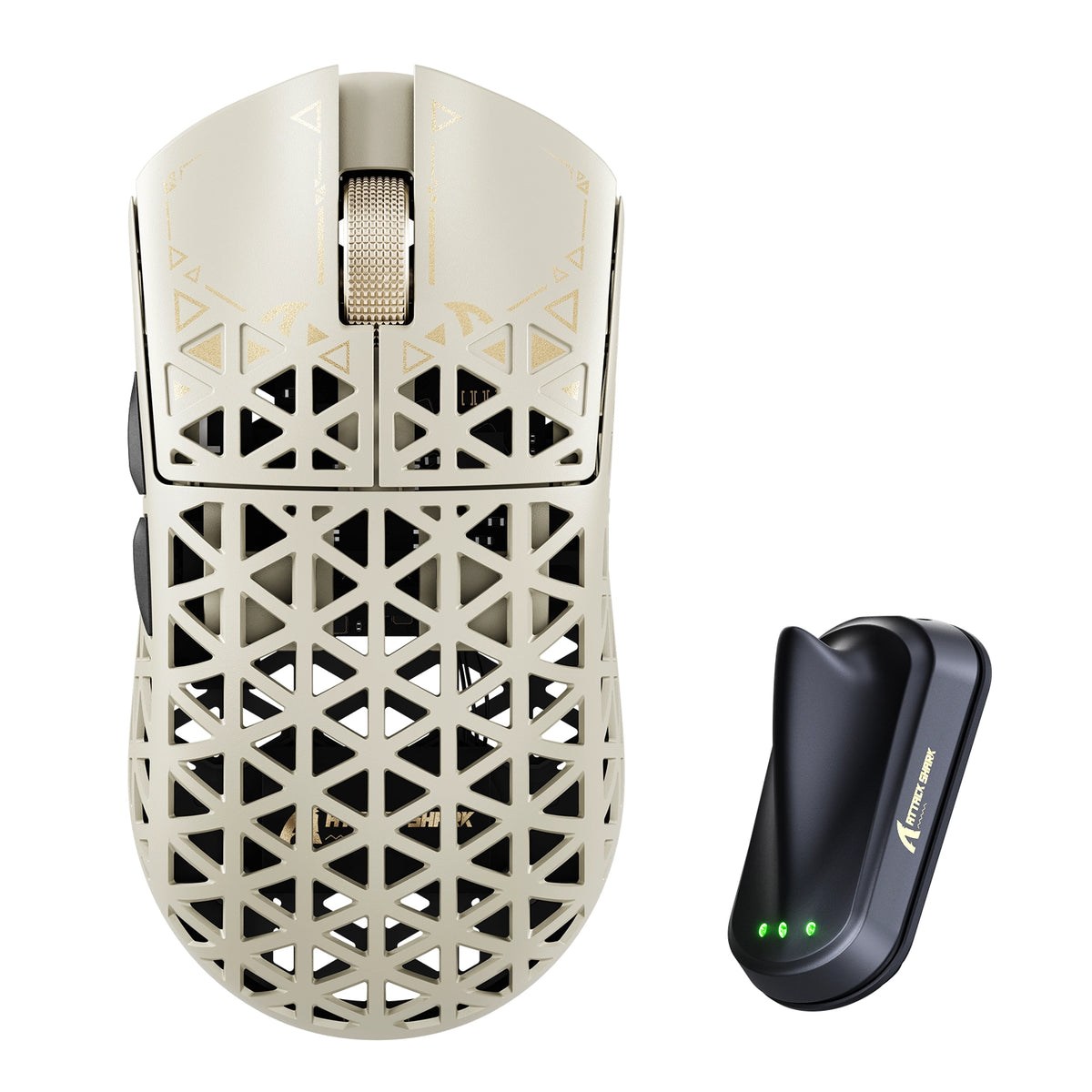
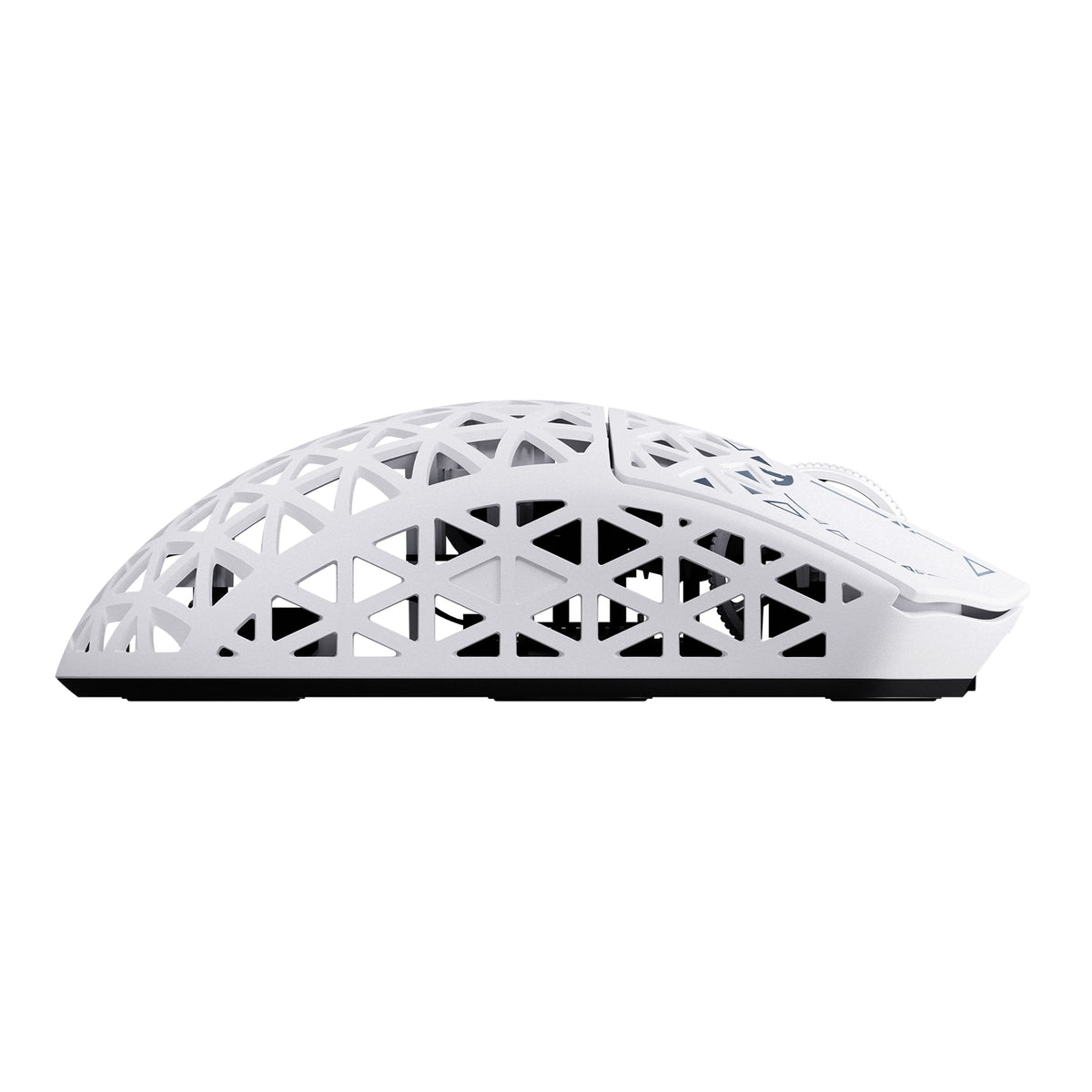
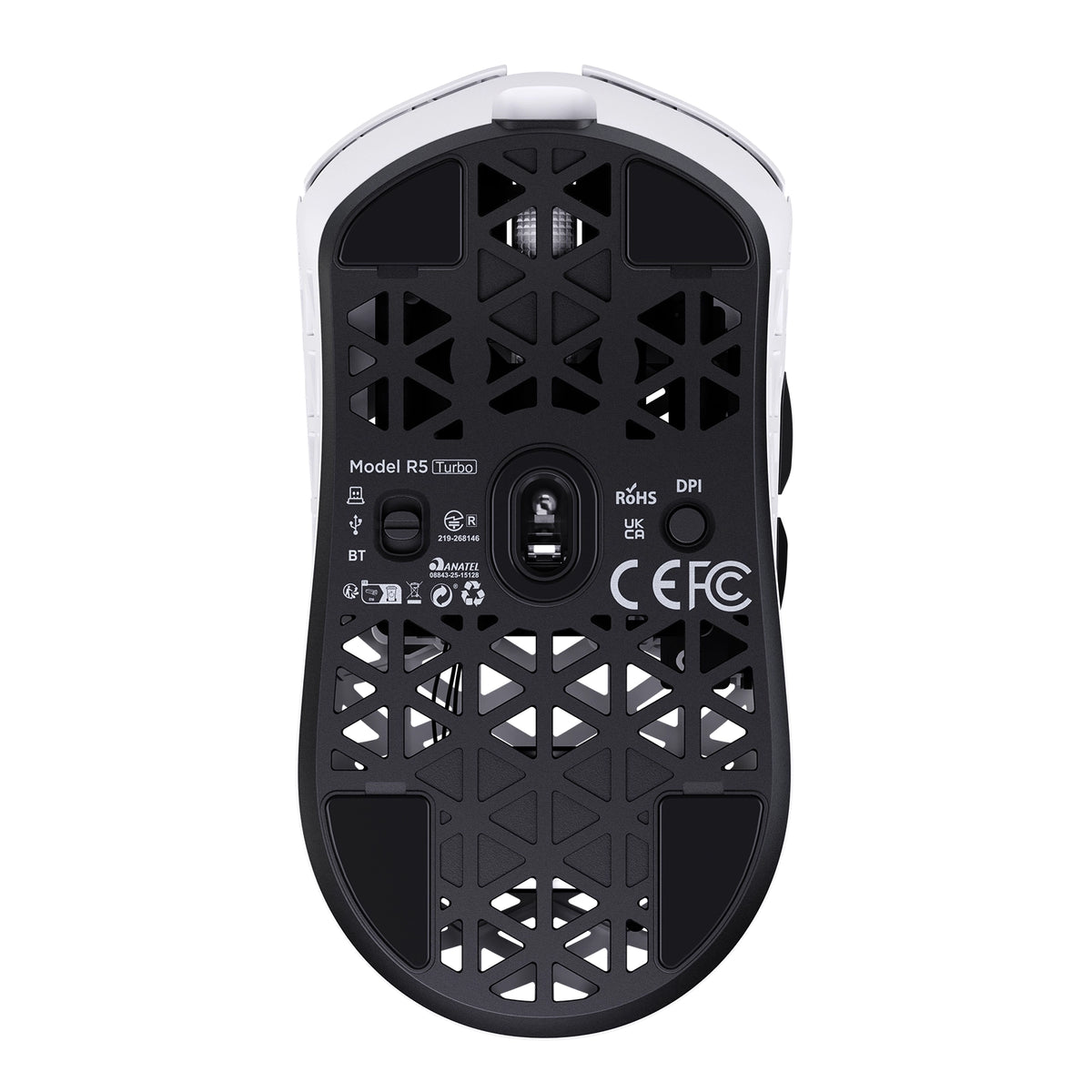
ATTACK SHARK R5 TURBO カーボンファイバー ワイヤレス 8K ゲーミングマウス

PixArt PAW3950MAX Sensor, 60K DPI, Dual 8000Hz Polling Rate, Nordic 54LM20 MCU, TTC Gold Scroll Wheel Encoder

• 43±3g Ultra-Lightweight
• Nordic 54LM20 Chip
• PAW3950MAX Sensor (Up to 60000 DPI)
• Dual 8000Hz Polling Rate(Wired / Wireless)
• 20000 FPS Static Scan Rate
• Omron Optical Microswitches (100 Million Clicks )
• TTC Gold Scroll Wheel Encoder
• Adjustable LOD (3 Levels)
• Connection Methods: Wired / Wireless / Bluetooth
• Glass-feel Ice Coating
• Web & Software Control
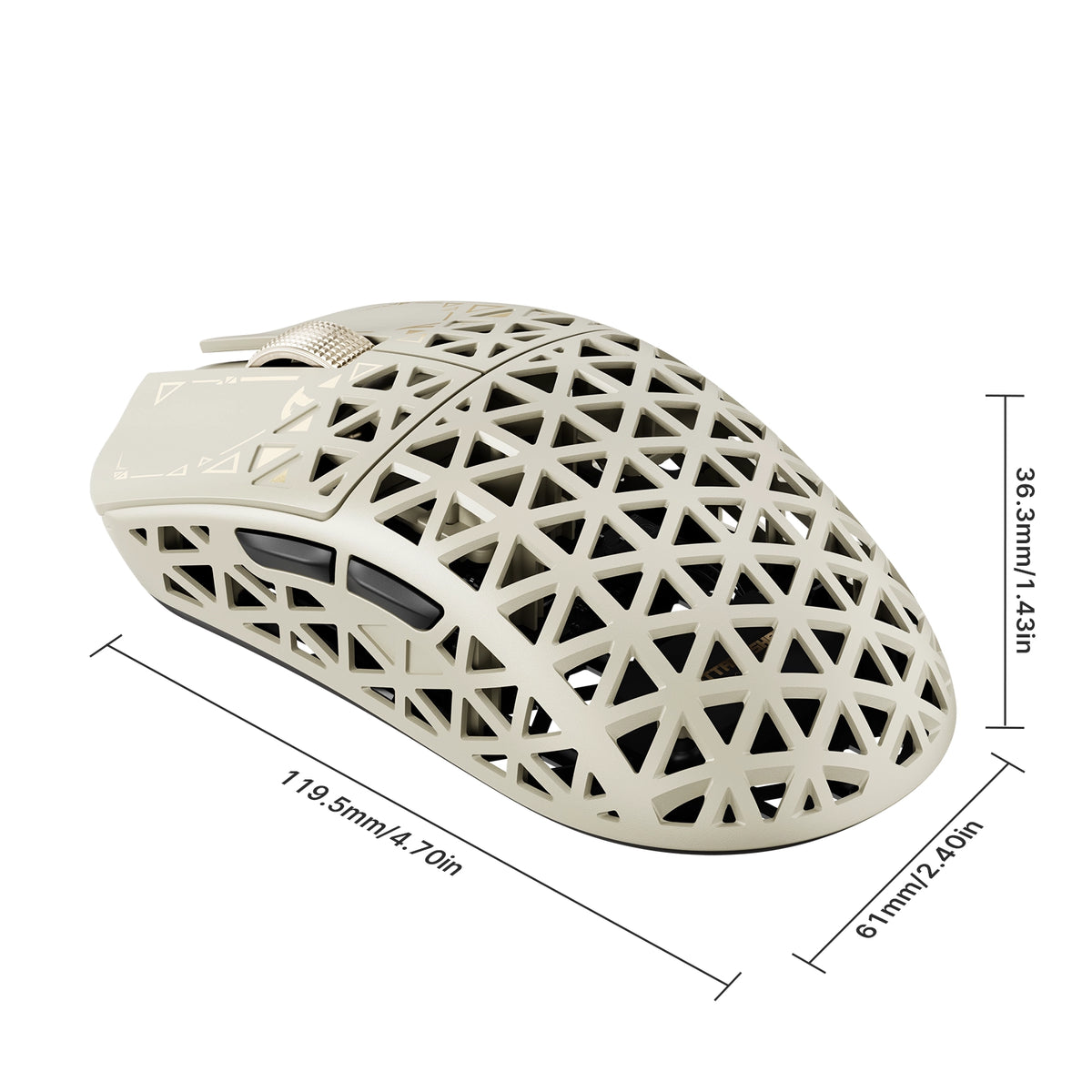
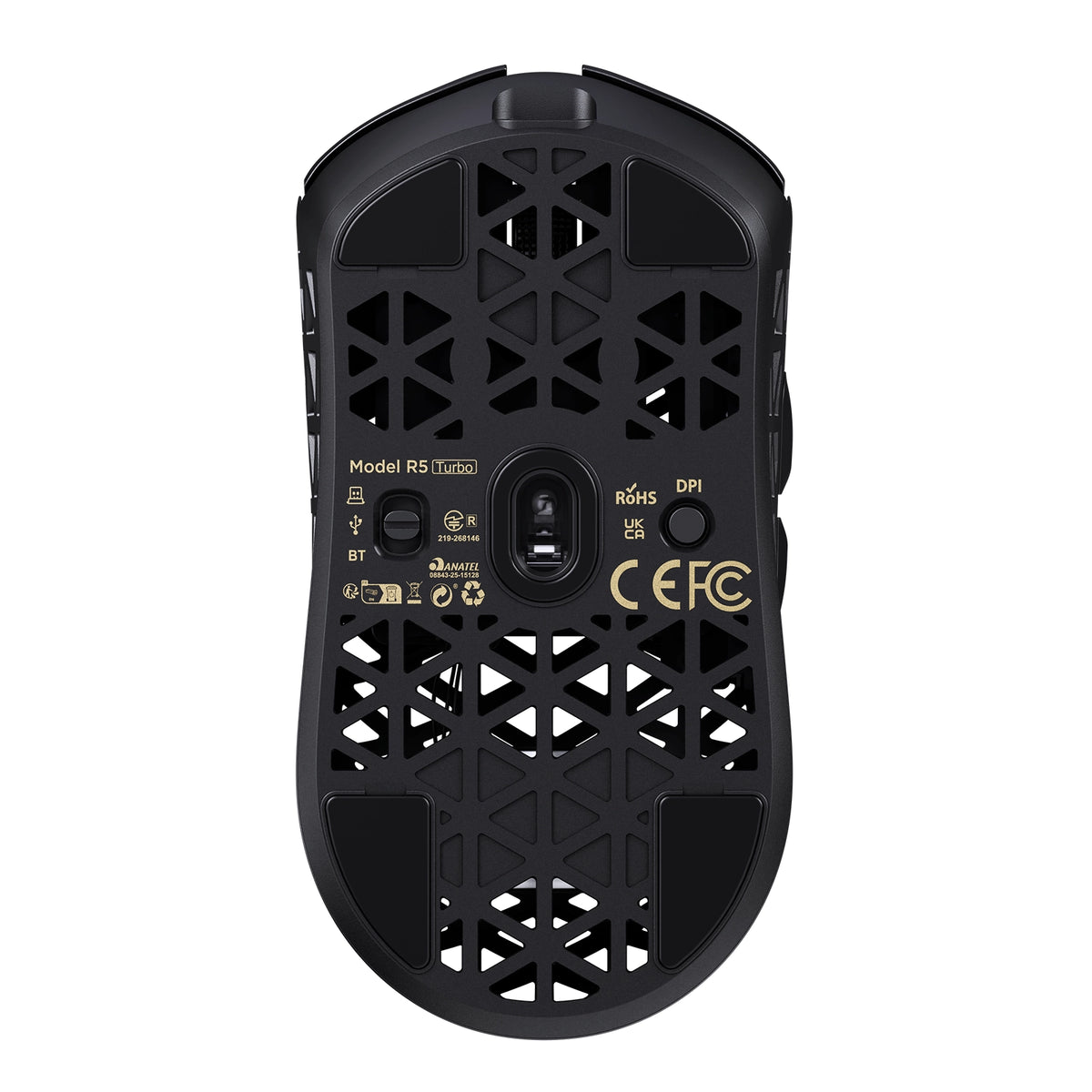
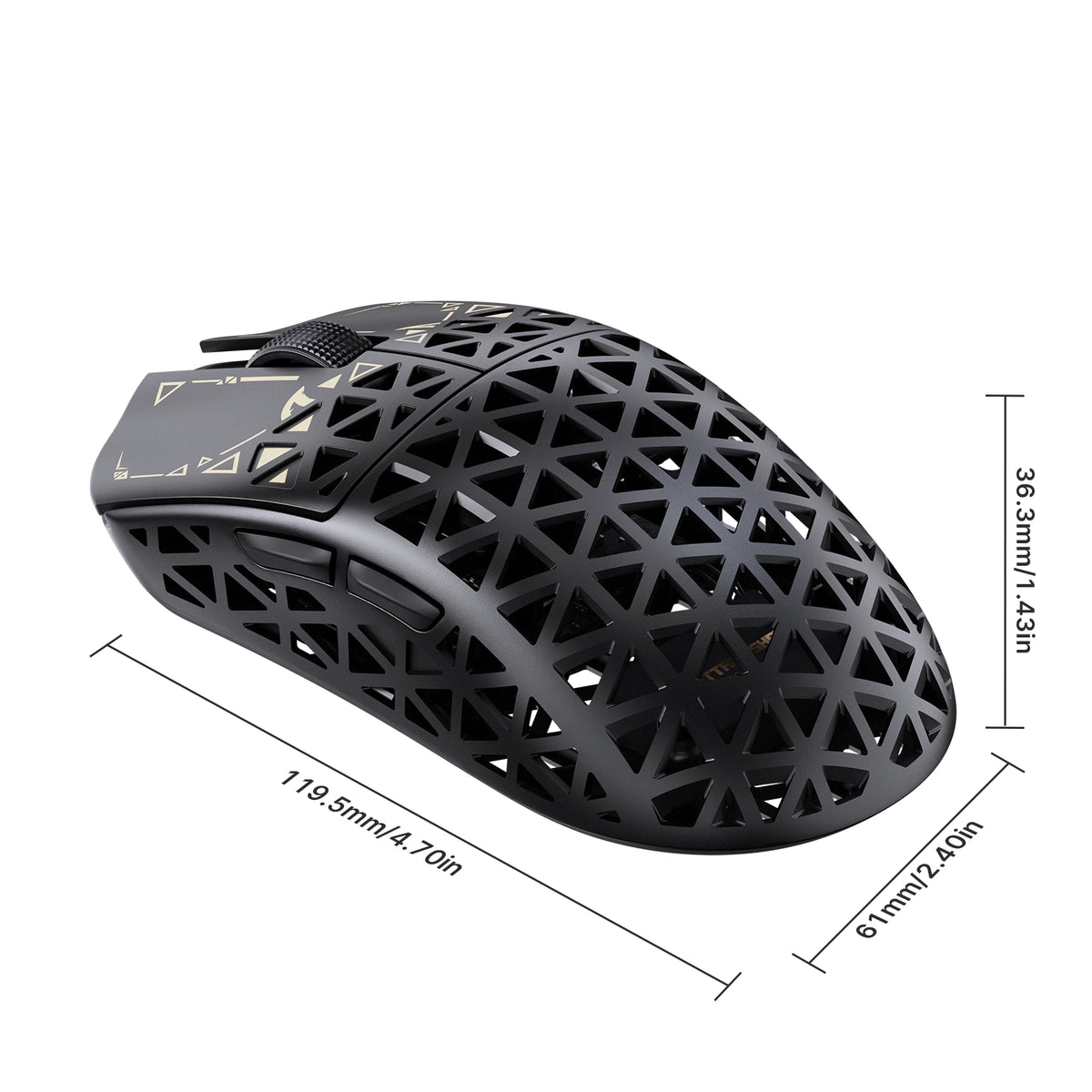
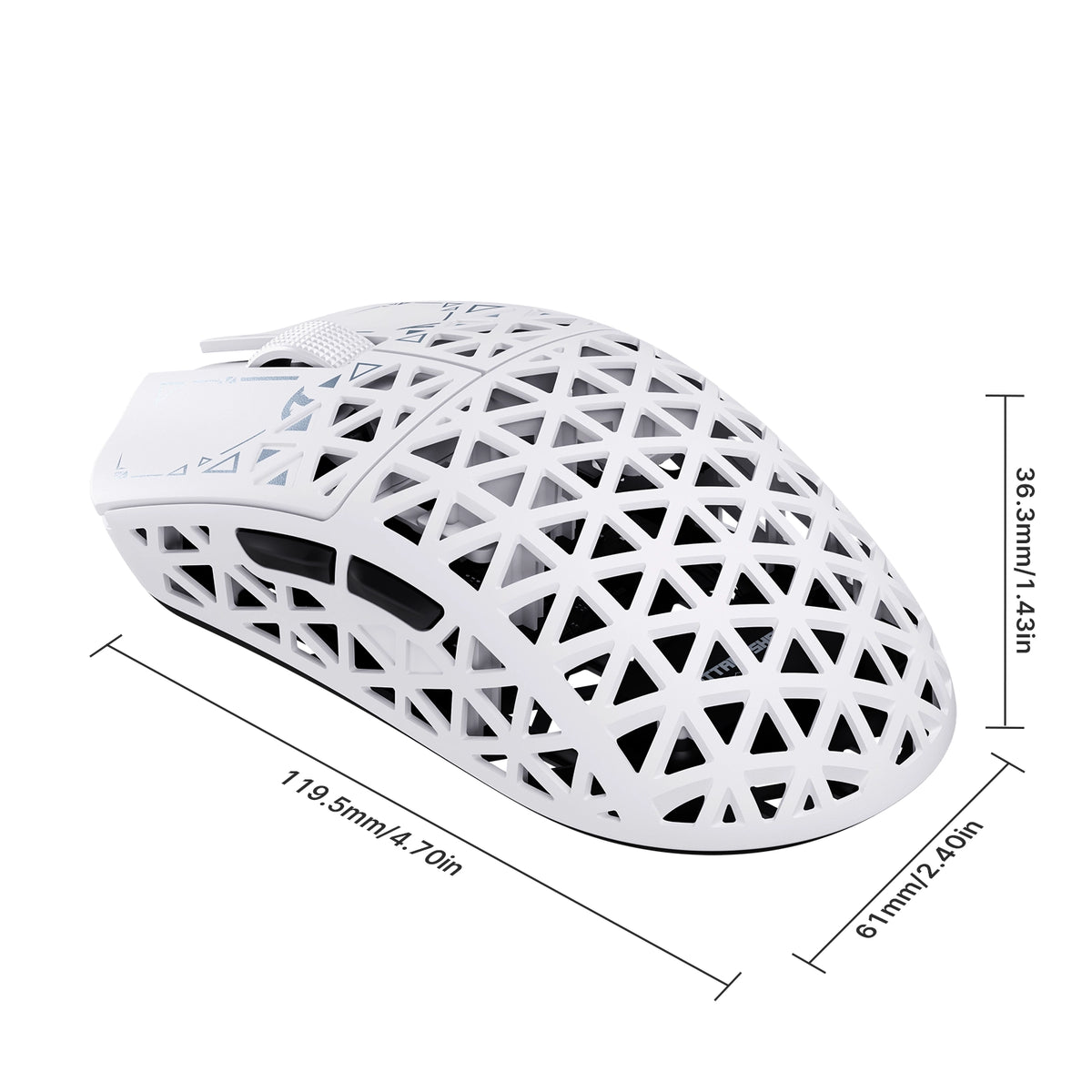
• Dimensions: 119.5mm X 61.0mm X 36.3mm

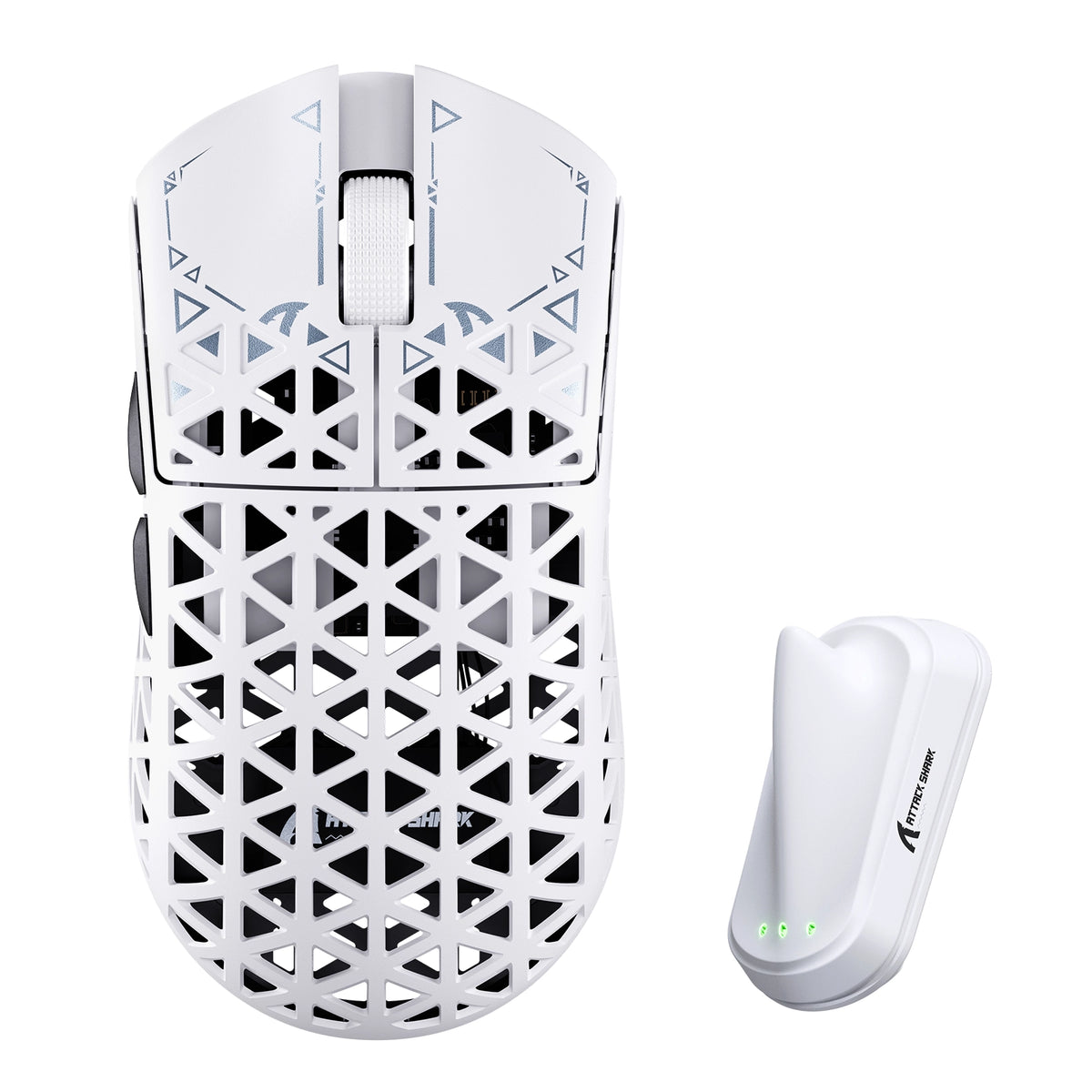
色: 白
MSRP:¥12,353

ATTACK SHARK R5 TURBO specifications: 8000Hz polling, 43g weight, PAW3950MAX sensor, 60000 DPI, 20000 FPS
ATTACK SHARK R5 TURBO weighs 43g plus or minus 3g, shown on a robotic hand

43 ± 3g カーボンファイバー複合シェル

軽量。長く使える。

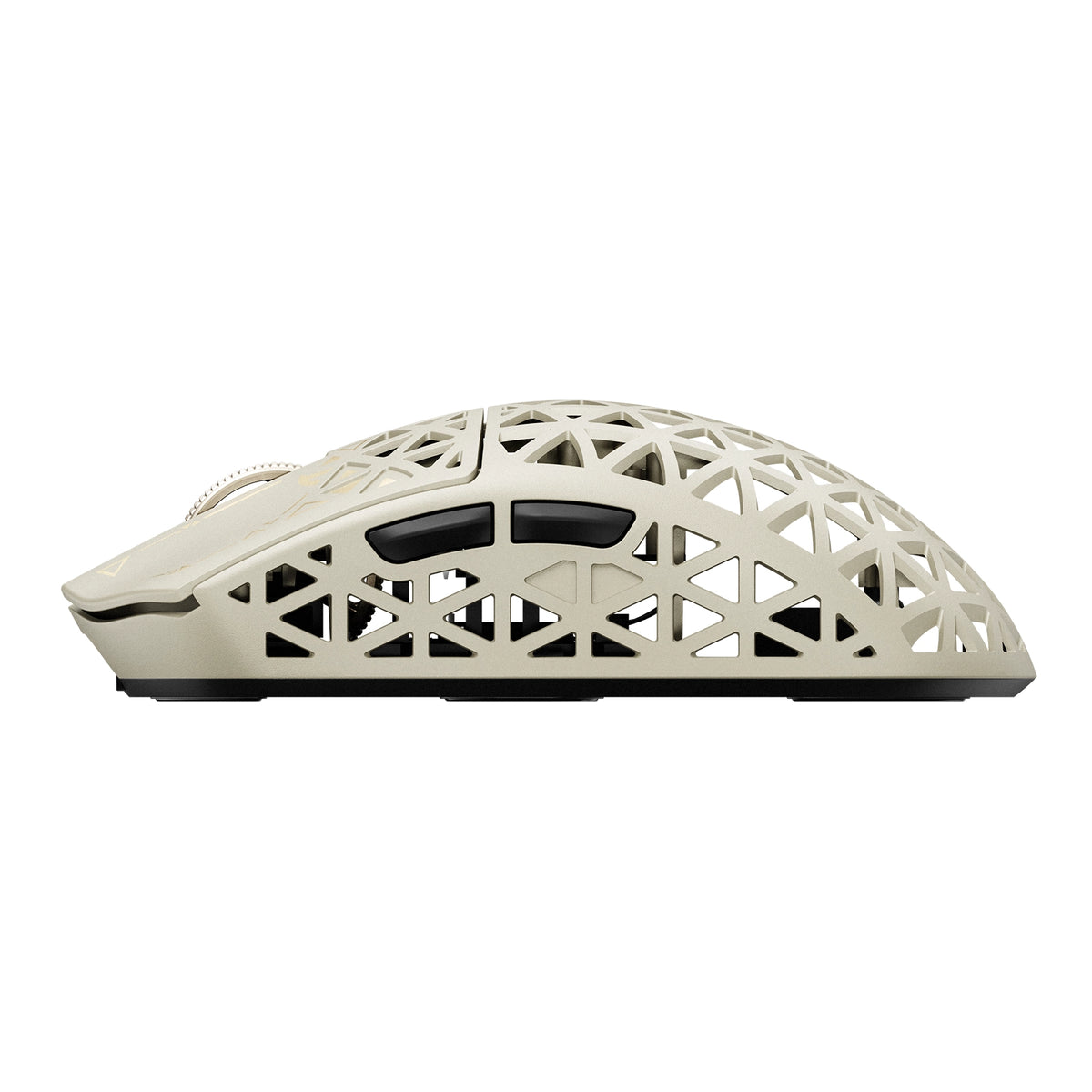
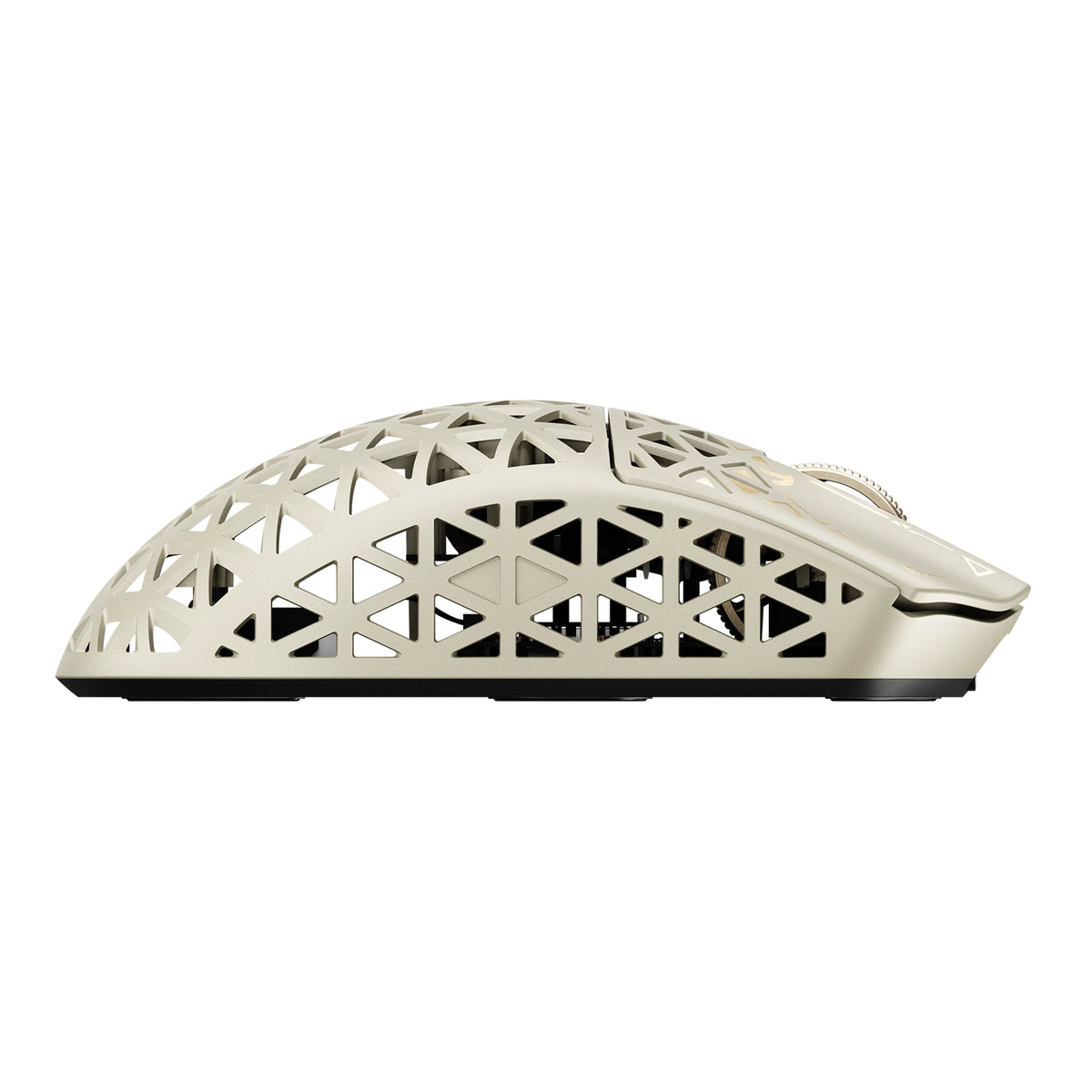
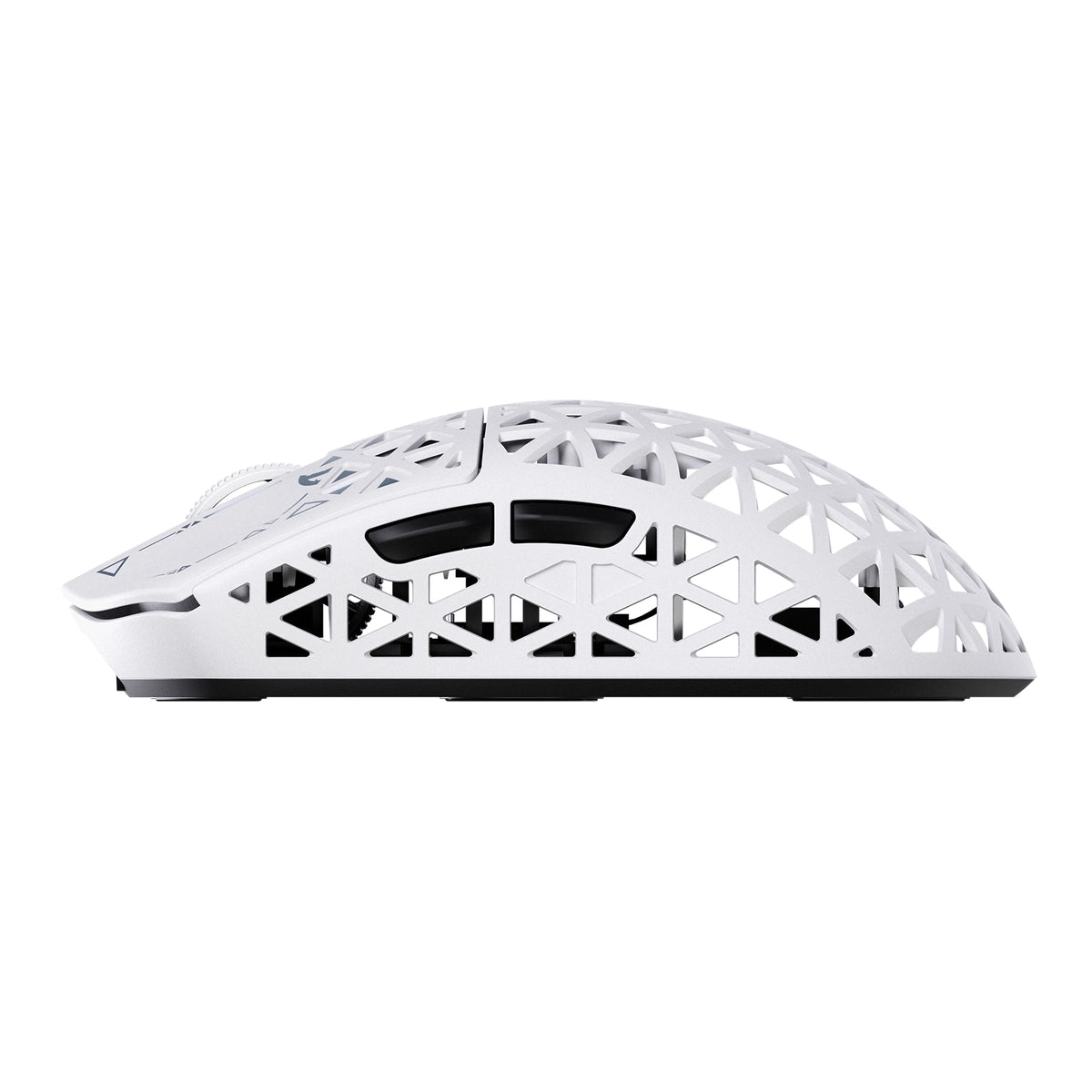
高度な射出成形カーボンファイバー複合シェルを採用したR5 TURBOは、わずか43 ± 3gの軽さでありながら、優れた構造強度と耐摩耗性を実現します。中空で通気性に優れた設計により、不要な重量を抑え、空気の流れを改善。あらゆる動作で、耐久性と快適さ、そしてスムーズな操作性を兼ね備えています。
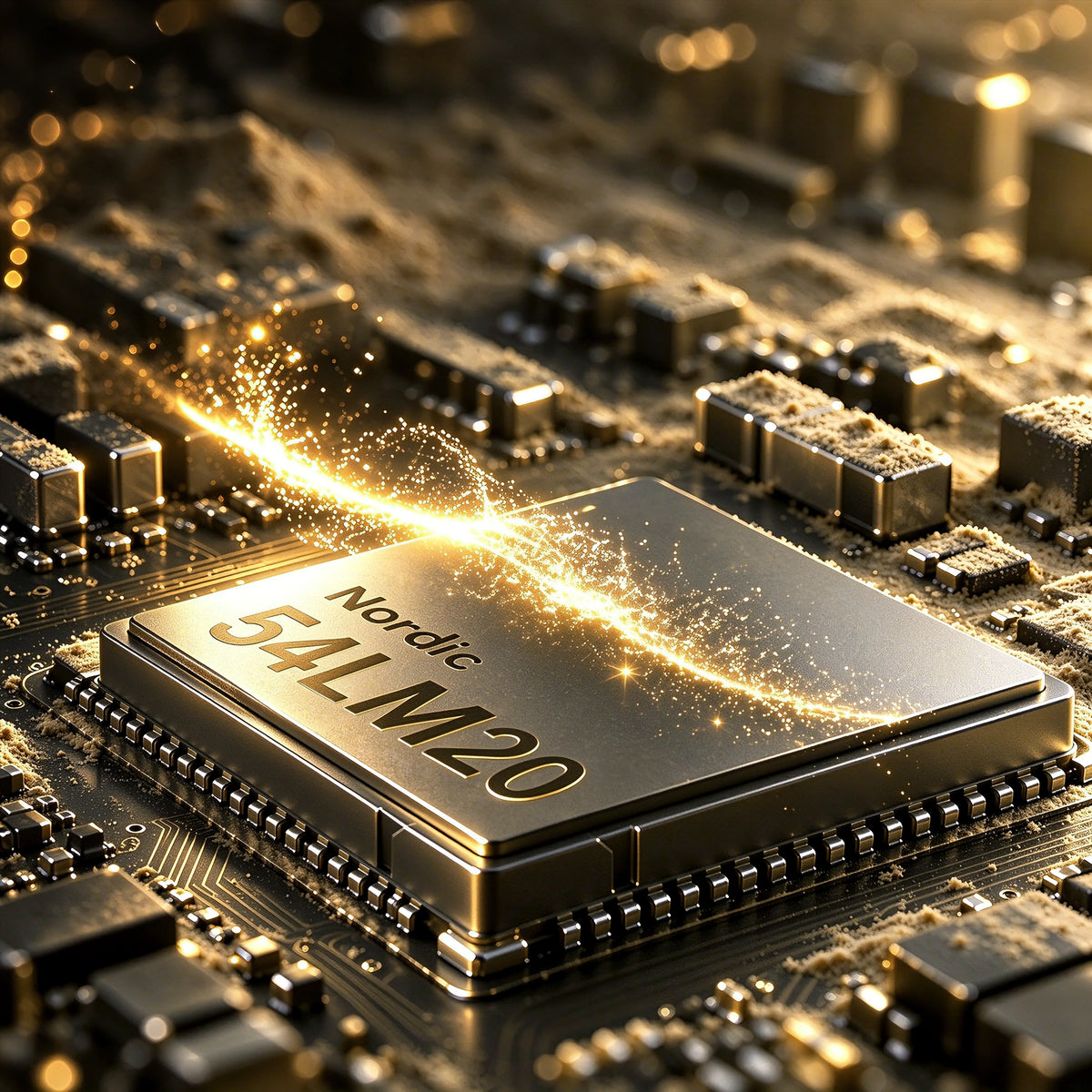
Nordic 54L20 MCU chip inside the ATTACK SHARK R5 TURBO wireless gaming mouse

Nordic 54LM20 フラッグシップMCU

次世代のパワー。最高のパフォーマンス。

R5 TURBOの中核を担うのは、高性能ゲーム向けに設計された次世代のNordic 54LM20フラッグシップMCUです。優れた処理能力と効率的なワイヤレス通信により、要求の厳しい競技ゲームに必要な速度、安定性、応答性を実現します。

PAW3950MAX フラッグシップ光学センサー

限界のない精度。

フラッグシップのPAW3950MAX光学センサーを搭載したR5 TURBOは、最大60,000 DPIの優れたトラッキング精度を実現し、50 DPI刻みで細かく調整できます。トラッキング速度750 IPS、加速度60Gにより、激しいゲームプレイ中でも、素早い振り向きやスワイプ、微調整を驚くほど正確に捉えます。

あらゆる動きをコントロール。

3段階調整可能なLOD

3段階のリフトオフディスタンス設定(0.7mm、1.0mm、2.0mm)で、トラッキングを細かく調整できます。極めて低いリフトオフ距離での精密な操作を好む場合も、素早くマウスを置き直す際の柔軟性を重視する場合も、R5 TURBOはプレイスタイルに合わせて調整され、安定した信頼性の高い操作を実現します。

高速トラッキングを毎秒20,000フレームで撮影

サメ狩りモード

HUNTING SHARKモードを有効にすると、最大20,000 FPSのセンサー読み取りが可能になり、素早い動きをより速く安定して捉えられます。スピード感のある競技プレイ向けに設計されており、素早いフリックや鋭いターン、急な方向転換でも正確なトラッキングを維持できます。
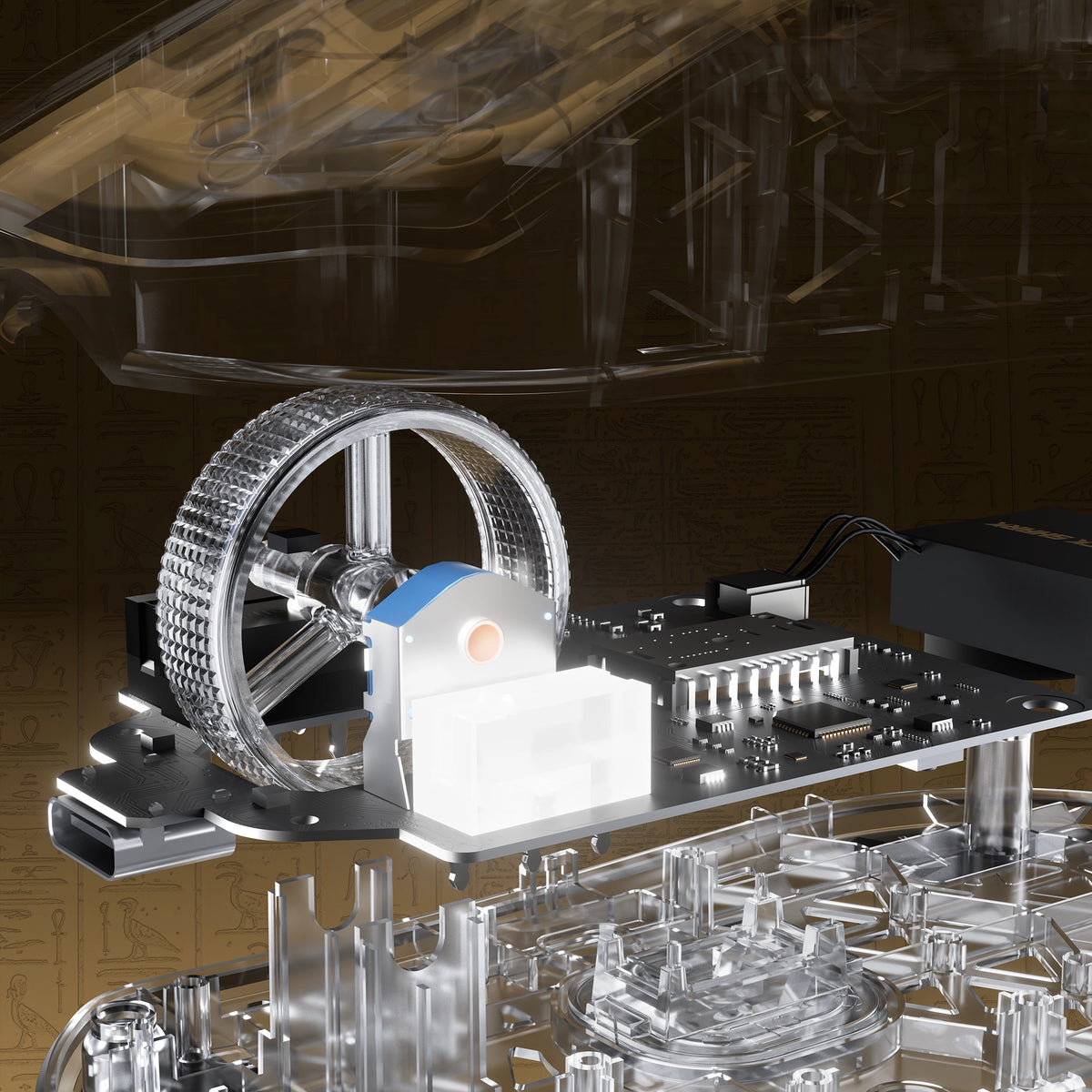
Exploded view of the electroplated scroll wheel and PCB in the ATTACK SHARK R5 TURBO

クリックの一つひとつまで。長く使える設計。

OMRON光学スイッチ

TTC GOLDエンコーダー

1億回以上のクリックに耐える高品質なOMRON光学スイッチを搭載したR5 TURBOは、高速で安定した反応と優れた耐久性を実現します。TTC Goldスクロールホイールエンコーダーとの組み合わせにより、正確なスクロール操作と、数え切れないほどのゲームセッションを通じて信頼できるパフォーマンスを提供します。

カスタム電気めっきスクロールホイール

スクロールの一つひとつに精密さを。

カスタム電気めっき加工のスクロールホイールを搭載したR5 TURBOは、高級感のあるメタリック仕上げと洗練された操作感を兼ね備えています。素早いスクロールと正確な操作を実現する設計により、見た目の美しさと日常の使いやすさを高め、動かすたびに上質さを添えます。
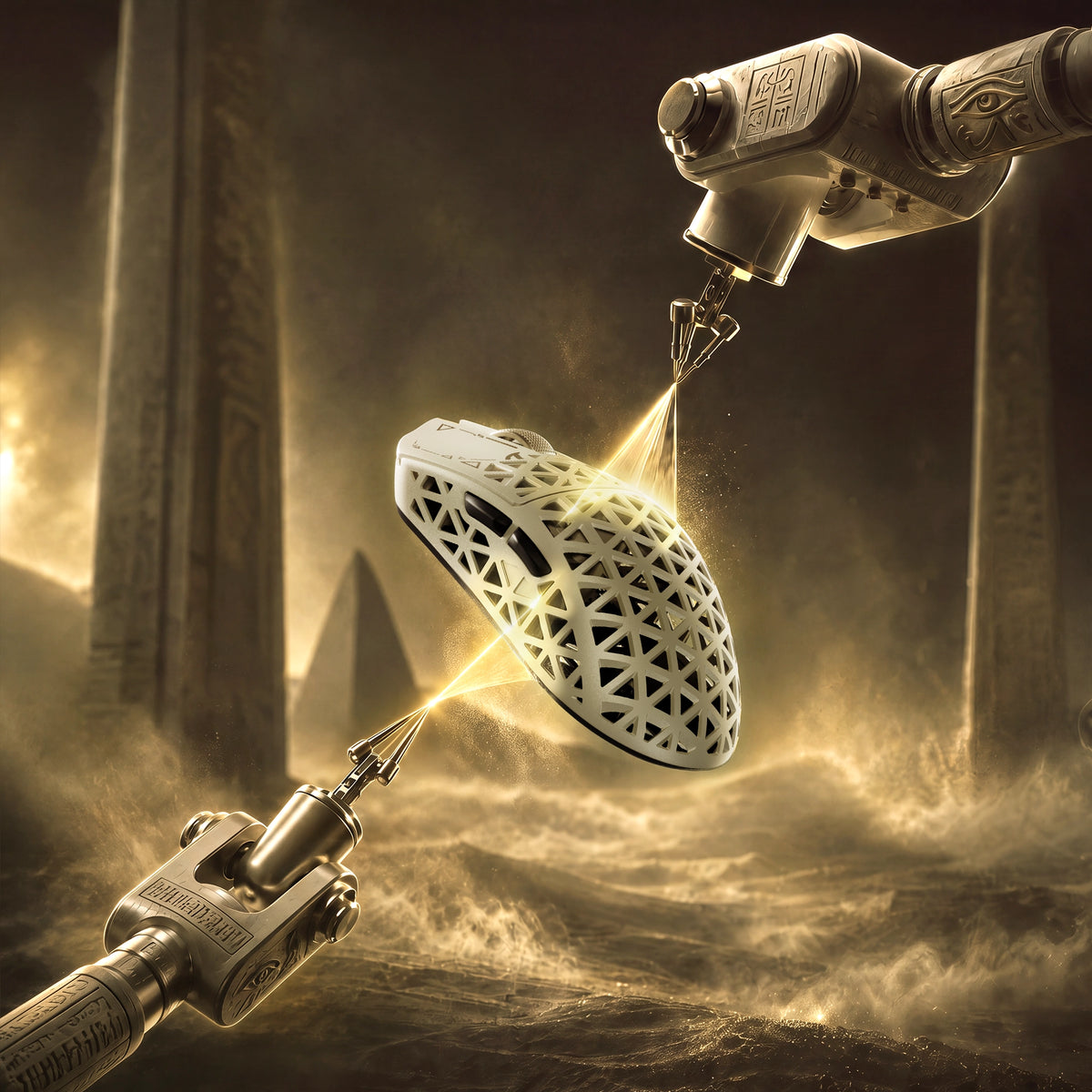
Glass-feel ice coating applied to the ATTACK SHARK R5 TURBO carbon fiber shell

プレミアムなガラスのようなアイスコーティング

涼しく、思いのままに。

ガラスのような質感の特殊なアイスタッチコーティングを施したR5 TURBOは、滑らかでひんやりとした手触りで、長時間快適に使えます。このコーティングは、長時間のゲームプレイでも手汗による不快感を軽減し、対戦が白熱しても快適で安定したグリップを実現します。
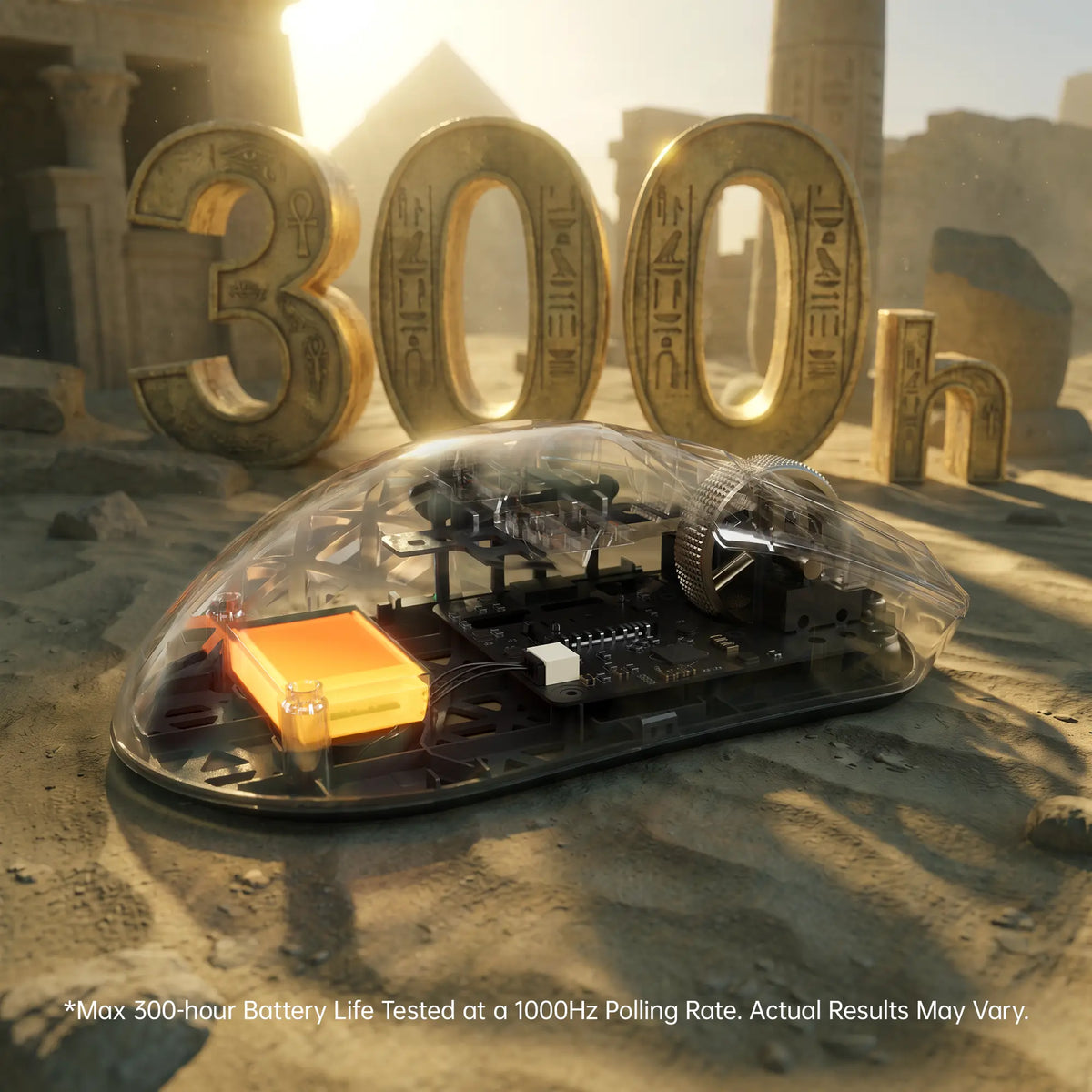
ATTACK SHARK R5 TURBO 300-hour battery life shown through a transparent shell

最大300時間のバッテリー駆動時間

長く遊んで、充電を減らそう。

軽量な290mAh高密度バッテリーを搭載したR5 TURBOは、1000Hzで最大300時間のバッテリー駆動時間を実現。長時間の使用に耐える持続力と超軽量設計を兼ね備え、ゲームを中断することなく楽しめます。

最大300時間のバッテリー駆動時間は、管理された試験環境でポーリングレートを1000Hzに設定して測定した値です。実際のバッテリー駆動時間は、使用状況、設定、動作環境によって異なる場合があります。
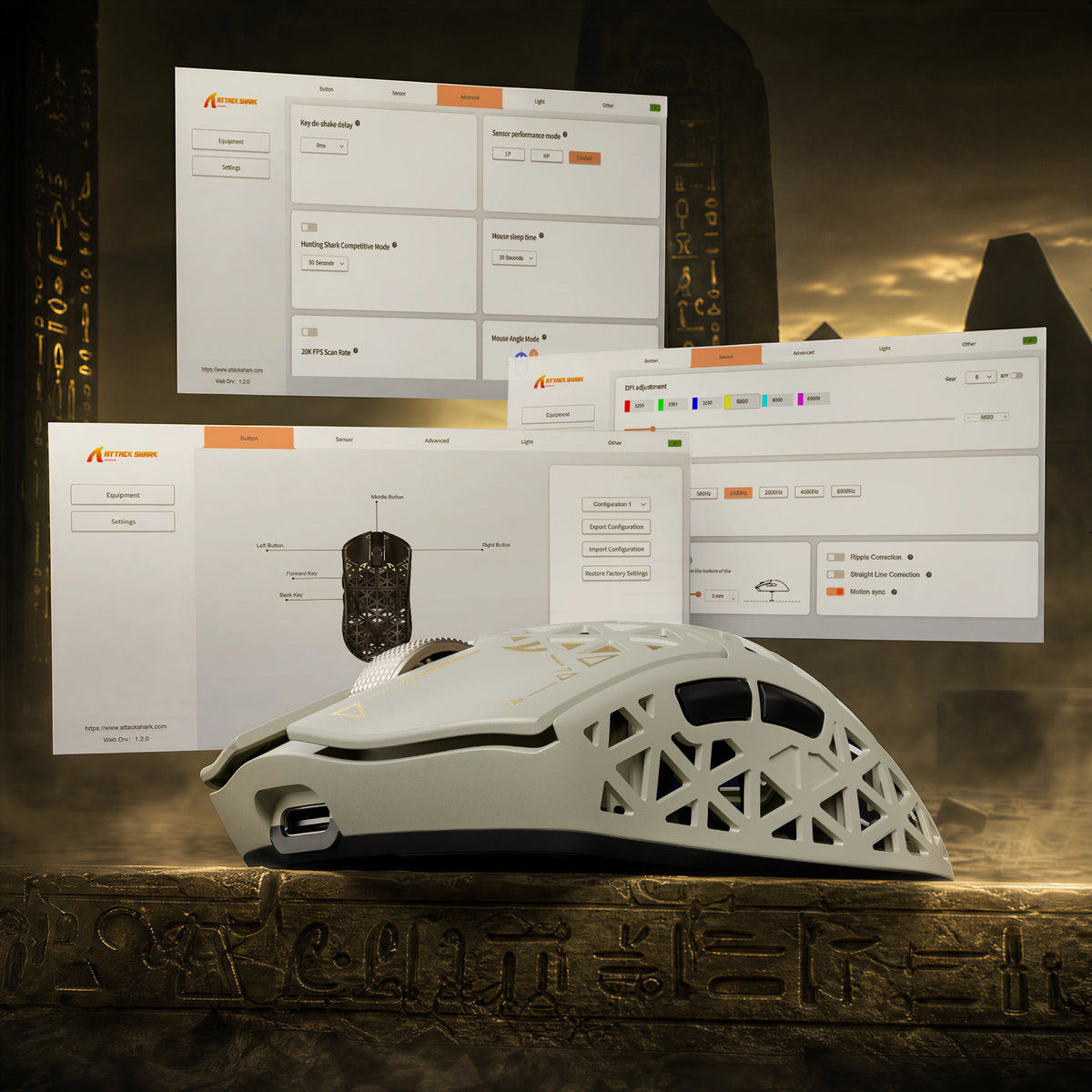
ATTACK SHARK R5 TURBO driver software for DPI adjustment, key remapping and lighting

ウェブ版およびダウンロード可能なドライバー

あなたのマウス。あなたのルール。

便利なウェブベースのドライバーやダウンロード可能なPC用ドライバーで、R5 TURBOを自在に操作できます。ウェブドライバーは接続されたデバイスを自動認識するため、追加のソフトウェアをインストールせずに、すぐにカスタマイズできます。設定を細かく調整して、自分のプレイスタイルに合った環境を作りましょう。

<split-lines ></split-lines>

Technical Specifications

Model
R5 TURBO
Material
Carbon Fiber Composites
Connection
Wired/2.4G/Bluetooth 5.2
Sensor
PixArt PAW3950MAX
MCU
Nordic 54LM20
DPI
Up to 60000 (Supports precise 50 DPI step micro-adjustments )
Accelerated Speed
60G
Movement Speed
750IPS
Static Scan Rate
Supports ≥20,000 FPS
Weight
43g±3g
Polling Rate
Dual 8000Hz (Wired / Wireless)
LOD (Lift-Off Distance)
3-level (0.7/1.0/2.0mm)
Size
119.5mm X 61.0mm X 36.3mm
Microswitches
Omron Optial Microswitches (100 Million Times)
Scroll Wheel Eocoder
TTC Gold Scroll Wheel Encoder
Surface Treatment
Glass-feel Ice Coating
Battery Capacity
290 mAh
Mouse Feet Material
PTFE
Charging Interface
Type-C
What's in the box
Mouse*1, 8K Receiver *1, 8K USB-C Cable *1, Grip Tape*1
  • 超軽量カーボンファイバー複合シェル

  • 重量わずか43 ± 3gのR5 TURBOは、射出成形のカーボンファイバー複合シェルを採用。軽量設計と優れた構造強度、耐摩耗性を兼ね備えています。中空の通気性に優れた設計により、長時間のゲームプレイでも空気の流れと快適性を高めます。
  • フラッグシップPAW3950 MAX光学センサー

  • 高性能PAW3950 MAX光学センサーを搭載。最大60,000 DPI、50 DPI刻みの精密な調整、750 IPSのトラッキング速度、60Gの加速度を実現します。動きの速い競技ゲームでも、卓越したトラッキング精度と応答性の高い操作を体験できます。
  • 次世代Nordic 54LM20 MCU

  • フラッグシップNordic 54LM20 MCUを搭載したR5 TURBOは、高い処理性能と効率的なワイヤレス通信を実現します。速度と安定性を追求した設計により、激しいゲームプレイ中も入力に素早く反応し、安定したパフォーマンスを発揮します。
  • 3段階調整可能なリフトオフディスタンス

  • 0.7mm、1.0mm、2.0mmの3段階からリフトオフディスタンスを調整し、トラッキングをカスタマイズできます。マウスを持ち上げて置き直す際のセンサーの反応を微調整でき、さまざまなゲームスタイルに合わせて柔軟性と操作性を高めます。
  • 1億回以上のクリック耐久性を備えたOMRON光学スイッチ

  • 1億回以上のクリックに対応する高品質なOMRON光学スイッチを搭載したR5 TURBOは、素早く安定した入力と優れた耐久性を実現します。何度ゲームをプレイしても、安定したクリック性能と応答性の高いフィードバックを楽しめます。
  • デュアル8Kポーリング対応のトライモード接続

  • 有線、2.4GHzワイヤレス、Bluetooth接続に対応し、さまざまな環境で柔軟に使用できます。有線モードと2.4GHzワイヤレスモードのどちらでも最大8000Hzのポーリングレートを実現し、応答性に優れた入力伝送と滑らかで精密な操作を可能にします。
  • 最大300時間のバッテリー駆動時間

  • 軽量な290mAh高密度バッテリーを搭載したR5 TURBOは、ポーリングレート1000Hzで最大300時間駆動します。充電による中断を減らして長時間ゲームを楽しめるうえ、超軽量設計も維持します。
  • ウェブベースおよびダウンロード版PCドライバー

  • ウェブベースとダウンロード版のPCドライバーで、ゲーム環境をカスタマイズできます。ウェブドライバーは接続されたデバイスを自動認識するため、追加ソフトウェアをインストールせずにマウスの設定へすばやくアクセスできます。
  • 上質なアイスタッチ表面コーティング

  • ガラスのような質感の特殊なアイスタッチコーティングを施したR5 TURBOは、滑らかでひんやりとした手触りです。手汗による不快感を軽減するよう設計されており、長時間のゲームプレイでも快適さと心地よいグリップを保ちます。
  • TTC Goldエンコーダー搭載カスタム電気めっきスクロールホイール

  • カスタム電気めっきスクロールホイールと高品質なTTC Goldエンコーダーを搭載したR5 TURBOは、精密なスクロール操作と洗練された触覚フィードバックを実現します。メタリック仕上げが高級感を添え、スクロール操作をさらに快適にします。

よくある質問

このテキストを使用して、商品や配送に関するポリシーをお知らせください。

How to choose a gaming mouse - and where does the R5 TURBO fit?

A gaming mouse buying guide comes down to five decisions: weight, shape and grip, sensor and polling rate, switch type, and how you connect it. For fast FPS play a lightweight wireless gaming mouse like the R5 TURBO hits all five - 43g, PAW3950 MAX, 8K polling, optical switches, tri-mode wireless. Shape and grip come first: it is the one thing you cannot upgrade later.

What is the ATTACK SHARK R5 TURBO - and what is in the box?

The R5 TURBO is ATTACK SHARK's carbon fiber wireless gaming mouse: a 43 +/- 3g injection-molded composite shell, PAW3950 MAX sensor, Nordic 54LM20 MCU, OMRON optical switches and dual 8K polling over wired and 2.4GHz. An ultralight gaming mouse for competitive FPS - and a contender for best mouse for fps. Dune, Black and White; MSRP US$89.99, or US$94.99 for Dune. Pre-orders Oct 23 PDT, shipping Nov 7. Box: mouse, 8K receiver, USB-C cable, grip tape, guide.

How light is the R5 TURBO, what grip does it suit, and is 43g too light?

Light vs heavy mouse is a genuine trade-off: under roughly 60g a lightweight mouse cuts fatigue and frees fast flicks, while extra weight adds inertia others prefer. At 43 +/- 3g the R5 TURBO sits in the ultralight mouse bracket - among the lightest gaming mouse designs at this size - and the composite shell keeps that gaming mouse weight from feeling hollow. 119.5 x 61 x 36.3mm suits claw and fingertip grips; very large hands want a wider shell.

Why carbon fiber instead of a plastic honeycomb shell?

Most lightweight gaming mice use a thin ABS honeycomb shell that flexes and wears. Carbon fiber mice do not: the R5 TURBO's injection-molded composite gives higher strength, better wear resistance and far less flex at 43g - what separates a carbon fibre mouse from plastic. The vents stay for airflow, so you get a carbon fiber gaming mouse without the fragility of early ultralight designs.

Does the honeycomb design let dust in or flex under pressure?

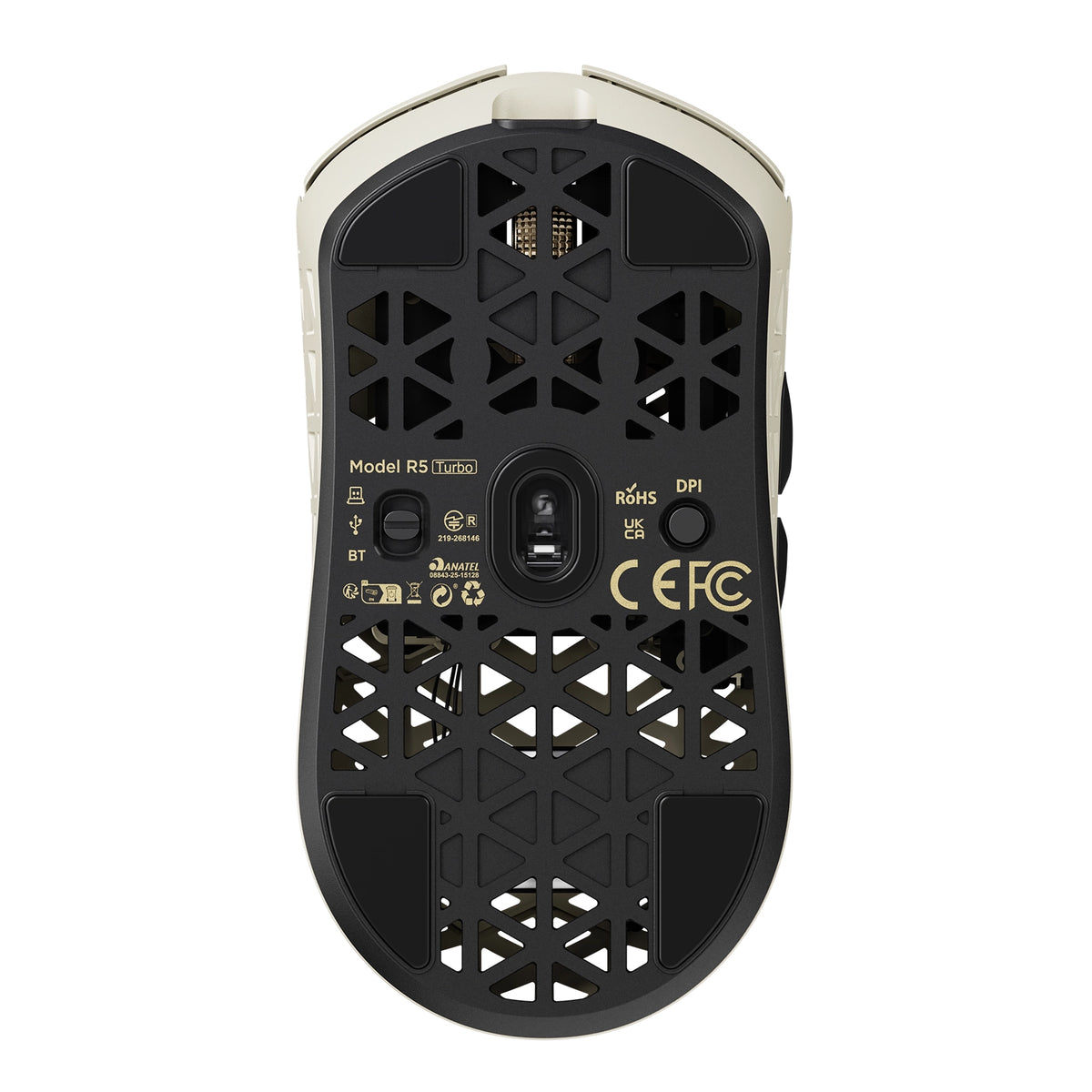
The vents sit above an internal frame, not the PCB, so dust and crumbs do not reach the sensor or switches. The composite shell resists pressure far better than thin plastic honeycomb - squeeze the sides and there is noticeably less give. If a mouse with holes put you off because older honeycomb mouse designs felt flimsy, this fixes it: the carbon fiber mouse shell loses nothing in durability.

Will it help if my hands sweat during long sessions?

Sweaty hands come down to surface friction and trapped heat. The glass-like ice-touch coating feels cool and low-friction, resisting the sticky drag of matte plastic, and the ventilated shell lets heat escape instead of trapping it under your palm. If you have been hunting for the best mouse for sweaty hands, that is exactly what the coating is for: it makes this a gaming mouse for sweaty hands, not just a mouse with a nice surface.

What sensor and DPI does it use, and why does 3-level LOD matter?

It runs the PAW3950 MAX with 1,200-60,000 DPI in 50 DPI steps, 750 IPS and 60G, and HUNTING SHARK mode lifts static scanning to 20,000 FPS. In practice the 50 DPI step matters more than the headline number. Three LOD presets - 0.7mm, 1.0mm, 2.0mm - set how far you lift before tracking stops, and 0.7mm suits cloth pads and fast resets. That is why this fps mouse feels locked in.

What does the Nordic 54LM20 MCU bring over the previous generation?

It is the flagship Nordic 54LM20, a step up from the Nordic 54L15 in the previous generation. It handles input faster and keeps the wireless link stable when the sensor works hardest: more headroom for 8K polling on 2.4GHz, and enough processing to hold HUNTING SHARK mode at full scan rate. In practice that is fewer dropped inputs during fast flicks.

What polling rate does it support, and is 8000Hz worth it?

It reports at up to 8,000Hz in both wired and 2.4GHz modes. The 1000Hz vs 8000Hz mouse question is one of interval - 1ms versus 0.125ms - so an 8000Hz gaming mouse updates your aim eight times more often. Whether that is the best polling rate for gaming depends on your display: 8K pays off on 240Hz with a strong CPU, not on 60Hz. Mouse polling rate is adjustable any time.

Do I need a high-end PC to run 8K polling?

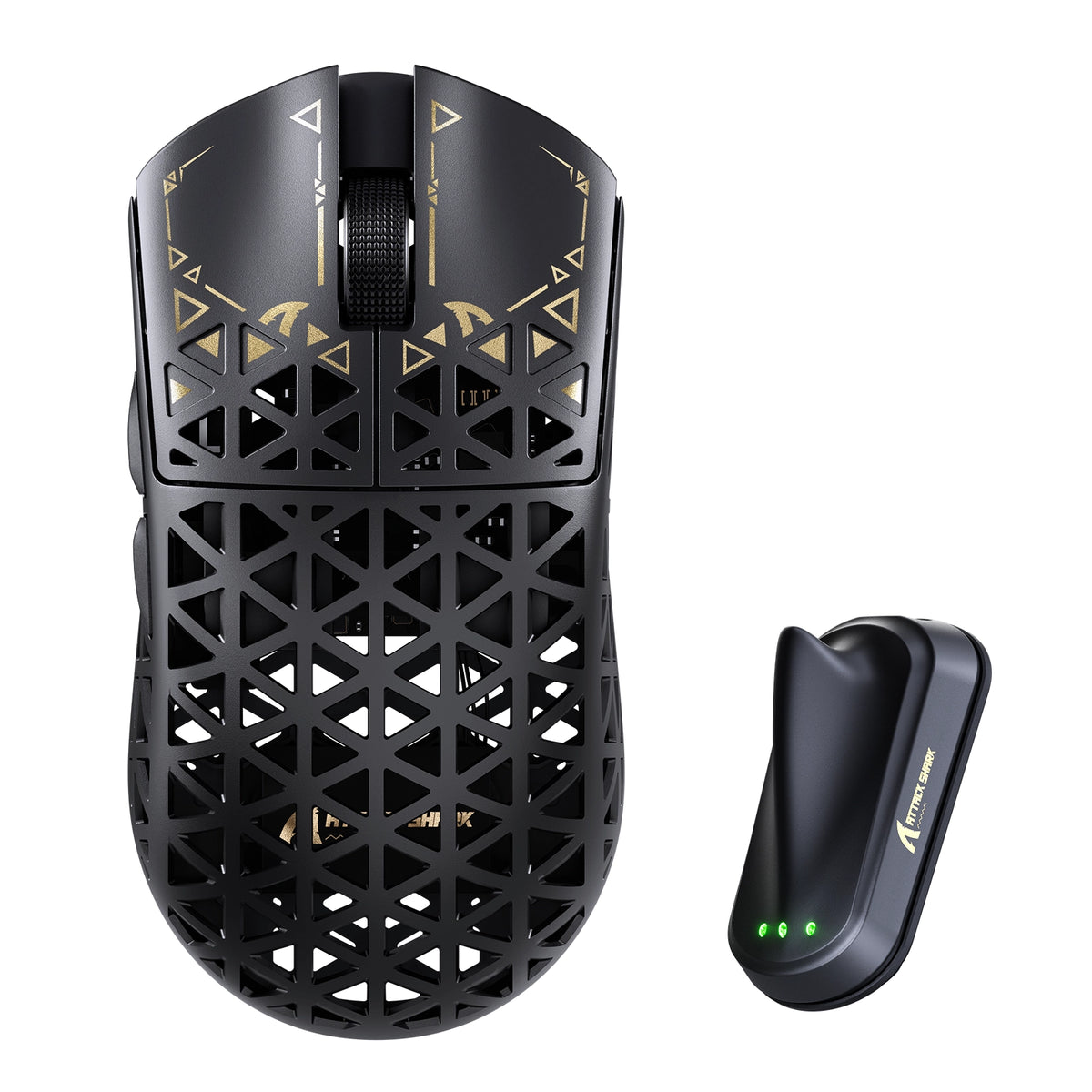
An 8k polling rate mouse generates more USB traffic and leans on the CPU: use a directly connected rear port, not a hub. A modern 6-core CPU should show no meaningful drop, which is why an 8K mouse ships with a dedicated receiver - the shark-fin unit adds a longer antenna and LEDs for link, rate and battery. If you do see a hit, drop to 2000Hz; this 8k gaming mouse stays smooth lower down.

Wired vs wireless: is the R5 TURBO as fast as a wired mouse?

Wireless mouse latency is the old objection to cutting the cable, and at 8K it largely disappears: ATTACK SHARK's self-developed transmission brings click latency below 0.168ms at 8000Hz on a competition-grade PC - past the point where wired vs wireless gaming mouse differences are humanly detectable. Wired mode also runs 8K, so the cable is for charging. That is why it holds up as a best wireless gaming mouse, not a compromise.

How long does the battery last, and how do I charge it?

The 290mAh high-density battery is rated for up to 300 hours at 1000Hz. Gaming mouse battery life scales with polling rate, so run 8K while you play and drop to 1000Hz or Bluetooth between matches. Charging is over USB-C, and the receiver's three LEDs show link, rate and battery. For a 43g shell that beats most wireless gaming mice - long battery life usually costs you weight.

How do I set it up, switch between wired, 2.4GHz and Bluetooth, and customize it?

The Bluetooth vs 2.4GHz mouse question is one of priorities. Bluetooth 5.2 is for work - no dongle, instant switching - but its report rate is capped. 2.4GHz through the shark-fin receiver is the gaming path: full 8000Hz and the most stable signal. Wired is for charging and playing at once. Settings live in the web driver, which finds the mouse in your browser with nothing to install, or the downloadable PC driver.

What switches does it use, and why optical?

It uses OMRON optical switches rated beyond 100 million clicks. An optical switch mouse actuates when a light beam breaks rather than when metal contacts touch, removing the wear behind double-click failures and giving a faster, cleaner release. If you want a gaming mouse with optical switches so you stop replacing mice yearly, that is the real gain.

What is upgraded in the scroll wheel?

The wheel is a custom electroplated unit on a TTC Gold encoder - not the plain plastic wheel and budget encoder most lightweight mice use. The plating resists shine and wear, and the Gold encoder keeps every step crisp instead of going mushy after months of scrolling, so scroll-wheel binds like weapon swap and jump register the same in month six as on day one.

Is it a good mouse for CS2?

CS2 rewards weight, a predictable sensor and low lift-off distance, and the R5 TURBO covers all three: 43g for fast counter-strafing and wide flicks, 750 IPS with no acceleration, and LOD down to 0.7mm so the crosshair does not drift on reset. For anyone shortlisting a best mouse for CS2, it is built for low-sensitivity players who want nothing else in the way.

Is it good for Valorant?

Valorant rewards small, repeatable adjustments over raw flicks, so fine DPI control and crisp, fast-resetting clicks matter most. The R5 TURBO gives 50 DPI steps to match the sensitivity you already run, 8K polling for smoother micro-tracking, and optical switches with a short clean reset for tap-fire duels. Effective sensitivity beats a big DPI number. A strong candidate for best mouse for Valorant on claw or fingertip.

カスタマーサポートの受付時間は、月曜日から金曜日の午前8時から午後8時30分までです。平均回答時間: 24時間