The Streamer's Starter Kit: Essential Gear for Your First Broadcast

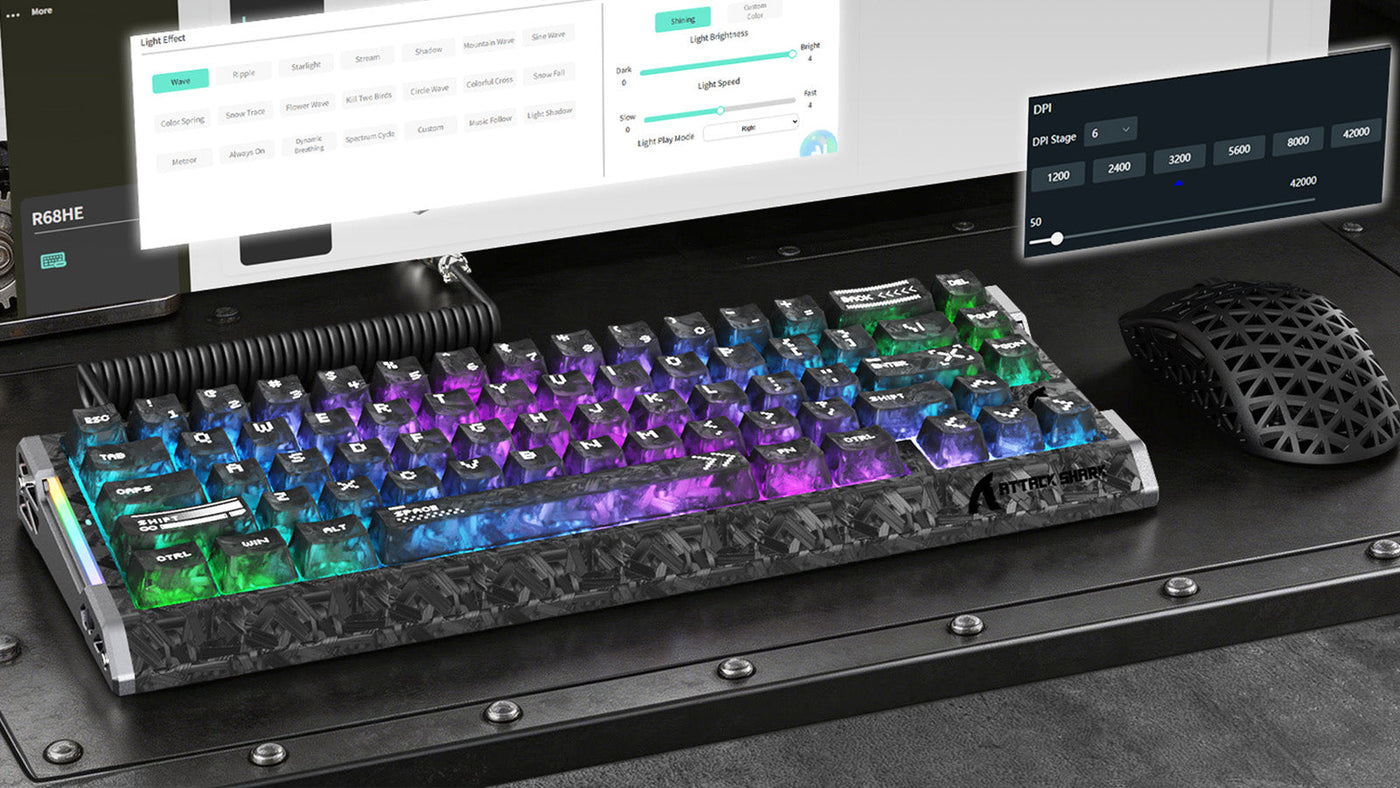
RGB keyboard and honeycomb mouse shown with software configuration overlays on a monitor.

Building a streaming presence requires more than just high-level gameplay; it demands professional audio and visual presentation. Audiences expect a clear, distraction-free experience that highlights the creator's personality. While a powerful PC is the engine of a broadcast, the peripherals and environment determine the actual quality of the viewer's experience. 

This guide outlines the fundamental components needed for a modern streaming setup, prioritizing hardware that minimizes background noise and maximizes aesthetic appeal. By focusing on the right starter kit, new creators can establish a professional brand from their very first broadcast.

White gaming headset on a stand in a dim gaming setup with blue and purple ambient lighting.

1. Core Computing and Multi-Monitor Layouts

The ability to encode high-definition video while running a game is the primary technical hurdle for streamers. Most modern setups utilize a processor with at least eight cores and a dedicated graphics card with hardware-accelerated encoding. This ensures that the game's frame rate remains stable while the broadcast software transmits data to platforms like Twitch or YouTube.

A secondary monitor is no longer a luxury; it is a necessity for live interaction. You need a dedicated screen to view your chat, manage alerts, and monitor your stream software (like OBS Studio). Without a second screen, you are forced to minimize your game, which breaks the immersion and makes it difficult to respond to your audience in real-time.

2. The Audio Priority: Microphones and Sound Control

Audio quality is the single most important factor in viewer retention. Poor video can be forgiven, but distorted or noisy audio will drive an audience away immediately. Most beginners start with a USB condenser microphone due to its ease of use. However, these microphones are extremely sensitive and pick up every sound in the room, including the clicks of your mouse and the tapping of your keys.

To manage this, professional streamers focus on quiet input devices. Finding the best silent gaming keyboard is often a top priority for those who do not have a sound-treated studio. Keeping the microphone on a boom arm—away from the vibrations of the desk—further improves the vocal clarity of the broadcast.

3. Input Hardware: The Silent Keyboard Advantage

When you are live on air, the repetitive sound of a mechanical keyboard can become a significant irritant for your listeners. High-frequency "clacking" sounds are difficult to filter out even with advanced AI noise suppression software. This is why a silent wireless keyboard is an essential part of a modern streamer's toolkit.

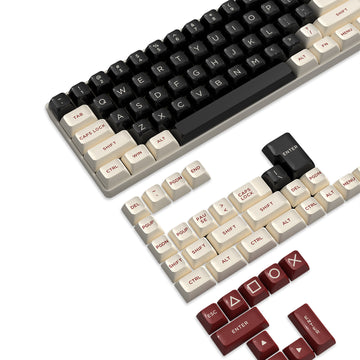
A silent wireless keyboard utilizes dampened switches that significantly reduce the decibel level of every keypress. For streamers who frequently play fast-paced games requiring high actions-per-minute, this noise reduction is vital. When looking for the best silent gaming keyboard, ensure it uses 2.4GHz wireless technology. Unlike standard Bluetooth, 2.4GHz connections provide the instantaneous response time required for competitive gaming. By investing in the best silent gaming keyboard, you ensure your commentary remains the focal point of the audio track without competing against the sound of your hardware. Furthermore, using a silent wireless keyboard contributes to a minimalist, cable-free desk aesthetic that looks professional on a hand-cam.

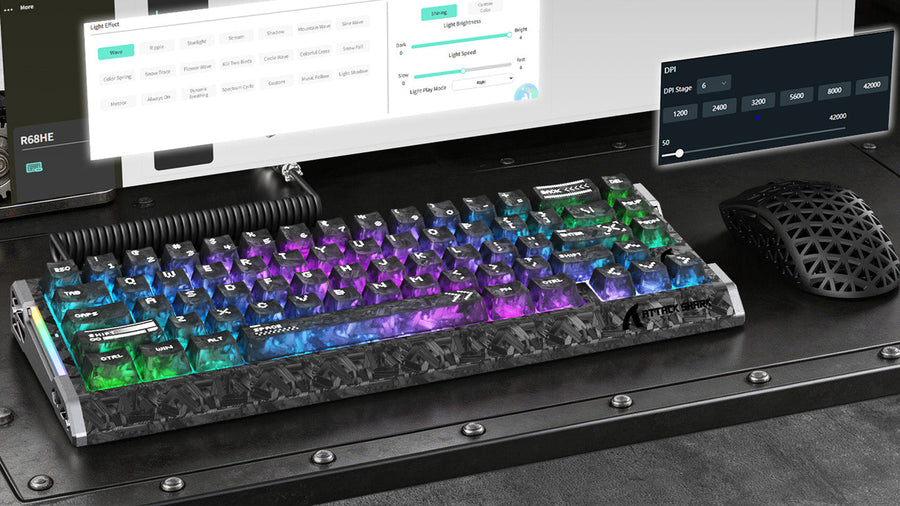
High-angle view of a marbled RGB keyboard and a honeycomb gaming mouse on a dark industrial desk.

4. Visual Precision: Gaming Mice for Content Creators

Your mouse is another potential source of auditory clutter. In genres like MOBA or FPS, the constant clicking of a standard gaming mouse is easily captured by sensitive microphones. A silent gaming mouse uses specialized switches that provide tactile feedback without the sharp audible click. This allows you to maintain peak performance while keeping your stream's audio clean and professional.

Beyond performance, the look of your gear matters for your on-camera presentation. Many streamers choose a white gaming mouse wireless to brighten up their desk setup. White peripherals reflect RGB lighting better than black ones, creating a more vibrant look during night-time broadcasts. A white gaming mouse wireless also stands out against dark desk mats, making your hand movements more visible and engaging for the audience. When selecting a silent gaming mouse, look for one with a high-end optical sensor to ensure you don't sacrifice accuracy for quietness. Pairing a white gaming mouse wireless with a high-quality sensor gives you the perfect combination of style and precision for your first broadcast.

5. Lighting and Camera Configuration

Lighting is the difference between an amateur-looking stream and a professional studio. Even an expensive camera will look grainy and poor in low light.

  • Key Light: Place your main light at a 45-degree angle to your face to provide even coverage.
  • Fill Light: Use a secondary, softer light on the opposite side to soften shadows.
  • Aesthetic Lighting: LED strips or "smart" bulbs in the background help create depth and visual interest behind you.

Webcams are the standard for beginners, but ensure yours supports at least 1080p at 60fps. As you grow, you might transition to a mirrorless camera with a capture card, which provides the cinematic "bokeh" or blurred background effect that many top-tier creators use.

6. Internet Stability and Encoding Software

A stable internet connection is the backbone of your broadcast. You should always use a wired Ethernet connection rather than Wi-Fi. Fiber optic internet with at least 10 Mbps of upload speed is recommended for a stable 1080p broadcast at 60 frames per second.

OBS Studio remains the standard software for streamers. It allows you to create different "scenes" and "sources," giving you total control over what your audience sees. You can set up a "Starting Soon" screen, a "Gameplay" screen with your webcam overlay, and a "Just Chatting" screen for direct interaction. Learning how to configure noise gates and compressors within OBS will further enhance the silence of your setup.

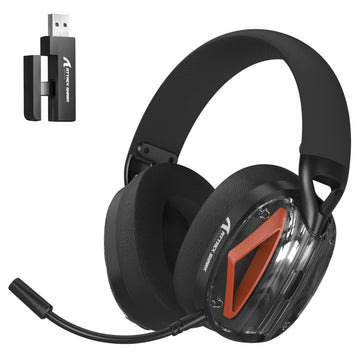
ATTACK SHARK L80PRO ワイヤレス ゲーミング ヘッドセット

Price: ¥5,699
20msの超低遅延 Lightseedワイヤレステクノロジーで、シームレスで競争力のあるゲーム体験をお楽しみください。2.4Gモードでわずか20msの超低遅延を実現します。最大 10メートルの伝送範囲で安定した接続を実現し、オーディオビジュアルの遅延を完全に排除します。 トリプルコネクティビティ 2.4Gワイヤレス、Bluetooth、有線モードを簡単に切り替えられるため、究極の汎用性を実現します。デュアルポート2.4Gレシーバー(USB-AとType-C)は、PC、Nintendo Switch、モバイルデバイスとの幅広い互換性を確保します。 電源ボタンを素早く 3 回押すと、Bluetooth モードと 2.4G モードが切り替わります。 デュアルマイクシステム クリアな音声でコミュニケーション。L80PROは、取り外し可能で360°調整可能な全方向性ノイズキャンセリングブームマイクを搭載しています。ブームを取り外すと、システムは自動的に内蔵マイクに切り替わり、あらゆる状況にシームレスで柔軟な対応を提供します。 没入型ゲーミングオーディオ プロ仕様の40mmドライバーを搭載したL80PROは、高音、中音、そして深みのある低音まで、豊かでバランスの取れたサウンドスケープを実現します。臨場感あふれる3Dサラウンドサウンドにより、敵の足音や銃声をピンポイントで捉え、ゲーム内で究極の空間認識を実現します。 電源ボタンを 2 回押すと、最適化されたゲーム モードと音楽モードが瞬時に切り替わります。...

7. Common Questions for New Streamers

What is the best way to reduce keyboard noise on stream?

The most effective way is to use a silent wireless keyboard. These are specifically designed with dampened switches to eliminate the high-pitched clack of mechanical keys. Additionally, placing your keyboard on a thick desk mat and using a cardioid microphone on a boom arm will further isolate the sound.

Is wireless gear good enough for competitive gaming while streaming?

Yes, modern 2.4GHz wireless technology has reached a point where there is no perceptible latency compared to wired connections. Using a white gaming mouse wireless or a wireless keyboard allows for better cable management, which makes your desk look much cleaner on camera during your broadcast.

Why should I choose a silent gaming mouse?

A silent gaming mouse prevents the repetitive, sharp clicking sounds from being picked up by your microphone. This is especially important for streamers who play click-heavy games like League of Legends or Diablo, where the noise can be distracting for the audience.

How can I make a budget webcam look professional?

Lighting is the secret. Use two light sources to eliminate shadows on your face. Additionally, many streamers use software filters to adjust the saturation and contrast of their webcam in OBS, making the image look much closer to a professional DSLR camera.

8. Setting Up Your Branding and Overlays

Once your gear is ready, you need to consider the visual branding of your stream. This includes your logo, overlays, and alert sounds.

  • Overlays: Keep them minimal. You don't want to hide the game behind too many graphics.
  • Alerts: Use subtle sounds that don't startle the audience.
  • Consistency: Use a consistent color scheme across your social media and stream to build a recognizable brand.

A clean desk setup with coordinated peripherals, such as a white gaming mouse wireless, can be part of this branding, creating a "signature look" that viewers associate with your channel. For a deeper dive into reducing all input noise, see our guide on how to reduce mouse click sound.

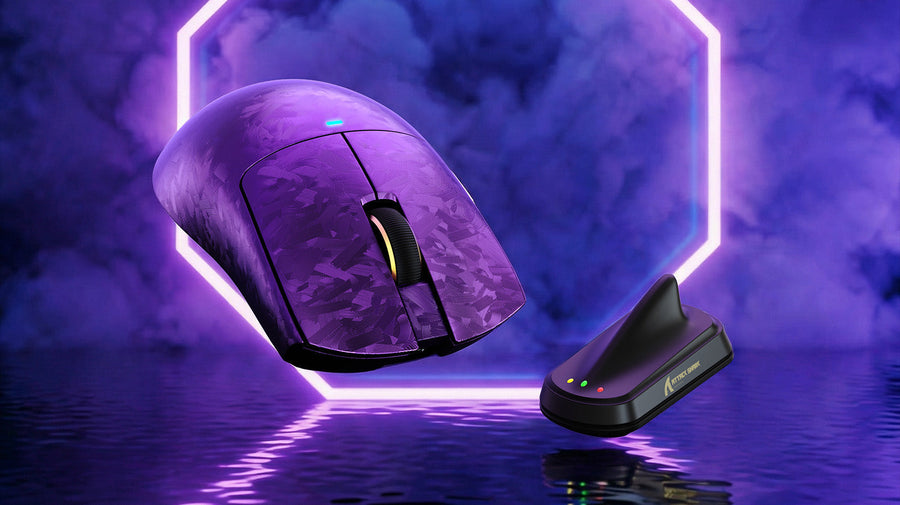
ATTACK SHARK X11 ULTRA カーボンファイバー ワイヤレス 8K PAW3950MAX ゲーミングマウス

Price: ¥17,914
Nordic 54L15 フラッグシップチップセット 最新のNordic 54L15チップを搭載し、消費電力を大幅に削減し、バッテリー駆動時間を2 倍に延長しました。わずか0.163msという超低クリックレイテンシーを実現し、ハイエンドゲームや高負荷作業でも、最も安定して応答性の高い接続を実現します。 PAW3950MAX 高精度センサー 最高クラスのPAW3950MAX 光学センサーを搭載し、最大 42,000DPIの感度を実現します。50DPI 単位の正確なオンザフライ調整が可能で、あらゆる動きに対して比類のない精度とコントロールを提供します。 8Kポーリングによるトライモード接続 多用途な有線、Bluetooth、2.4Gワイヤレス接続に対応。有線モードと2.4Gモードの両方で8000Hzの超高速ポーリングレートをサポートし、入力遅延を最小限に抑え、スムーズなカーソルトラッキングを実現します。 アイシーグリップコーティングを施した、59gの超軽量設計 59gの超軽量設計で、楽な操作性を実現。ナノメタルアイスコーティングにより、長時間の使用でも汗や滑りに強く、常にクールでしっかりとしたグリップ感を実現します。 耐久性のあるカーボンファイバー構造 フルインジェクション成形カーボンファイバーボディを採用し、衝撃、傷、摩耗に対する優れた耐性を備えています。独自の鍛造カーボンテクスチャが、高級感あふれる独特の美しさを演出します。 1 億クリック光マイクロスイッチ...

Conclusion: Build Your Stream Right the First Time

Launching your first broadcast is a milestone that requires careful preparation. By prioritizing audio quality with the best silent gaming keyboard and a silent gaming mouse, you remove the technical distractions that often plague new streamers. Focusing on a clean, professional aesthetic with a white gaming mouse wireless and a silent wireless keyboard ensures your channel looks as good as it sounds.

Focus on the essentials first: a stable PC, clear audio, and good lighting. As your community grows, you can continue to refine your gear and branding to match your evolving content style. Consistency and professionalism are the keys to long-term success in the streaming industry.

前後の記事を読む

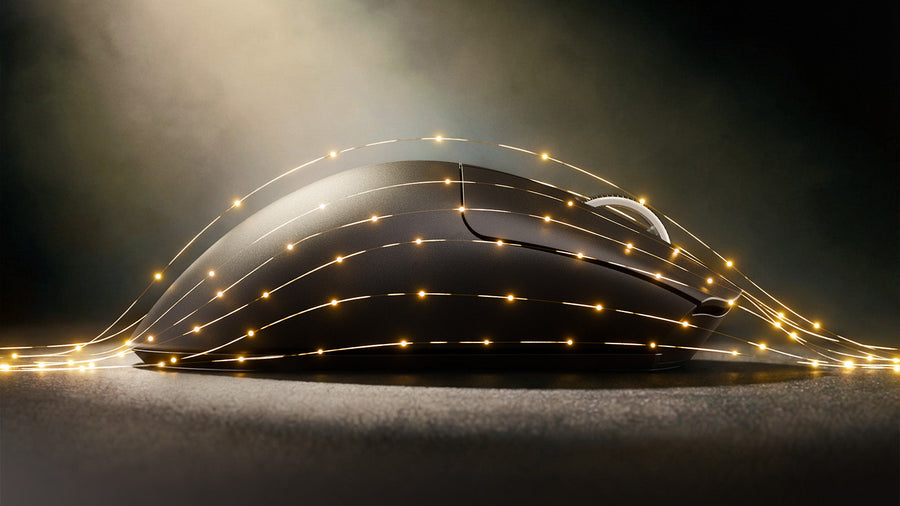
Side view of a black gaming mouse wrapped in glowing golden light trails on a dark surface.

コメントを書く

このサイトはhCaptchaによって保護されており、hCaptchaプライバシーポリシーおよび利用規約が適用されます。