Game Mouse

Why do Pro Players Still Use Low DPI (400/800) in 2026?

Why do Pro Players Still Use Low DPI (400/800) in 2026?

In 2026, despite the advancements in gaming mice with higher DPI settings, pro players continue to use lower DPI (400-800) for their gaming setups. But why? Is it simply a matter of preference, or is there a deeper, scientifically backed reason for sticking with low DPI? 

This article delves into the advantages of low DPI settings, how it impacts gameplay, and why professional gamers choose it over higher DPI options, even with the latest technology.

Why Muscle Memory Trumps Marketing Numbers

One of the primary reasons pro players still opt for lower DPI settings is muscle memory. Over the years, these players have trained their hands and fingers to move with precision and speed based on low DPI sensitivity. This consistency allows for more accurate, instinctive, and controlled movements.

When playing fast-paced games, pro players need to rely on their reflexes, which have been fine-tuned over thousands of hours of practice. Higher DPI settings might seem appealing with their promise of faster movement, but for pros, switching to a higher DPI would disrupt their muscle memory, making their actions less precise. Lower DPI allows them to have more controlled, deliberate movements, helping them maintain accuracy, even in the heat of competitive play.

Why Lower Sensitivity Filters Out "Human Noise"

Human error, or "human noise," can severely affect gameplay, especially in competitive settings. When you increase your mouse sensitivity (higher DPI), you risk overcompensating with small, unintentional hand movements, resulting in jitter or inconsistent aiming. This can be especially problematic when aiming at distant or small targets in shooting games.

At lower DPI (such as 400 or 800), smaller, unintended movements are less likely to affect accuracy. The mouse becomes less sensitive to tiny, involuntary hand shifts, allowing players to make precise and purposeful movements. This results in more predictable and stable gameplay, which is crucial in fast-paced, competitive games.

Pixel Skipping vs. Smoothness: Does 400 DPI Still Work on 4K Monitors?

A common misconception is that low DPI will cause pixel skipping, especially on high-resolution monitors like 1440p or 4K displays. However, 400 DPI is still perfectly viable for gaming on 4K screens. Here’s why:

  • Pixel Skipping: This occurs when the DPI is set too high for the monitor's resolution, causing the cursor to jump across multiple pixels. But with a DPI of 400, the mouse movement is smooth and controlled on 4K monitors. In fact, a lower DPI allows for finer control over pixel movements without skipping, ensuring that players can track enemies, aim with precision, and avoid unnecessary jumps.
  • Smoothness: While higher DPI settings give you more pixels to work with, it can also cause less smoothness and more twitchy movements. At 400 DPI, you achieve a balance of smooth movement without sacrificing precision, even on high-res monitors.

In conclusion, 400 DPI continues to perform well on 4K monitors, providing the best of both worlds—precision and smoothness.

The Relationship Between DPI and High Polling Rates (4K/8K)

A critical factor in modern gaming is the polling rate of your mouse. The polling rate, measured in Hz, determines how often your mouse updates the data sent to the computer. A higher polling rate means faster response times. Many pro gamers use high polling rate mice (4000Hz or 8000Hz) to complement their low DPI settings.

At 400 DPI or 800 DPI, a high polling rate ensures that every slight movement is captured accurately without the delay or lag that might occur with lower polling rate mice. The combination of low DPI and a high polling rate provides the fastest response time while retaining accuracy. This setup makes aiming smoother and more responsive, even at lower DPI levels.

Managing Game UI and Windows Desktop Speed

Another reason for using low DPI settings is that it offers better control of not only in-game movements but also the general performance of your mouse across your operating system. When you set your DPI too high, the mouse cursor may move too quickly on your desktop, causing unnecessary adjustments.

With a low DPI setting, you can enjoy smoother movement, especially when managing large or multiple windows in your operating system. If you're a gamer who also uses the computer for productivity, having 400 DPI ensures better precision when navigating complex UI elements without the risk of overshooting your desired area.

Why Lower DPI Still Rules in 2026

Despite technological advancements in gaming mice, 400 DPI remains a preferred choice for pro players. It allows for superior muscle memory, minimizes human error, and ensures smooth movements without the risk of pixel skipping. When combined with a high polling rate, it offers fast and precise gameplay, ideal for competitive environments.

So, when choosing your gaming mouse and setting your DPI, remember that lower isn’t necessarily worse. It’s about finding the balance that works best for your style and the games you play.

FAQs

Q1: If 1600 DPI has lower input lag, why don’t all pros switch to it?

Pros prefer lower DPI because it maintains accuracy and muscle memory. Higher DPI may introduce unwanted sensitivity and disrupt their precision.

Q2: Will using 400 DPI cause “pixel skipping” on my 1440p or 4K screen?

No, 400 DPI works well on 4K monitors without causing pixel skipping, ensuring smooth and precise gameplay.

Q3: Can I use 400 DPI with a 4000Hz or 8000Hz polling rate?

Yes, pairing 400 DPI with a high polling rate offers the best of both worlds: precision and rapid response times for smooth gameplay.

Q4: Is DPI the same as Sensitivity?

No, DPI refers to the resolution of your mouse’s movement, while sensitivity is how your mouse input is adjusted in the software. DPI influences the hardware, and sensitivity controls how the hardware is used in-game.

前後の記事を読む

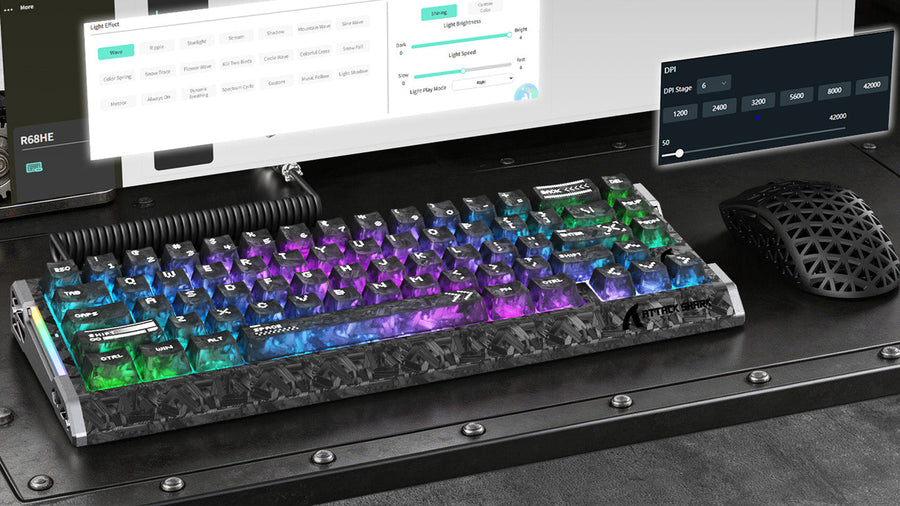
RGB keyboard and honeycomb mouse shown with software configuration overlays on a monitor.

コメントを書く

このサイトはhCaptchaによって保護されており、hCaptchaプライバシーポリシーおよび利用規約が適用されます。