


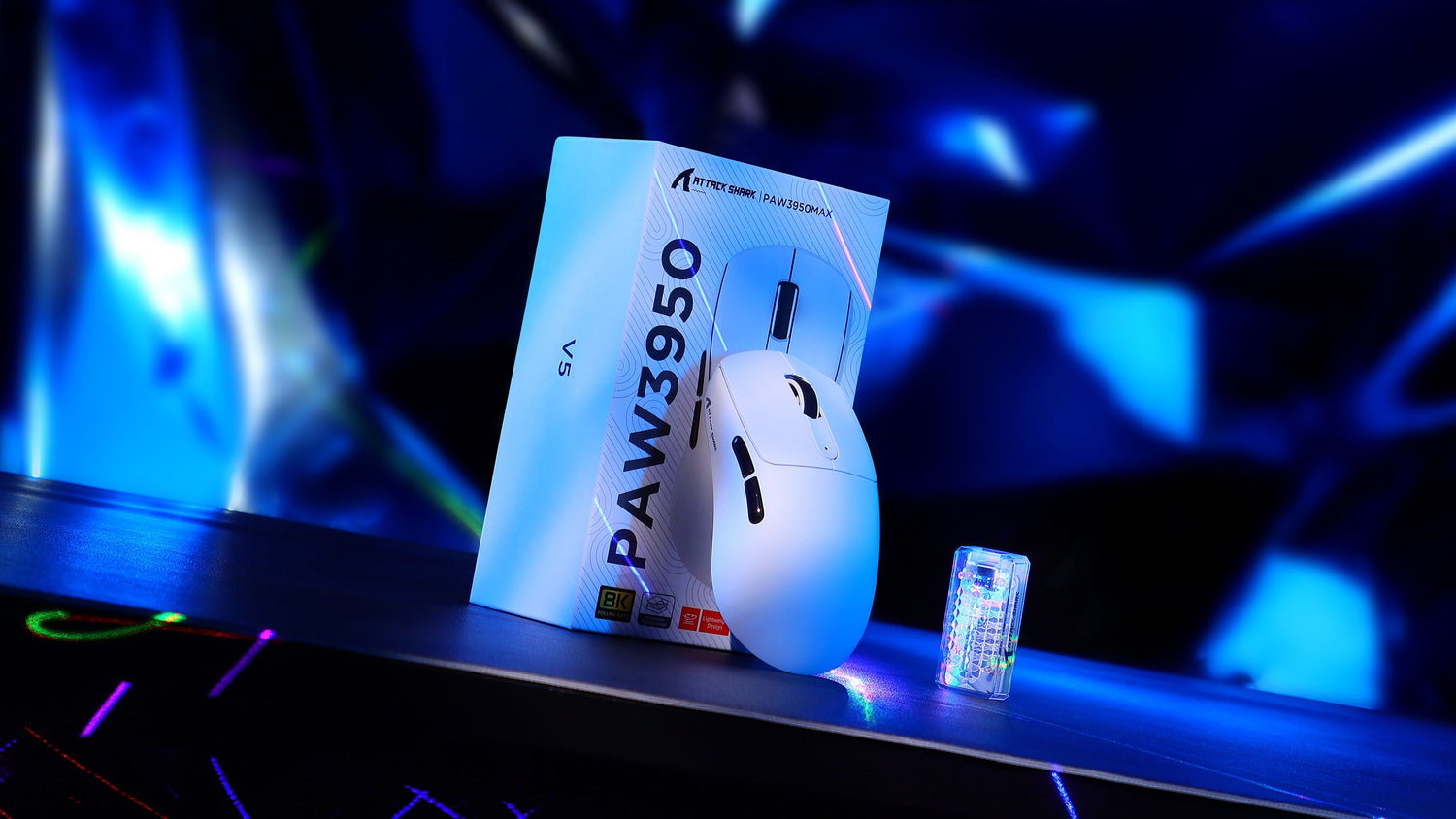
競争の激しいゲーム業界は現在、長年業界標準とされてきた1000Hzから、高周波ポーリングレート、特に8000Hz(8K)への技術的移行期にあります。マーケティング資料ではしばしばほぼ瞬時のデータ転送が強調されますが、このようなハードウェアの実用性は、周囲のエコシステムに大きく依存します。本分析では、8Kポーリングに関連するエンジニアリングメカニズム、実世界におけるパフォーマンス指標、そして重要なシステムトレードオフを検証し、そのわずかなメリットが具体的な競争優位性につながるかどうかを検証します。
高頻度ポーリングのエンジニアリング
ゲーミングマウスのポーリングレートとは、デバイスが1 秒間にコンピュータに位置情報とクリックデータを送信する頻度を指します。標準的な1000Hzマウスは1ミリ秒ごとにレポートを送信します。8000Hzマウスはこの周波数を8 倍に高め、0.125ミリ秒ごとにレポートを送信します。この通信はUSB HIDクラス定義によって制御されており、割り込みベースの転送を利用してデータパケットがオペレーティングシステムによって優先されるようにします。
8Kポーリングにおける主要な技術的課題は、より多くのデータを送信するだけでなく、信号の安定性とジッターの低減を確保することです。現代の高性能マウスは、Nordic nRF52840などの高度なマイクロコントローラー(MCU)を活用して、増大する処理負荷に対処しています。USB -IFの規格および文書によると、高速データの整合性を維持するには、正確なタイミングと、電磁干渉(EMI)によるレポートの整合性の低下を防ぐための堅牢なシールドが必要です。
レイテンシー:理論上の利益と知覚可能な現実
1000Hzから8000Hzに移行した場合の理論的な遅延削減は0.875ミリ秒です。これはミリ秒単位の完璧なタイミングが求められる世界では大きな差のように聞こえますが、「モーションから光子へ」というパイプライン全体の中で、その意味を理解する必要があります。
| メトリック | 1000Hzポーリング | 8000Hzポーリング | 違い |
|---|---|---|---|
| 報告間隔 | 1.0ミリ秒 | 0.125ミリ秒 | -0.875ミリ秒 |
| 標準的なディスプレイ遅延(144Hz) | 約 7.0ミリ秒 | 約 7.0ミリ秒 | 0ミリ秒 |
| 一般的なネットワークping | 15~50ミリ秒 | 15~50ミリ秒 | 0ミリ秒 |
| 人間の反応時間 | 約 200ミリ秒 | 約 200ミリ秒 | 0ミリ秒 |
| 総システム遅延 | 約 223ミリ秒 | 約 222.125ミリ秒 | 0.5%未満 |
ご覧のとおり、ハードウェアの改善はレイテンシチェーン全体のうちほんの一部に過ぎません。RTINGSなどの組織によるマウスクリックレイテンシ測定法を用いた標準化されたテストでは、大多数のユーザーにとって、安定した1000Hz 接続は十分な基準となることが示されています。多くのゲーマーにとってボトルネックとなるのは、マウスのポーリングレートではなく、ディスプレイのリフレッシュレートとネットワーク状況です。

システムのボトルネック: CPUとモニターの要件
8000Hzポーリングの有効化は「無料」のアップグレードではなく、ホストシステムにかなりの負荷をかけます。マウスからの通知ごとにCPU 割り込みが発生します。8000Hzでは、CPUコア1 個あたりの処理時間の2~3%が消費される可能性があります。ミッドレンジや旧型のプロセッサでは、このオーバーヘッドにより、 Counter-Strike 2やValorantといったCPU 依存のゲームで「スタッタリング」やフレームタイムの不安定さが発生する可能性があります。
さらに、8Kのメリットは、高リフレッシュレートのモニターがなければほとんど実感できません。60Hzまたは144Hzのディスプレイでは、モニターのリフレッシュ間隔(それぞれ16.6msと6.9ms)が遅すぎて、8Kセンサーが提供するきめ細かな更新を表示できません。8000Hzポーリングによるスムージング効果を真に実感するには、240Hzまたは360Hzモニターが推奨されます。NVIDIA Reflex Analyzerセットアップガイドでは、入力遅延を最小限に抑えるには、モニター、GPU、周辺機器を含むシステム全体の最適化が不可欠であると強調されています。
バッテリーとモーション同期のパラドックス
ワイヤレスゲーミングマウスの場合、8Kポーリングは深刻な電力管理の課題をもたらします。毎秒 8000 回のポーリングを処理できるように無線周波数を上げると、消費電流が大幅に増加します。
実験データの洞察: 制御されたシミュレーションでは、ワイヤレスマウスの周波数を1000Hzから8000Hzに切り替えると、バッテリー駆動時間が約 50 時間からわずか17 時間に短縮され、66%の短縮となりました。この切り替えには毎日の充電が必要となり、長時間のゲームセッションやトーナメントプレイに支障をきたす可能性があります。
もう一つの技術的な考慮事項はMotion Syncです。この機能は、標準的な1000Hzポーリングでは約 0.5msの遅延ペナルティを追加しますが、8000Hzではこのペナルティは約 0.06msと無視できるほど小さくなります。低いポーリングレートとは異なり、8KマウスでMotion Syncを有効にすると、実質的に知覚できる遅延コストなしで、一貫したトラッキング間隔を実現できます。

DPIスケーリングの重要性(ナイキスト・シャノン制約)
ゲーマーによくある技術的なミスとして、低いDPI(Dots Per Inch)設定で高いポーリングレートを使用するというものがあります。DPIが低すぎると、マウスセンサーは毎秒 8000 回のレポートを「埋める」のに十分なデータポイントを生成できません。その結果、マウスが同じ座標を複数回送信する冗長なレポートが発生し、8K 帯域幅が無駄になってしまいます。
ナイキスト・シャノンのサンプリング定理に基づくと、1440p 解像度で25cm/360の感度で動作するセットアップでは、「ピクセルスキップ」とアンダーサンプリングを回避するために、最低でも1850DPIが必要です。通常 400または800DPIでプレイするゲーマーは、センサーの物理 DPIを上げ、ゲーム内感度を下げることで補正しない限り、8000Hzポーリングではトラッキングのメリットが実質的に得られないことに気付くでしょう。
シナリオ分析: 8K の恩恵を受けるのは誰でしょうか?
アップグレード パスをナビゲートするには、次の 2 つの異なるユーザー シナリオを検討してください。
シナリオA:バランスの取れた競争的なゲーマー
- ハードウェア: 144Hz モニター、ミッドレンジ CPU (例: Ryzen 5 または Core i5)。
- 推奨: 1000Hzまたは2000Hzに抑えてください。8Kオーバーヘッドによりフレームドロップが発生する可能性があり、モニターは8Kトラッキングの微細な滑らかさを再現できません。1000Hzワイヤレスセットアップは50 時間以上のバッテリー駆動が可能で、より実用的です。
シナリオB:エリート愛好家
- ハードウェア: 360Hz モニター、ハイエンド CPU (例: Ryzen 9 または Core i9)、最適化された Windows 環境。
- 推奨: 8000Hzは実用的です。Apex Legendsのようなトラッキングを多用するゲームでは、よりスムーズなカーソル移動が微調整に役立ちます。このようなユーザーは、有線接続または専用の8Kワイヤレスレシーバーを優先し、デバイスを毎日充電できるように準備しておく必要があります。

技術最適化チェックリスト
8K ポーリングを実装することを決定した場合、安定性を確保するために次の手順が不可欠です。
- USBポートの選択:割り込みレイテンシを最小限に抑えるため、CPUのPCIeレーンに直接接続されたUSB 3.0 以上のポートを使用してください(マザーボードのマニュアルを参照)。USBハブは使用しないでください。
- DPI 調整: 8K レポートを飽和させるのに十分なデータをセンサーに提供するために、マウスの DPI を少なくとも 1600 または 3200 に増やします。
- Windows の最適化: Windows 設定で「ポインターの精度を高める」を無効にし、ゲーム エンジンが高周波の生の入力をサポートしていることを確認します。
- ファームウェアの検証:必ずメーカーの公式サポートページから最新のドライバーをダウンロードしてください。ワイヤレスデバイスの場合は、高周波での信号低下を防ぐため、レシーバーをマウスから30cm 以内に設置してください。
最終技術評価
8000Hzポーリングはゲーミングマウスのエンジニアリングにおける現在の最高峰ですが、その効果は限られています。ハイエンドシステムでは理論上 0.875msのレイテンシー削減とスムーズなトラッキングを実現できますが、CPUオーバーヘッド、バッテリー駆動時間の66%短縮、高 DPI 設定の必要性など、その代償は甚大です。平均的なゲーマーにとって、安定した1000Hzまたは2000Hzのポーリングレートは、パフォーマンスと信頼性のバランスが最も取れた、依然として最も効率的な選択肢です。
免責事項:この記事は情報提供のみを目的としています。ハードウェア設定の変更やサードパーティ製ファームウェアの使用は、システムの安定性に影響を与える可能性があります。リチウムイオン電池のメンテナンスおよび電気規格への適合性については、必ずデバイスの公式ユーザーマニュアルと安全ガイドラインを参照してください。

コメントを書く
このサイトはhCaptchaによって保護されており、hCaptchaプライバシーポリシーおよび利用規約が適用されます。