Dying to silent enemies in Battle Royale games is incredibly frustrating. In fast-paced shooters like Warzone and Apex Legends, audio cues are just as important as visual information. Hearing an enemy approach gives you the critical advantage to pre-aim a corner or reposition safely.
This guide explains how to optimize your audio settings and hardware to hear footsteps clearly. By adjusting in-game software and utilizing the right peripherals, you can eliminate audio clutter and track enemy movements with precise accuracy.

Imaging vs. Soundstage: How Do They Work?
Before buying new equipment, you need to understand how game audio actually works. Two primary audio concepts dictate whether you can pinpoint an enemy's exact location through a wall.
Audio Imaging (Precision)
Audio imaging refers to the ability to pinpoint exactly where a sound originates. Excellent imaging allows you to distinguish whether a footstep is coming from the front-left doorway or the window directly behind you. In competitive shooters, precise imaging is the most critical audio factor for tracking enemy movements accurately.
Soundstage (Distance)
Soundstage determines the perceived physical space of the audio environment. A wide soundstage helps you judge the exact distance of approaching footsteps. It prevents sounds from feeling cramped inside your head, allowing you to gauge whether a player is running in the building next door or the room directly above you.
Stereo vs. Virtual Surround Sound
Many players mistakenly use 7.1 virtual surround sound. In competitive environments, standard stereo audio is highly preferred. Virtual surround software often muddies the audio mix by adding artificial echoes. Sticking to a high-quality stereo output provides the most accurate and reliable directional cues for raw footstep audio.

Identify What Are Good Gaming Headsets for Battle Royales
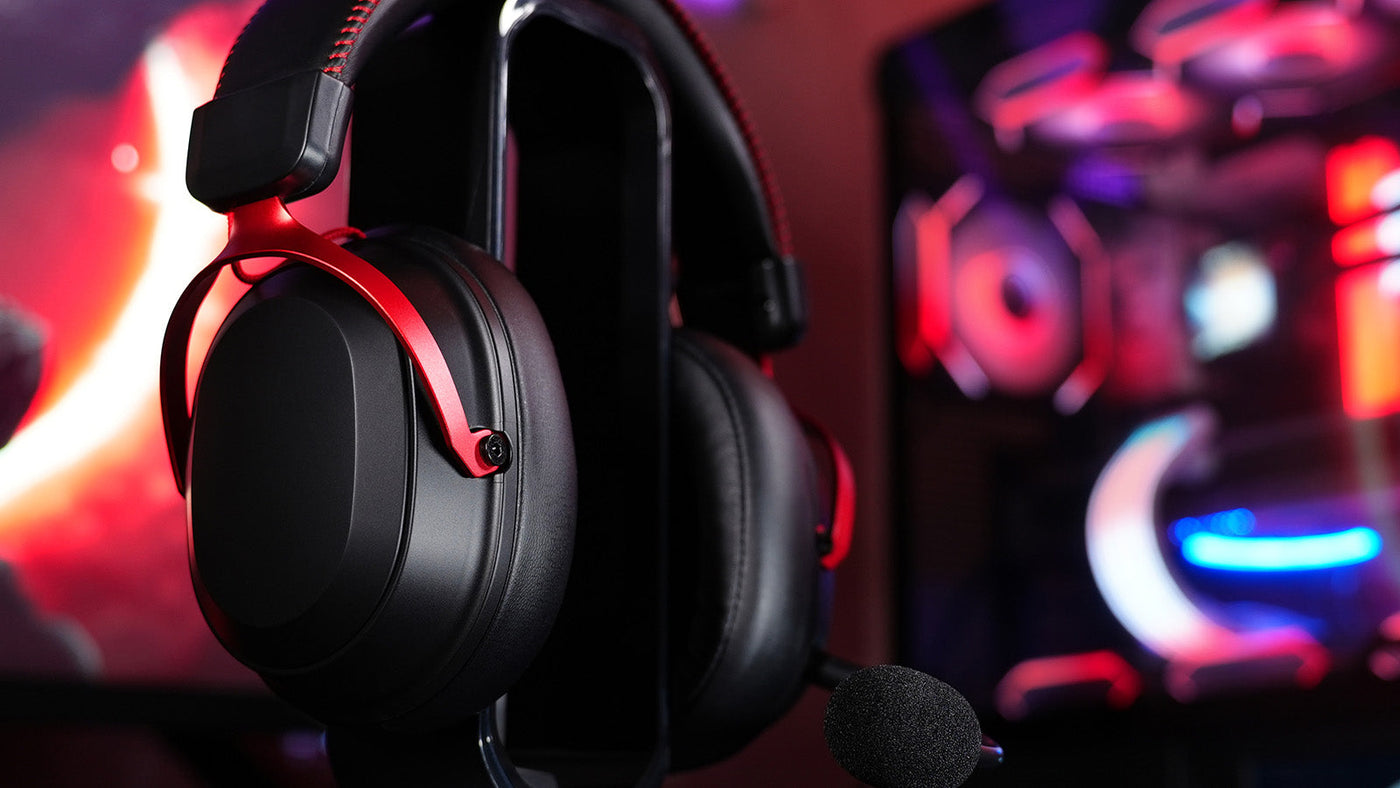
Selecting the right audio gear is the foundation of spatial awareness. Players frequently ask what are good gaming headsets when faced with overwhelming market options. The answer relies on raw technical specifications rather than aesthetic design.
Driver Quality
Large, high-quality drivers separate audio frequencies effectively. When an airstrike occurs simultaneously with an enemy pushing your building, poor drivers will blend the sounds into a muddy rumble. High-end gaming headsets maintain separation, ensuring the heavy bass of explosions does not completely drown out the subtle sound of nearby footsteps.
Frequency Response Tuning
Footsteps in Warzone and Apex Legends typically exist in the mid-to-high frequency ranges. When determining what are good gaming headsets, avoid models labeled "bass-heavy" or "cinematic." Heavy bass overwhelms the crucial mid-range frequencies. Look for equipment with a flat frequency response or a slight boost in the treble to highlight crunching dirt and floorboard creaks.
The Seal and Comfort
A closed-back design with thick ear pads physically blocks background noise in your real-life room. This passive noise cancellation ensures that computer fans or household noise will not distract you. Furthermore, lightweight gaming headsets reduce physical fatigue, keeping you focused on the game audio during extended ranking sessions.
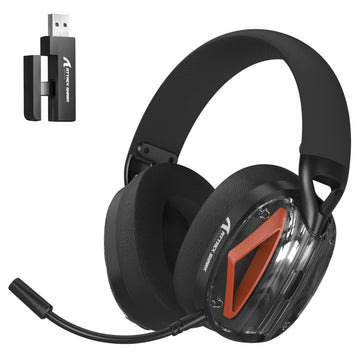
ATTACK SHARK x MAMBASNAKE SH33 ワイヤレス Bluetooth ヘッドセット
Optimize Software Settings in Warzone and Apex
Even the best hardware fails if the in-game audio mix is poorly configured. Adjusting your software settings instantly removes background clutter and enhances footstep clarity.
Warzone features a notoriously cluttered audio mix. Navigate to the audio settings and select the "PC" or "Headphone Bass Boost" audio mix, depending on your hardware. Lower the in-game music volume to zero. Reduce dialogue and announcer volume to twenty percent. This strictly prioritizes player-generated noises over environmental distractions.
Apex Legends relies heavily on line-of-sight audio mechanics. Keep the master volume high, but significantly reduce the dialogue volume to prevent character voice lines from masking enemy movements. Ensure the game output is set to standard stereo. The Source engine handles native 3D directional processing very well without external software interference.
Open your Windows sound control panel and locate the "Loudness Equalization" setting. Enabling this feature compresses the audio output. It makes quiet sounds, like distant footsteps, noticeably louder while simultaneously reducing the deafening volume of close-range gunshots. This simple software tweak provides a massive advantage in modern Battle Royales.
Sync Audio with Action Using a Wired Gaming Mouse
Hearing an enemy is only half the battle; reacting to that sound instantly requires zero input lag. Your desk hardware directly impacts your audio-visual synergy during sudden close-quarters encounters.
Reaction Syncing
When you hear a footstep behind you, you must turn instantly to face the threat. Using a wired gaming mouse ensures that your physical flick registers at the exact millisecond your brain processes the audio cue. This direct connection eliminates the micro-stutters that can occur during intense firefights.
The Wired Advantage
While wireless technology has improved, a wired gaming mouse completely eliminates the risk of signal interference. In a scenario where you are tracking an enemy through a wall based entirely on sound, a dropped wireless signal or a low battery warning will instantly cost you the match.
Sensor Accuracy
High polling rates and accurate optical sensors prevent crosshair skipping. Tracking a fast-moving target in Apex Legends using only sound cues requires flawless sensor tracking. A reliable wired gaming mouse translates your physical hand movements into precise on-screen aiming, allowing you to pre-fire corners with high confidence.
ATTACK SHARK L60 超軽量 3モード ゲーミングヘッドセット
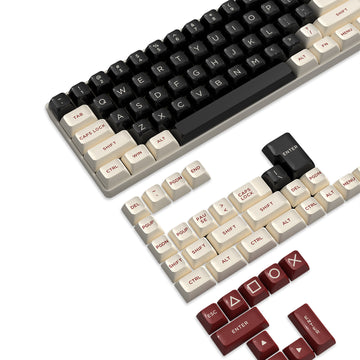
Master Keyboard Key Functions for Tactical Audio Control
Managing your system volume and team communication quickly is essential during chaotic firefights. Assigning specific actions to your peripheral saves valuable time when you need to focus entirely on sound.
Audio On-the-Fly
Bind your system volume controls to dedicated keyboard key functions. If a loud supply drop lands nearby, quickly tapping a key to lower the volume protects your hearing. Tapping it again restores your footstep levels once the noise passes. This eliminates the need to open menus during live gameplay.
The "Ping" System
Remap the in-game ping system to easily accessible keyboard key functions rather than reaching across the board. When you hear a sound cue, pinging that exact direction instantly relays the audio information to your teammates. Fast communication based on audio cues often decides the outcome of team engagements.
Macro Strategies
Use peripheral software to set up a Discord mute toggle. Muting your teammates with a single key press allows you to focus completely on the game audio during a tense final-circle situation. Mastering these keyboard key functions ensures your teammates' callouts do not mask crucial enemy footsteps.
Build a Professional Audio Ecosystem
Taking your audio to the next tier involves external processing and routine maintenance. These final adjustments separate casual players from competitive tacticians who rely heavily on precise sound.
- Use External DACs: A digital-to-analog converter cleans up motherboard audio static. It provides a highly purified signal to your gaming headsets, making quiet footsteps significantly crisper and easier to locate.
- Perform Hardware Maintenance: Clean your ear pads regularly and ensure all cables are fully plugged in. Dust accumulation in the connection ports frequently causes static or audio channel imbalance.
- Execute a Warm-Up Routine: Drop into a team deathmatch specifically to practice tracking targets through walls using only sound. This trains your brain to recognize specific footstep surfaces before jumping into ranked modes.
Dominate Your Matches with Optimized Game Audio
Mastering game audio requires a combination of proper hardware and optimized software settings. By selecting equipment with a flat frequency response and enabling features like Loudness Equalization, you can isolate enemy movements easily. Coupling this audio clarity with responsive peripherals ensures your physical reactions match your heightened situational awareness. Apply these specific adjustments to your setup today, and you will significantly improve your ability to track, engage, and defeat opponents in any Battle Royale environment.
FAQ
Exactly what are good gaming headsets for competitive players?
Look for wired stereo models featuring a flat frequency response. Avoid aggressive virtual surround sound features, as they add artificial echoes that distort accurate directional footstep cues.
Does a wired gaming mouse actually improve audio reaction time?
It improves your physical reaction to the audio. Zero input latency ensures your rapid turn matches the exact moment you hear the footstep, providing maximum synchronization between sound and action.
Should I use Loudness Equalization in Windows?
Yes. Loudness Equalization compresses the dynamic range of the game. It amplifies quiet footsteps while suppressing loud explosions, making it an essential setting for competitive Battle Royale players.
How do keyboard key functions improve team audio?
Binding mute toggles to accessible keys allows you to quickly silence noisy teammates during a clutch situation. This ensures you can focus entirely on enemy footsteps without verbal distractions.


コメントを書く
このサイトはhCaptchaによって保護されており、hCaptchaプライバシーポリシーおよび利用規約が適用されます。